
SaveMii Wii U - WUT Port
More actions
| SaveMii WUT Port | |
|---|---|
 | |
| General | |
| Author | Xpl0itU |
| Type | Backup Tools |
| Version | 1.6.5i |
| License | GPL-3.0, MIT |
| Last Updated | 2025/01/20 |
| Links | |
| Download | |
| Website | |
| Source | |
SaveMii ported to WUT with improved performance and various fixes.
It is a Wii U/vWii savefile manager that allows you to backup and restore game saves on the console. Up to 256 backups can be made per title. Backups are stored in sd:/wiiu/backups.
Note: Please use at your own risk.
Features
- Improved copy speeds.
- VC injects are shown.
- If VC is vWii, the user is warned to go to the vWii saves section instead.
- Demo support.
- Fixes issues present in the mod version.
- Shows useful info about the saves like its date and time of creation.
- Support for Wiimote/Wii U Pro Controller/Wii Classic Controller.
- Language config menu.
Installation
Available as an rpx (Tiramisu) and wuhb (Aroma).
Extract either -Aroma.zip or -HBL.zip to the root of the SD card.
If you are upgrading from v1.6.3, please delete the old savemii.wuhb from the apps folder.
Controls
Up/Down - Move across screen
Left/Right - Cycle between options
A - Select a task, Enter a menu
B - Go back to the previous menu
X/Y/Plus/Minus - Access special functions (they are described at the bottom line in each menu)
For sorting Titles press R to change sorting method and press L to change between descending and ascending.
Screenshots
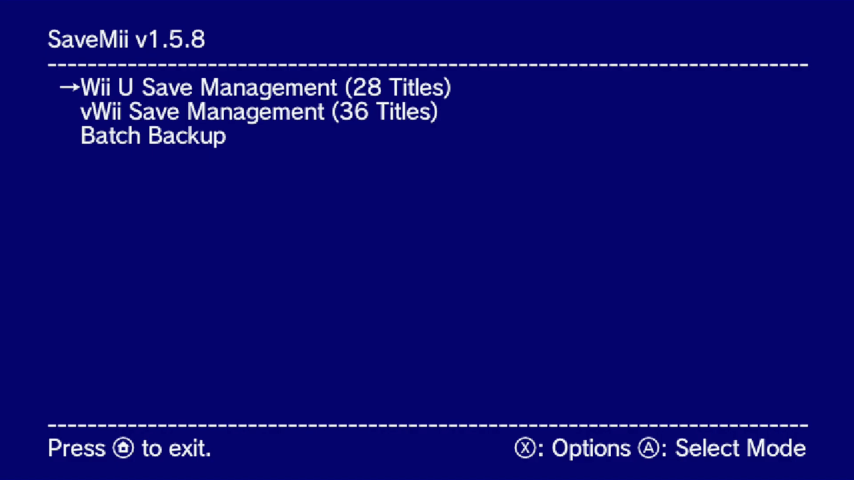
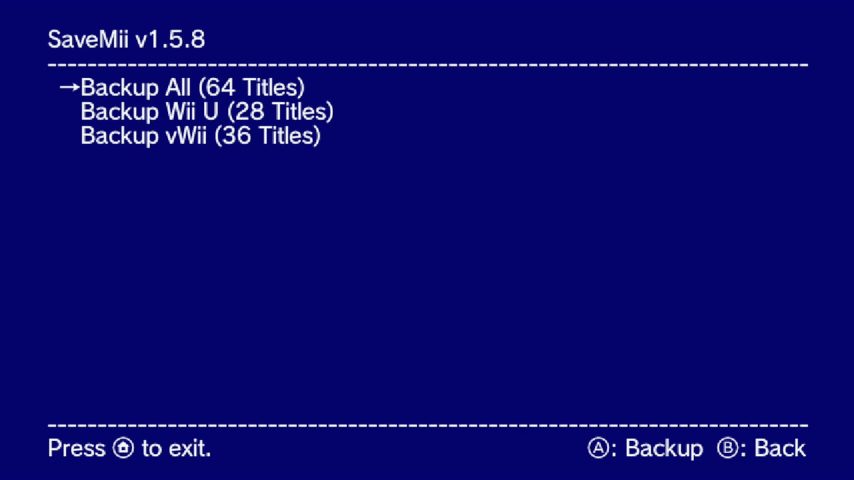
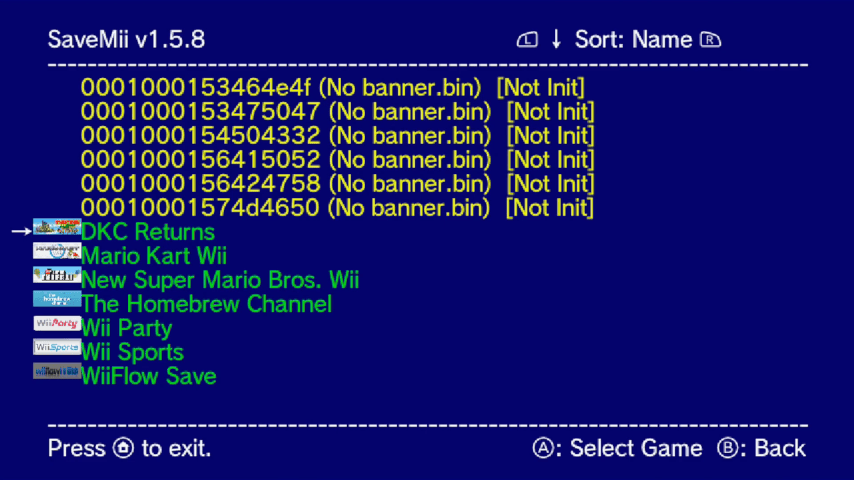
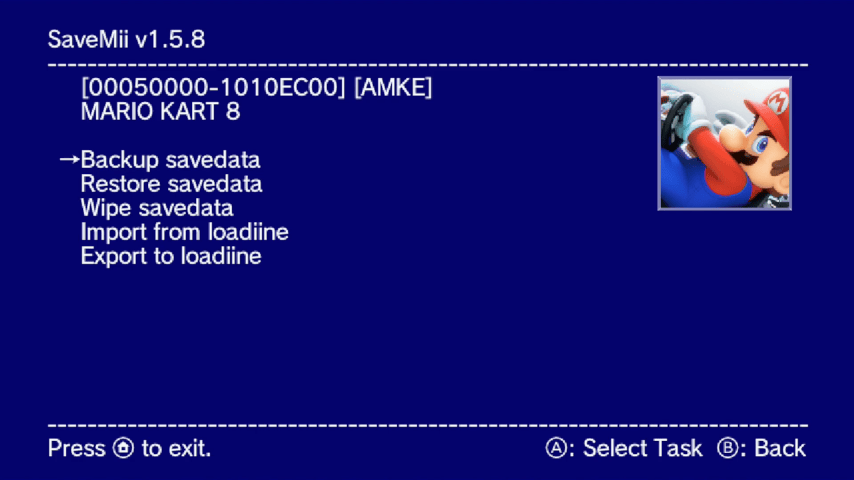
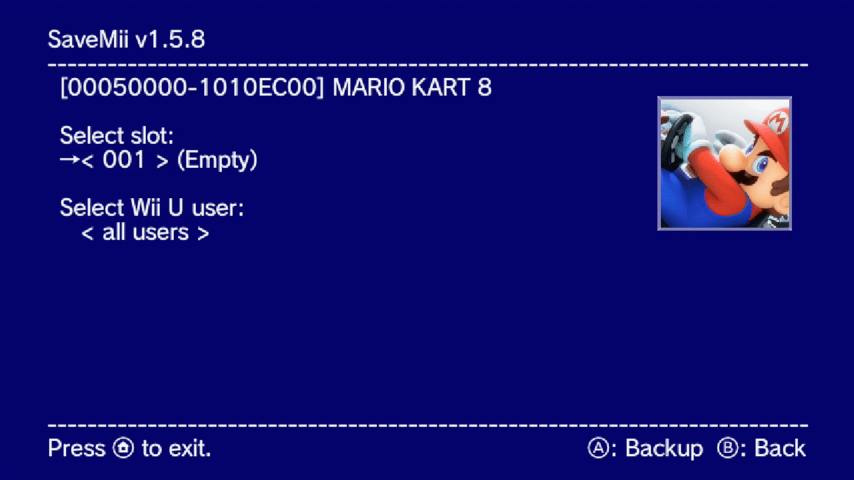
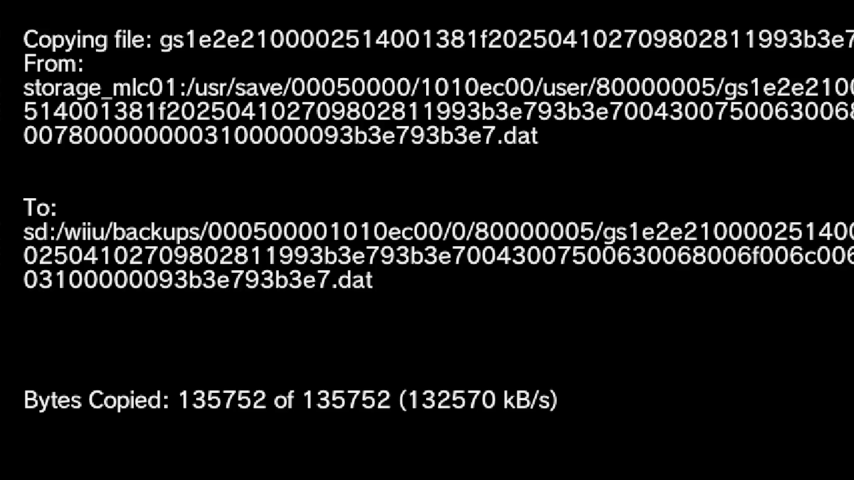
Media
Add 100% Save Data to ANY Wii U Game! (Updated Savemii Guide 2023) (FunkyScott47)
Compatibility
Works on Tiramisu/Aroma.
Known issues
Changelog
v1.6.5i 2025/01/20'
- Enhancements (by @w3irDv):
- Descriptive messages for I/O errors are reported back.
- The success of file copy operations is tracked to detect faulty backups.
- Fixes (by @w3irDv):
- tags are preserved if you B return from the keyboard menu.
v1.6.4 2025/01/07'
- Enhancements (by @w3irDv):
- New task: batch restore already installed titles using savedata from a batch backupSet.
- You can tag and delete slots using "+"/ "-" from the Backup task menu.
- You can tag and delete backupSets using "+"/ "-" from the BackupSetList menu.
- Minor UI improvements - color highlighting when navigating menus.
- Updated SaveMii 1.6.3 Simplified Chinese translation (thanks to @kavid).
- Fixes (by @w3irDv]):
- Prevent potential freeze due to a disc inserted in the console.
- Notice that the default installation path has changed (since 1.6.3) to
sd:/wiiu/apps/SaveMiiModWUTPort. If it exists, please delete the (old)savemii.wuhbfile fromsd:/wiiu/appsfolder to prevent duplicates.
v1.6.3 2024/08/25
- Enhancements (by @w3irDv):
- Restore can now use batch saves: Press X from the Restore Menu and then select the "backupSet" to be used from then on.
- Batch saves from NAND and USB use different slot to avoid being overwritten. For duplicated ones, USB data will always be in slot 0.
- Fixes solved (by @w3irDv):
- Freezes when initializing (one of the "crash when USB storage attached" problems)
- Freezes when exiting in Aroma.
- Timestamp for saves returns for new backups
- Common save not found for some games
- Differents bugs in backup/restore/wipe tasks when using "from/to a different user" or "common save yes/no" options.
- copySaveData not working when allUsers option is set
v1.6.1 2024/03/31
- Fixed save backup path (thanks @jan-hofmeier).
v1.6.0 2024/03/18
- Removed fatfs driver to prevent corruption (thanks @jan-hofmeier).
v1.5.9 2023/06/26
- Fixed correct handling of slots and users when switching between slots.
v1.5.8 2023/02/05
- Added Portuguese language.
- Fixed German not showing in the options menu.
v1.5.7 2023/01/27
- Fixed uninitialized titles not showing up on the Title List.
- Previously, when restoring to an uninitialized title, it would either fail or not be able to delete it from system settings after restoring, that has been fixed (thanks to @GabyPCgeeK for telling me how to fix it).
- Added German translation (thanks to @Kugane).
v1.5.6 2023/01/21
- Completely rewrote SaveMii to make it easy to add new functions in the future and to make a more readable code.
- Fixed the screen not redrawing the whole time when copying files.
v1.5.5 2023/01/17
- Fixed hang when copying files.
v1.5.4 2023/01/09
- Switched to libschrift for font rendering instead of freetype, saving some memory and storage, and hopefully speeding up rendering.
- Code for rendering to screen has been rewritten.
v1.5.3 2022/11/03
- Reintroduced fatfs, with improved performance and no corruptions.
- The progress indicator is back too.
v1.5.2 2022/11/03
- Compatibility with games is 100% now, which means that if you restore a game, it will work, unlike previous versions
- Removed fatfs driver, it needs more work
v1.5.1 2022/11/01
- Flush the drives after every operation, this should solve caching issues.
- Apply correct permissions when creating folders.
- Fixed vWii when there is no FTP plugin running.
1.5.0 2022/10/31
- Switched from libfat to fatfs, resulting in a massive sdcard performance boost even on not-that-great sdcards.
- Updated Chinese translations.
- SaveMii now sets the correct permissions (0x660) so some games like MK8 don't complain about it (doesn't ensure compatibilty with 100% of the games though).
v1.4.9 2022/10/24
- Added a config menu for changing the language (settings don't persist between sessions).
- Fixed font for Chinese and Korean languages.
v1.4.8 2022/10/17
- Added translations for Simplifed and Traditional Chinese and Japanese.
- Fixed USB games detection with a uStealth drive and a console formatted drive connected at the same time.
v1.4.7 2022/10/14
- Added Korean to the translations.
- Reworked the Date and Input codes.
- Refactored a lot of old code.
- When doing a batch backup, the saves will default to slot 0.
v1.4.6 2022/09/27
- Added support for Italian language.
- Official support for Aroma.
v1.4.5 2022/08/24
- Added support for Spanish and Russian language, with more languages to come in the future, the language will be set in function of the console's language.
- Reworked input code.
- Optimized some code.
v1.4.4 2022/08/20
- Use libmocha instead of libiosuhax.
- Use unlocked FSClient instead of mounting each drive.
- Removed CBHC/Haxchi support, an updated MochaPayload is required, so only Tiramisu/Aroma for now.
v1.4.3 2022/08/18
- Multithreaded the file copying code, which translates in way faster speeds.
v1.4.2 2022/06/24
- Fixed loadiine import and export (broken by original SaveMii Mod).
- Improved loading speeds by using a custom WUT and changing the title sorting algorithm.
- Modified the title sort UI so it looks better.
- Added support for Haxchi/CBHC.
v1.4.1 2022/05/08
- No more &apost;, names are displayed correctly.
- Uses dlmalloc, which makes everything so much faster (can be felt in the loading screen).
- Other misc. changes.
v1.4.0 2022/04/05
- Fix displaying files with long names when copying (this fixes copying mk8 for example).
- While trying to fix the above bug, I ported some code to std::string, so, uh, there's that.
v1.3.9 2022/03/20
- SaveMii will now show the dates of the backups (only for the new backups).
- Using libfat, which improves speeds on games like BOTW.
v1.3.8 2022/03/19
- Lists game demos and VC injections.
- Improved controls a lot (it is now usable).
- Fixed copying from/to mlc.
- Other misc. changes.
v1.3.7 2022/03/17
- Fix copying from mlc (thanks V10lator).
- Fix not being able to exit certain menus.
v1.3.6 2022/03/16
- Fix restoring and backing up savedata to some titles.
- Fix confirm prompts not being able to be exited.
v1.3.5 2022/03/15
- Now uses freetype, which means it uses the system font.
v1.3.4 2022/03/13
- Fixed restoring.
- Fixed wiping.
- Fixed vWii cursor overlapping.
- Fixed prompts not reading correctly the input.
v1.3.3 2022/03/12
- Added Wiimote/Wii U Pro Controller/Wii Classic Controller support.
- Fixed Batch Backup.
v1.3.2 2022/03/11
- Fix backing up from USB and vWii.
- Improve even more copy speeds.
v1.3.1 2022/03/10
- Full Changelog: 1.3.0...1.3.1.
v1.3.0 2022/03/07
- Ported to WUT (it's now an rpx file).
- Adjusted the GUI a bit.
Credits
- Bruno Vinicius, for the icon.
- Maschell, for libmocha and countless help.
- Crementif for helping with freetype.
- V10lator for helping with a lot of stuff.
- Vague Rant for testing.