
OpenMW Vita
More actions
| OpenMW Vita | |
|---|---|
 | |
| General | |
| Author | KingTorro |
| Type | Role Playing |
| Version | 1.3.3 |
| License | GPL-3.0 |
| Last Updated | 2026/05/03 |
| Links | |
| Download | |
| Website | |
| Source | |
OpenMW is an open-source open-world RPG game engine that supports playing Morrowind by Bethesda Softworks. This is a full port of OpenMW to the PS Vita via vitaGL. You need to own the game for OpenMW to play Morrowind.
OpenMW also comes with OpenMW-CS, a replacement for Bethesda's Construction Set.
Description
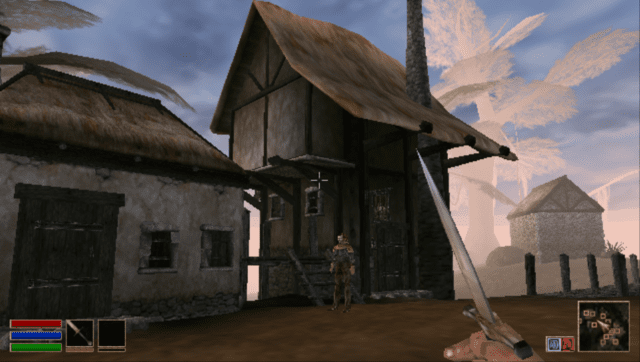
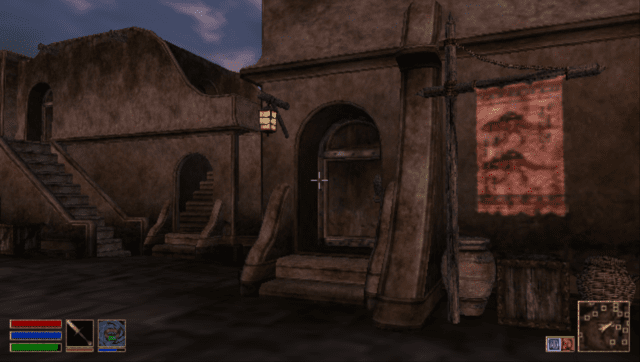
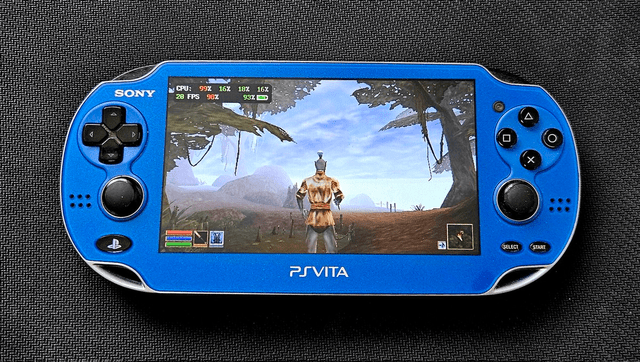
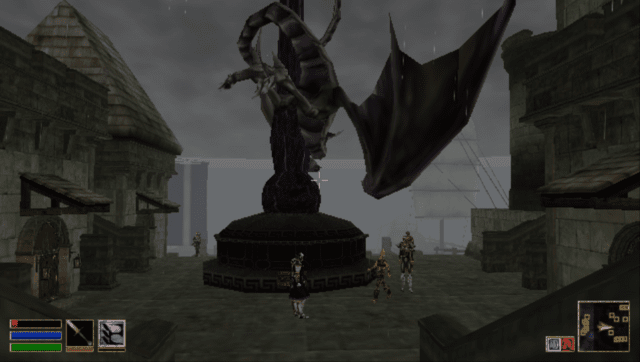
OpenMW for PS Vita is a native port of the open-source Morrowind engine, built on vitaGL. It runs Morrowind, Tribunal, and Bloodmoon at 15–30 FPS at a 640x368 render resolution, upscaled to the native 960x544 display. The port features controller input, front touchscreen cursor support, and a dynamic fog system that auto-scales draw distance to hold the target framerate.
The main quests in Morrowind, Tribunal, and Bloodmoon are all completable. Some issues with side quests are to be expected but are rare. Saves are fully interchangeable with desktop OpenMW saves.
Vita Settings
A dedicated Vita tab is available under Options in the game menu:
- Dynamic Fog — auto-shrinks draw distance to hold target FPS
- Dynamic Fog Target FPS — 15 (max distance), 18 (long), or 20 (balanced)
- Dynamic Fog Aggression — Normal, Aggressive, or Very Aggressive
- View Distance — manual draw distance when dynamic fog is off
- Field of View
- Font Size
- Preload Cell Cache — 1 (default) or 2 (smoother cell transitions, more RAM)
Known Limitations
- Video plays without audio
- Shadows, post-processing, water shaders, distant terrain, and groundcover are disabled for performance
- Water and Video tabs are removed from Settings
Installation
- Install
openmw.vpkon your Vita using VitaShell. - Copy your Morrowind game data to
ux0:data/openmw/Data Files/:Morrowind.esm,Morrowind.bsaTribunal.esm,Tribunal.bsa(if GOTY)Bloodmoon.esm,Bloodmoon.bsa(if GOTY)meshes/,textures/,sound/,music/,fonts/,splash/,video/, etc.
- Copy your
Morrowind.initoux0:data/openmw/. - Launch from the home screen. Note: the first boot is slow while shaders compile.
Note for Mac OS users: Double check your file transfers do not auto-add an underscore (_) to the beginning of a file name. If they do, delete that file or you will have errors on boot.
Mods
Drop full mod folders into ux0:data/openmw/mods/<name>/. Plugin files (.esm, .esp, .omwaddon, .omwscripts) and .bsa archives inside are auto-detected and added to the load order on next boot. Loose meshes and textures can also go directly under Data Files/. Saves live in ux0:data/openmw/saves/.
Controls
| Input | Action |
|---|---|
| Left stick | Move |
| Right stick | Look |
| Cross | Activate / Talk / Confirm |
| Square | Toggle weapon (ready / sheathe) |
| Triangle | Toggle spell (ready / unready) |
| Circle | Inventory / Back |
| L trigger | Jump |
| R trigger | Attack / Cast (use equipped) |
| D-pad Up | Rest / Wait |
| D-pad Down | Sneak |
| D-pad Left | Cycle weapon |
| D-pad Right | Cycle spell |
| L3 (Top Left Corner Touch Screen) | Toggle 1st / 3rd person |
| R3 (Top Right Corner Touch Screen) | Quick save |
| Start | Game menu |
| Select | Journal |
| Hold Select + Start | Console |
| Front touchscreen | Cursor (in menus) |
Notes
- Video plays without audio.
- Shadows, post-processing, water shaders, distant terrain, and groundcover are disabled for performance.
- Water and Video tabs are removed from Settings.
Media
OpenMW - PS Vita (KingTorro)
Screenshots
Changelog
v1.3.3
- Better memory management.
- Performance optimizations.
- Fixes some crash scenarios.
v1.3.2
- Better loading times in some scenarios
- When entering an interior, the exterior cell is kept loaded unless memory is exhausted
v1.3.1
- Back Touch L2/R2 mapping
- Tons of window behavior fixes
- Scrollable focus fix
- Updated VitaGL
- Persistent player settings
- Better mod scanning
- Updated default Cyrillic encoding
v1.3
- Optimized memory cache cleanup and additional 13 MB to the heap available
- Fixes save issue bug in some configurations
v1.2
- GOG Game of the Year support
- Bug fix for class picker questionnaire
v1.1
- Enabled PSX Glyphs
- Initial release
v1.0
- First Release.