
Celeste FMOD2 Utilities Switch
More actions
| Celeste FMOD2 Utilities | |
|---|---|
 | |
| General | |
| Author | pixelomer |
| Type | PC Utilities |
| Version | 2025.11.08 |
| License | N/A |
| Last Updated | 2025/11/08 |
| Links | |
| Download | |
| Website | |
| Source | |
| Support Author | |
Utilities for getting Celeste to work with FMOD 2 on ARM64 and x86_64 Linux. Tested on Switch with Ubuntu Noble 24.04. It also automatically install Everest mod.
Installation
These steps are meant to be followed directly on the Switch. You don't need a separate Linux system. (For your convenience, you may also choose to perform these operations over SSH. If you do, make sure to set DISPLAY=:0 and WAYLAND_DISPLAY=wayland-0 before attempting to start Celeste.)
Download Celeste from either itch.io or Epic Games Store. Download the Linux build if possible (but Windows FNA builds may also work). Builds on Steam will not work because the Steam version of the game contains DRM.
Download the latest release of Celeste-FMOD2 and extract it somewhere other than the Celeste folder.
Run the following commands in the terminal.
cd /path/to/Celeste-FMOD2
./patch.sh /path/to/celeste-linux/Celeste.exe
If the patcher was successful, run the following commands. You may be required to enter your password. After running these command, the installation will be complete and Celeste will start.
cd /path/to/celeste-linux
./Celeste-fmod2
You should now be able to launch Celeste using the app launcher.
Note that if you decide to move the Celeste folder somewhere else in the future, you'll have to run /path/to/celeste-linux/Celeste-fmod2 again to fix the app launcher shortcuts.
Mods
Celeste-FMOD2 will install Everest automatically. However, Olympus isn't available on the Switch, so you'll have to manually download mods and copy them into the Celeste folder.
Files
- patch.sh - Use this script to apply the necessary changes for FMOD 2 compatibility.
- fmod/ - Contains instructions (for developers) on how to get the FMOD library working. The FMOD library is used in Celeste for sound.
- otherlibs/ - Contains a Makefile for building FNA3D, SDL and fmod_SDL.
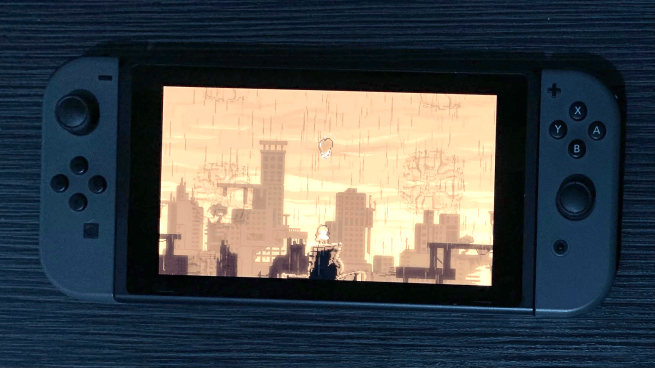
Screenshots
Changelog
2025.11.08
- Support for latest Everest (version 5961 at the time of release) and Ubuntu 24.04
- Renamed project from Celeste-ARM64 to Celeste-FMOD2
- Support for x86_64 Linux
- New FMOD shim that works with dotnet
- Switched from mono to dotnet
- Everest will now be downloaded and installed automatically by default, this behavior can be disabled by specifying CELESTE_FMOD2_VANILLA=1 on first launch
- Audio issue in 2025.11.06 should be fixed with this release
2025.11.06
- Support for latest Everest (version 5961 at the time of release) and Ubuntu 24.04
- Experimental new FMOD shim that works with dotnet
- Patcher will no longer try to install Olympus
- Everest will now be downloaded and installed automatically
- Known issue: Audio may not play properly while in-game. It is expected to work fine in pause screens and chapter select.
2025.03.18
- Added GitHub Actions build workflow
- download-fmod.sh will now hide potentially sensitive information by default (generated email addresses, tokens, etc.)
- Updated download-fmod.sh to use an alternative temporary email provider
- Bumped FNA3D version to 24.06
- Bumped SDL version to 2.30.3
- Revamped the patches to use dllmap instead of LD_PRELOAD, fixing some startup issues and adding Ubuntu 24.04 support
2023.02.04
- Updated FNA3D from 21.08 to 23.02.
- Updated SDL from 2.0.16 to 2.26.2.
- Updated FMOD_SDL from 21.03.05 to 22.06.16.
- Added symlinks libfmod.so.13 and libfmodstudio.so.13 to fix crashes.
2022.03.19
- Switched to FMOD 2.02.06.
- ARM64 libraries are now placed in libs-arm64.
- Fixed FMOD_Studio_EventInstance_SetParameterByName.
2022.03.06
- The installation instructions were simplified.
- Celeste is now added to the app launcher.
2021.09.07
- Fixed Celeste crash in Prologue by implementing the renamed function FMOD_Studio_EventInstance_TriggerCue.
2021.09.02
- Added some missing libraries in Olympus.
2021.08.31
- FMOD libraries aren't included in GitHub releases. You can get them from FMOD's website.
- Olympus file picker does not work. Edit ~/.config/Olympus/config.json manually to add your Celeste path.