
TKMM-NX Switch
From GameBrew
More actions
| TKMM-NX | |
|---|---|
 | |
| General | |
| Author | TKMM-Team |
| Type | Operating Systems |
| Version | 2.0.0-beta2 |
| License | Mixed |
| Last Updated | 2025/02/23 |
| Links | |
| Download | |
| Website | |
| Source | |
TKMM-NX is a mod manager for Tears of the Kingdom (TKMM) that runs directly on the Nintendo Switch.
Developed by the TKMM Team, TKMM-NX is a Linux-based operating system built upon Lakka (a lightweight Linux distribution focused on emulation).
Installation
- Download the OS Image from Releases.
- Copy the tkmm and bootloader folders to the root directory of the SD card.
- Boot into RCM (Recovery Mode) on the Nintendo Switch.
- Inject the Hekate payload using a compatible method.
- In the Hekate menu, navigate to "More Configs" and select "TKMM" to boot into the TKMM-NX environment.
Screenshots


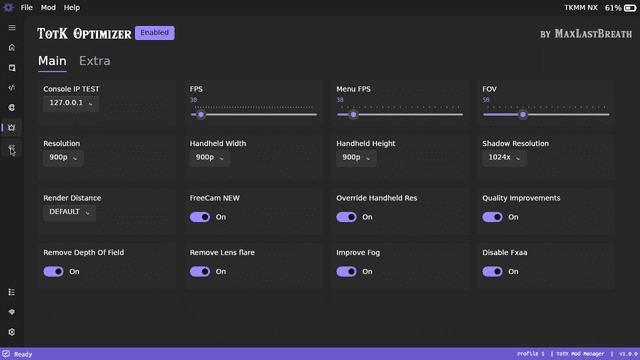
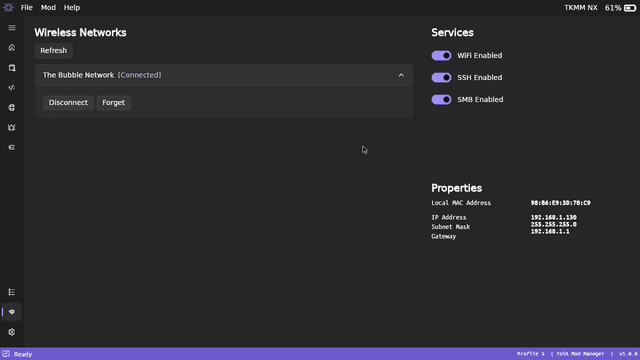
Changelog
v2.0.0-beta2
- Update game dump error messages.
- Disable optimizer by default.
- Use direct index merging for game__component__ConditionParam (*).
- Delete UltraCam config when optimizer is disabled.
- Bind the home button to reboot popup.
- Remove manual setup from NX setup wizard.
- Fix auto-updater checksum parser.
- Fix process name resolver.
- Fix BYML change tracking mergeable addition resolver.
(* Requires changelog rebuild)
v1.0
- First Release.
Credits
The Team:
- Arch Leaders: Lead TKMM Developer
- Lord Bubbles: TKMM-NX Developer
- Aster: Co-Founder, Artist, & Operations Manager
- The5thTear: Co-Founder & Developer
- Mikachan: Developer
Special Thanks:
- The Switchroot community for pioneering open-source development on the Nintendo Switch.
- The Lakka team, for its work that allowed us to create a custom OS for TKMM on Switch.
- The LibreELEC team for creating the Linux distribution upon which all of this is built.
External links
- Official Website - https://tkmm.org/index.html
- GitHub - https://github.com/TKMM-Team/TKMM-NX
- ForTheUsers - https://hb-app.store/switch/TKMM-NX
- GameBanana - https://gamebanana.com/tools/19164