
ESpotify PS4
From GameBrew
More actions
| eSpotify | |
|---|---|
 | |
| General | |
| Author | hdhdhfhfirjf |
| Type | PC Utilities |
| Version | 1.0.0 |
| License | Mixed |
| Last Updated | 2021/11/28 |
| Links | |
| Download | |
| Website | |
| Source | |
Control Spotify functions like pause, next song, volume with PS4 controller without having to take your hands off the controller for keyboard binds or tab out.
User guide
Create a Spotify developer app in the Developer Portal.
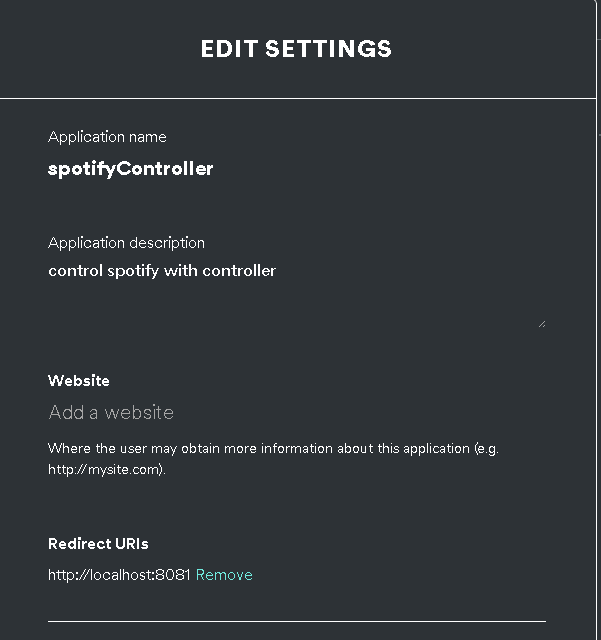
Edit the Redirect URIs for the created app to "http://localhost:808".
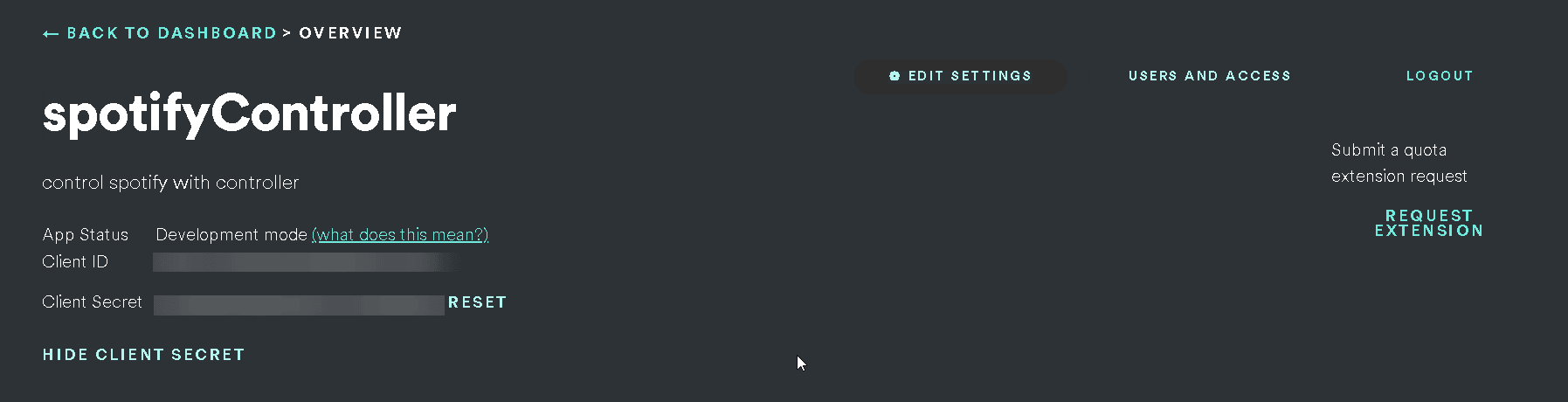
Paste the Client Credentials into config.json (Client ID, Client Secret). Edit config as wanted.
The first time you run it, it should open the redirect URI in your browser.
You may have to log in, if not, accept the scope terms for the Spotify API.
Controller key codes:
{
"x": 0,
"circle": 1,
"square": 2,
"triangle": 3,
"share": 4,
"PS": 5,
"options": 6,
"left_stick_click": 7,
"right_stick_click": 8,
"L1": 9,
"R1": 10,
"up_arrow": 11,
"down_arrow": 12,
"left_arrow": 13,
"right_arrow": 14,
"touchpad": 15
}
Screenshots
Edit the Redirect URIs
Client ID, Client Secret
Changelog
v1.0
- First Release.