
My-MeloDS: Difference between revisions
From GameBrew
More actions
m Text replacement - "{{Infobox homebrew" to "{{Infobox DS Homebrews" |
m Text replacement - "image = https://dlhb.gamebrew.org/dshomebrew/" to "image = " |
||
| Line 1: | Line 1: | ||
{{Infobox DS Homebrews | {{Infobox DS Homebrews | ||
| title = myMeloDS | | title = myMeloDS | ||
| image = | | image = mymelods.png | ||
| type = Music | | type = Music | ||
| version = 0.45 | | version = 0.45 | ||
Revision as of 09:00, 18 October 2021
| myMeloDS | |
|---|---|
| Error creating thumbnail: Unable to save thumbnail to destination | |
| General | |
| Author | T.Le (outphase), L.Yang (zoharmodifier) |
| Type | Music |
| Version | 0.45 |
| Links | |
| Download | |
| Website | |

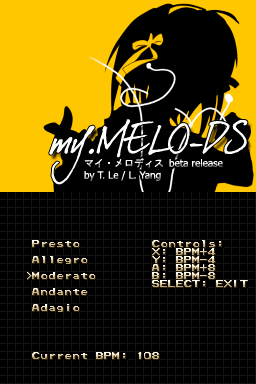
My-MeloDS (read: my melodies) is a piano-based music application for the purpose of ear training and basic composition. There are 4 modes: Free Mode, Ear Training Mode, Composition and Metronome.
Features
- Free Mode.
- Ear Training Mode.
- Composition and Metronome.
User guide
Free Mode:
This mode allows free play on the piano with no restrictions.
Ear Training Mode:
Follow the instructions on the top screen to determine how to complete each test.
Tests are scored right or wrong and have clear cut answers.
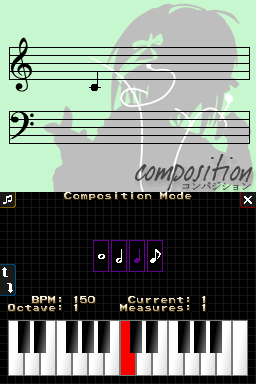
Compostion Mode:
Able to create a simple melody using the notes provided.
It prevents a note overrun (tied notes), so you cannot place a note duration that does not fit a perfect measure in 4/4 time.
Screenshots
Known issues
Text shows up strangely on slot 2 cards.