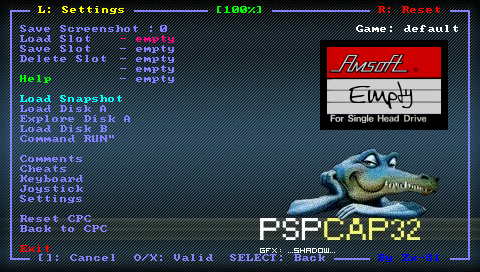
PSPCAP32: Difference between revisions
From GameBrew
More actions
No edit summary |
No edit summary |
||
| Line 17: | Line 17: | ||
==Features== | ==Features== | ||
* Multiple mappings in the emulator window (Standard, L-Trigger and R-Trigger). | * Multiple mappings in the emulator window (Standard, L-Trigger and R-Trigger). | ||
* On-Screen Keyboard | * Danzeff On-Screen Keyboard by Danzel and Jeff Chen. | ||
* Customizable IR keyboard (from the file pspirkeyb.ini). | * Customizable IR keyboard (from the file pspirkeyb.ini). | ||
* Save/Load CPC Snapshot files (ZIP, SNA, SNZ). | * Save/Load CPC Snapshot files (ZIP, SNA, SNZ). | ||
| Line 40: | Line 40: | ||
'''Virtual keyboards:''' | '''Virtual keyboards:''' | ||
You can toggle the On-Screen Keyboard | You can toggle the Danzeff On-Screen Keyboard or IR keyboard to manually enter Commands or write your own comments for game. | ||
The IR keyboard allows you to enter letters, special characters and digits. | The IR keyboard allows you to enter letters, special characters and digits. | ||