PSPXTI: Difference between revisions
From GameBrew
More actions
No edit summary |
No edit summary |
||
| Line 31: | Line 31: | ||
You can use an IR-keyboard with PSP XTI. You can edit the file pspirkeyb.ini and modify it according to your IR keyboard model. | You can use an IR-keyboard with PSP XTI. You can edit the file pspirkeyb.ini and modify it according to your IR keyboard model. | ||
* 1 | * 1 Compaq/HP foldable keyboard. | ||
* 2 | * 2 Snap'n'Type. | ||
* 5 | * 5 HP Slim keyboard. | ||
* 8 | * 8 Belkin IR (not IrDA). | ||
* 9 | * 9 Flexis FX-100 keyboard. | ||
* 10 | * 10 Benq G250 gamepad. | ||
* 12 | * 12 Micro Innovations Foldaway keyboard. | ||
* 13 | * 13 Micro Innovations Datapad. | ||
* 14 | * 14 Compaq MicroKeyboard. | ||
* 15 | * 15 Targus Universal Wireless keyboard. | ||
* 18 | * 18 Freedom keyboard. | ||
* 19 | * 19 NOVAETS - KIS2 - IR Keyboard. | ||
* 20 | * 20 Palm Universal Wireless Keyboard. | ||
* 21 | * 21 Hama Palm IR keyboard. | ||
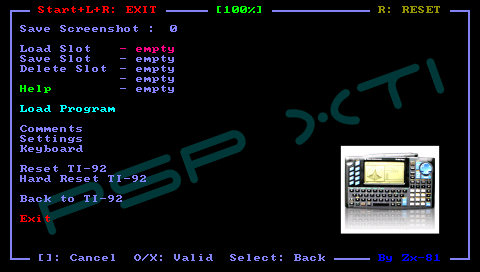
Use the arrows of your keyboard to navigate through the menus. The Enter key is use to validate, and the Escape key to cancel. | Use the arrows of your keyboard to navigate through the menus. The Enter key is use to validate, and the Escape key to cancel. | ||