Toggle menu
Toggle preferences menu
Toggle personal menu
Not logged in
Your IP address will be publicly visible if you make any edits.

Adhoc File Transfer PSP: Difference between revisions

From GameBrew
No edit summary
Line 43: Line 43:


===About files===
===About files===
The File Menu is able to copy, move, delete files/folders. You can also use OSK (on-screen keyboard) to create new folders and rename them.  
The File Menu will allow you to copy, move, delete files/folders. You can also use OSK (on-screen keyboard) to create new folders and rename them.  


Please keep in mind if there is a file with the same name on the receiving side, it will be overwritten. However, if the file size and modified date are both the same, the program will be able to conclue that they are the same file and not to overwrite it.
You can cancel the transfer and resume later. A file will be saved on the receiving side (file name ends with _Incomplete_), which can be used to resume previous transfer. Otherwise you can simply delete it.


You can cancel the transfer and resume later. A file will be saved on the receiving side (file name ends with _Incomplete_), which can be used to resume previous transfer. Otherwise you can simply delete it.
Keep in mind if there is a file with the same name on the receiving side, it will be overwritten. However, if the file size and modified date are both the same, the program will be able to conclue that they are the same file and not to overwrite it.


===Additional notes===

Revision as of 09:31, 29 August 2021

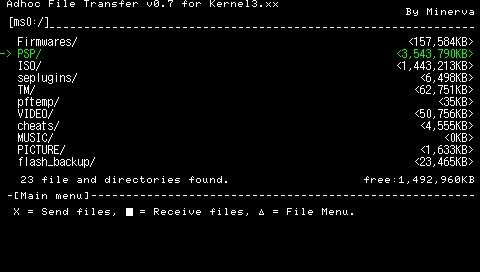
Adhoc File Transfer
adhocfiletransfer.png
General
Author(s)Minerva
TypeUtilities
Version0.7 signed (2010)
LicenceMixed
Links
Download
Website
Advertisements

<htmlet>adsense</htmlet>

Advertising: