Adhoc File Transfer PSP: Difference between revisions
From GameBrew
More actions
No edit summary |
|||
| Line 42: | Line 42: | ||
* Once the receving side detects the game console in Distribution mode, it will automatically collect the files/folders. | * Once the receving side detects the game console in Distribution mode, it will automatically collect the files/folders. | ||
=== | ===About files=== | ||
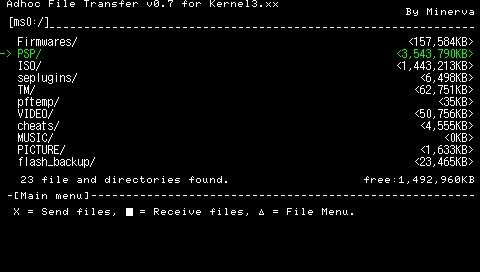
The File Menu is able to copy, move, delete files/folders. You can also use OSK (on-screen keyboard) to create new folders and rename them. | The File Menu is able to copy, move, delete files/folders. You can also use OSK (on-screen keyboard) to create new folders and rename them. | ||
| Line 49: | Line 49: | ||
You can cancel the transfer and resume later. A file will be saved on the receiving side (file name ends with _Incomplete_), which can be used to resume previous transfer. Otherwise you can simply delete it. | You can cancel the transfer and resume later. A file will be saved on the receiving side (file name ends with _Incomplete_), which can be used to resume previous transfer. Otherwise you can simply delete it. | ||
===Additional notes=== | |||
Communication between consoles using Distrubution mode is less stable compare to one-to-one mode. For transferring data between 2 people it is recommended to use one-to-one mode (should take no longer than 10 seconds to establish connection). | Communication between consoles using Distrubution mode is less stable compare to one-to-one mode. For transferring data between 2 people it is recommended to use one-to-one mode (should take no longer than 10 seconds to establish connection). | ||