Ptextviewer PSP: Difference between revisions
From GameBrew
More actions
No edit summary |
|||
| Line 14: | Line 14: | ||
==Installation== | ==Installation== | ||
'''Note | '''Note:''' It is advised to use version 103. Only when it does not work, you can try using the alternate version 103-2. | ||
This plugin depends on [http://code.google.com/p/prx-common-libraries/downloads/list cmlibmenu]. Place cmlibmenu.prx and the font folder containing the font data in ms0:/seplugins/lib/ (ef0:/seplugins/lib/ for PSP Go). | This plugin depends on [http://code.google.com/p/prx-common-libraries/downloads/list cmlibmenu]. Place cmlibmenu.prx and the font folder containing the font data in ms0:/seplugins/lib/ (ef0:/seplugins/lib/ for PSP Go). | ||
| Line 29: | Line 27: | ||
For PSP Go, add this line instead | For PSP Go, add this line instead | ||
ef0:/seplugins/ptextviewer.prx 1 | ef0:/seplugins/ptextviewer.prx 1 | ||
==User guide== | ==User guide== | ||
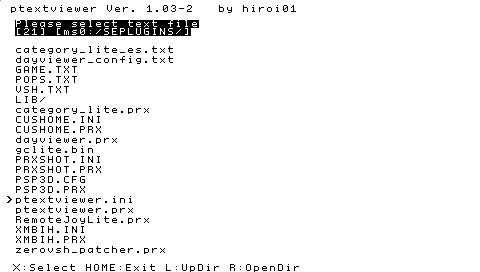
You can use the plugin to read text files in txt and ini formats. Note the only text code can be read is Shift-JIS. | You can use the plugin to read text files in txt and ini formats. Note the only text code can be read is Shift-JIS. | ||