PSPadrive: Difference between revisions
From GameBrew
More actions
No edit summary |
No edit summary |
||
| Line 1: | Line 1: | ||
{{Infobox PSP homebrew | {{Infobox PSP homebrew | ||
| title = PSPadrive | | title = PSPadrive | ||
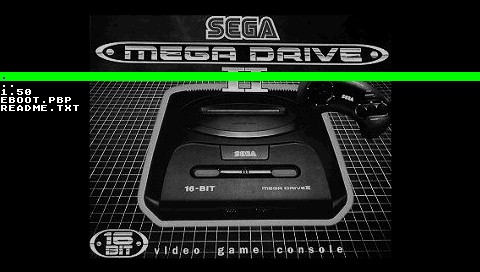
| image = https://dlhb.gamebrew.org/psphomebrew/ | | image = https://dlhb.gamebrew.org/psphomebrew/pspadrive.png|250px | ||
| type = Console | | type = Console | ||
| version = release 1 (19 Mar 2006) | | version = release 1 (19 Mar 2006) | ||
| Line 7: | Line 7: | ||
| author = HamsterBert | | author = HamsterBert | ||
| website = https://www.neoflash.com/forum/index.php?topic=1887.0 | | website = https://www.neoflash.com/forum/index.php?topic=1887.0 | ||
| download = https://dlhb.gamebrew.org/psphomebrew/ | | download = https://dlhb.gamebrew.org/psphomebrew/pspadrive.7z | ||
| source = | | source = | ||
}} | }} | ||
| Line 23: | Line 23: | ||
==Installation== | ==Installation== | ||
Copy the contents to ms0:/PSP/GAME/pspadrive/. | |||
Copy the contents | |||
Then put your Megadrive and Genesis roms to your Memory Stick. | Then put your Megadrive and Genesis roms to your Memory Stick. | ||
PSPadrive has a file browser so you can copy the roms anywhere (preferably in the /GAME/PSP/pspadrive/roms/ folder). | |||
Your roms can either be in SMD/BIN/MD/ZIP format (ZIP is recommended as it takes less space). | Your roms can either be in SMD/BIN/MD/ZIP format (ZIP is recommended as it takes less space). | ||
==User guide== | ==User guide== | ||
Note that this is an emulator only. It does not include any roms and there are a few missing features (Sound, More complete GUI, Lots more asm optimisations, Save states, Cheat codes, mappable controls). | |||
==Controls== | ==Controls== | ||
| Line 74: | Line 62: | ||
==External links== | ==External links== | ||
* Author's website - [https://web.archive.org/web/20080718041830/http://hbert.dcemu.co.uk http://hbert.dcemu.co.uk] (archived) | |||
* NeoFlash - https://www.neoflash.com/forum/index.php?topic=1887.0 | * NeoFlash - https://www.neoflash.com/forum/index.php?topic=1887.0 | ||
[[Category:PSP homebrew emulators]] | [[Category:PSP homebrew emulators]] | ||
[[Category:Homebrew console emulators on PSP]] | [[Category:Homebrew console emulators on PSP]] | ||