AgenaWorld PSP: Difference between revisions
From GameBrew
More actions
No edit summary |
|||
| Line 41: | Line 41: | ||
To fire an EMP and activate the hypercube, when your ship is touching a spacegate cube. | To fire an EMP and activate the hypercube, when your ship is touching a spacegate cube. | ||
=== | ===Customization=== | ||
To have your own music playing in the background instead of the default Agenaworld songs: | |||
* Convert them to wave files (WAV formats) and Make sure they are stereo channel and 16 bit, while the bitrate can vary. | * Convert them to wave files (WAV formats) and Make sure they are stereo channel and 16 bit, while the bitrate can vary. | ||
* Note that the program won't load the song if it is too big in size, so convert it to the lowest bitrate possible and work your way up to a higher bitrate testing to see if it loads in the game. | * Note that the program won't load the song if it is too big in size, so convert it to the lowest bitrate possible and work your way up to a higher bitrate testing to see if it loads in the game. | ||
* The files music1.wav, music2.wav, music3.wav and music4.wav are the song files. The rest are sound effects. | * The files music1.wav, music2.wav, music3.wav and music4.wav are the song files. The rest are sound effects. | ||
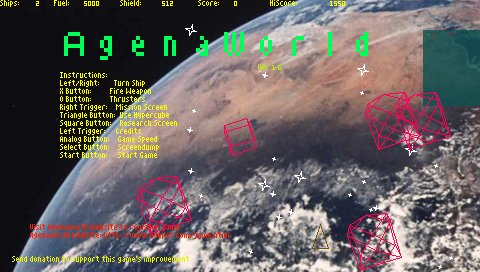
It is also possible to have your own pictures in the background | It is also possible to have your own pictures in the background: | ||
* Take any picture and save it as a bitmap file in 32bit-XRGB format. | * Take any picture and save it as a bitmap file in 32bit-XRGB format. | ||
* Note that you need to flip your picture vertically before you save, as the pixel lines are stored in reverse. | * Note that you need to flip your picture vertically before you save, as the pixel lines are stored in reverse. | ||