PSP Metronome: Difference between revisions
From GameBrew
More actions
No edit summary |
No edit summary |
||
| Line 1: | Line 1: | ||
{{Infobox PSP homebrew | {{Infobox PSP homebrew | ||
| title = PSP Metronome | | title = PSP Metronome | ||
| image = https://dlhb.gamebrew.org/psphomebrew/ | | image = https://dlhb.gamebrew.org/psphomebrew/pspmetronomeexxon.jpg|250px | ||
| type = Music Games | | type = Music Games | ||
| version = 0.1 (18 Sept 2006) | | version = 0.1 (18 Sept 2006) | ||
| licence = Mixed | | licence = Mixed | ||
| author = ExxonValdeez | | author = ExxonValdeez | ||
| website = | | website = http://psp-news.dcemu.co.uk/psp-metronome-0-1-36166.html | ||
| download = https://dlhb.gamebrew.org/psphomebrew/ | | download = https://dlhb.gamebrew.org/psphomebrew/pspmetronomeexxon.7z | ||
| source = | | source = | ||
}} | }} | ||
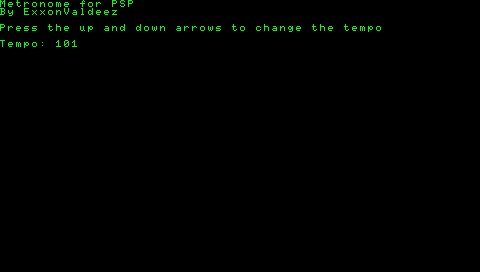
LUA PSP Metronome is a simple metronome application based off of the metronome at on | LUA PSP Metronome is a simple metronome application based off of the metronome at on [http://goanna.cs.rmit.edu.au/~winikoff/palm/my.html this page]. | ||
Installation | ==Installation== | ||
Put the folder in the apps folder of Lua player, or put the script and the sound file directly with the Lua player eboot. | Put the folder in the apps folder of Lua player, or put the script and the sound file directly with the Lua player eboot. | ||
User guide | ==User guide== | ||
Run the program and select your tempo. In order to change the tempo, you will however need to manually quit the program and restart it. | Run the program and select your tempo. In order to change the tempo, you will however need to manually quit the program and restart it. | ||
Controls | ==Controls== | ||
Up/Down - Change tempo | Up/Down - Change tempo | ||
Cross - Select tempo | Cross - Select tempo | ||
==External links== | |||
DCEmu | * DCEmu - http://psp-news.dcemu.co.uk/psp-metronome-0-1-36166.html | ||
[[Category:PSP homebrew applications]] | |||
[[Category:Other PSP homebrew applications]] | |||