ALoader PSP: Difference between revisions
From GameBrew
More actions
No edit summary |
No edit summary |
||
| Line 1: | Line 1: | ||
{{Infobox PSP homebrew | {{Infobox PSP homebrew | ||
| title = aLoader | | title = aLoader | ||
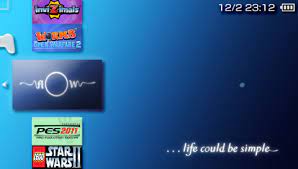
| image = https://dlhb.gamebrew.org/psphomebrew/ | | image = https://dlhb.gamebrew.org/psphomebrew/aloader.jpg|250px | ||
| type = Plugins | | type = Plugins | ||
| version = 1.25 (17 Mar 2011) | | version = 1.25 (17 Mar 2011) | ||
| Line 7: | Line 7: | ||
| author = ardi | | author = ardi | ||
| website = https://psp.brewology.com/downloads/download.php?id=12663&mcid=1 | | website = https://psp.brewology.com/downloads/download.php?id=12663&mcid=1 | ||
| download = https://dlhb.gamebrew.org/psphomebrew/ | | download = https://dlhb.gamebrew.org/psphomebrew/aloader.7z | ||
| source = | | source = | ||
}} | }} | ||
| Line 27: | Line 27: | ||
==User guide== | ==User guide== | ||
===Configuration file=== | |||
Since v1.0 developer has introduced new configuration file aLoader.conf in the aload folder, which allows you to create up to 6 shortcuts for your ISOs/CSOs. | Since v1.0 developer has introduced new configuration file aLoader.conf in the aload folder, which allows you to create up to 6 shortcuts for your ISOs/CSOs. | ||
| Line 34: | Line 35: | ||
iso_path2 = ms0:/extraISOs/ | iso_path2 = ms0:/extraISOs/ | ||
===Light Game Categories=== | |||
aLoader automatically detects whether you have activated the [[Game Categories Light PSP|Game Categories Light]] plugin and switches to the category mode. You can also change the settings in the aLoader.conf if you want to disable this function/enable force-mode. | aLoader automatically detects whether you have activated the [[Game Categories Light PSP|Game Categories Light]] plugin and switches to the category mode. You can also change the settings in the aLoader.conf if you want to disable this function/enable force-mode. | ||
| Line 41: | Line 41: | ||
force_categories = 1 (always on, note without Game Categories Light plugin you will get error message). | force_categories = 1 (always on, note without Game Categories Light plugin you will get error message). | ||
===Autosort=== | |||
You can set the last launched GAME to be displayed on the top of the list in XMB. | You can set the last launched GAME to be displayed on the top of the list in XMB. | ||
| Line 54: | Line 53: | ||
autosort = 7 (combine modes 1 and 2 and 4) | autosort = 7 (combine modes 1 and 2 and 4) | ||
===Change default ISO Driver=== | |||
You can choose between NP9660 and M33-Driver in the menu, or by editing aLoader.conf. | You can choose between NP9660 and M33-Driver in the menu, or by editing aLoader.conf. | ||