PowerFlashLightPlus PSP: Difference between revisions
From GameBrew
More actions
m HydeWing moved page PowerFlashLightplus PSP to PowerFlashLightPlus PSP without leaving a redirect |
No edit summary |
||
| Line 1: | Line 1: | ||
{{Infobox PSP homebrew | {{Infobox PSP homebrew | ||
| title = PowerFlashLightplus | | title = PowerFlashLightplus | ||
| image = https://dlhb.gamebrew.org/psphomebrew/ | | image = https://dlhb.gamebrew.org/psphomebrew/powerflashlightplus.jpg|250px | ||
| type = Plugins | | type = Plugins | ||
| version = | | version = 2.0 (30 Apr 2011) | ||
| licence = Mixed | | licence = Mixed | ||
| author = MixeryM@xe | | author = MixeryM@xe | ||
| website = https://wololo.net/talk/viewtopic.php?f=26&t=4506 | | website = https://wololo.net/talk/viewtopic.php?f=26&t=4506 | ||
| download = https://dlhb.gamebrew.org/psphomebrew/ | | download = https://dlhb.gamebrew.org/psphomebrew/powerflashlightplus.7z | ||
| source = | | source = | ||
}} | }} | ||
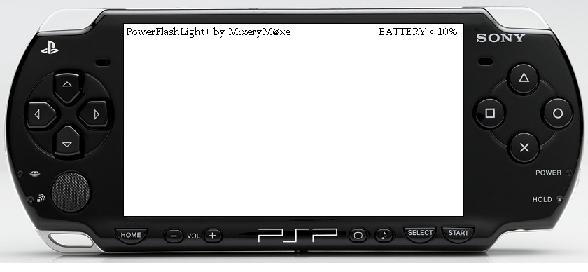
PowerFlashLight+, also referred as PowerFlashLite+, is a plugin that | PowerFlashLight+, also referred as PowerFlashLite+, is a plugin that aims to turn your PSP to a flashlight. It also contains other utility features such as button tester, pixel fixer, options to configurate buttons/shortcuts and ability to assign up to 2 Eboots to launch directly from XMB. | ||
It is featured at the PSP Genesis Competition 2011. | It is featured at the PSP Genesis Competition 2011. | ||
Features | ==Features== | ||
* Flashlight on XMB. | |||
* Pixel-Fixer on XMB. | |||
* Button-Tester on XMB. | |||
* LEDs on/off (Power,MS,WLAN). | |||
* Auto-disable LEDs on start up. | |||
* Auto-disable LEDs while playing movies from MS. | |||
* Display on/off. | |||
* Display-Brightness-level min/max. | |||
* Battery Warning at 20/10/5 Percent. | |||
* Show some Hardeware/Plugin Info's in Menu-Mode (Disable it in PFLconfig.txt). | |||
* AntiUser Mode. Shock your friends. | |||
* PSP shutdown (LEDs blink one time. Enable in config). | |||
* PSP Coldreset (LEDs blink two times. Enable in config). | |||
* VSH Restart for HEN user (LEDs blink three times. Enable in config). | |||
* Since v1.9 Menu available. | |||
* Launch two Eboot's direct and without Gameboot-Sequence from XMB. | |||
* Hide your MAC-Address and get a funny one. | |||
Installation | ==Installation== | ||
Copy PowerFlashLight+.prx to ms0:/seplugins/ folder. | Copy PowerFlashLight+.prx to ms0:/seplugins/ folder. | ||
Open vsh.txt in the same seplugins folder (create the text file if you do not have it) and add following line | Open vsh.txt in the same seplugins folder (create the text file if you do not have it) and add following line | ||
ms0:/seplugins/PowerFlashLight+.prx 1 | ms0:/seplugins/PowerFlashLight+.prx 1 | ||
For custom key-combo or disable any options, copy PFLconfig.txt to the seplugins folder too. | For custom key-combo or disable any options, copy PFLconfig.txt to the seplugins folder too. | ||
User guide | ==User guide== | ||
Basic Settings: | ===Settings=== | ||
Infotext = 1 (enable) | '''Basic Settings:''' | ||
AutoDisableLED = 0 (disable) | Infotext = 1 (enable) | ||
VideoDisableLED = 0 (disable) | AutoDisableLED = 0 (disable) | ||
AntiUserShutdown = 1 (enable) | VideoDisableLED = 0 (disable) | ||
ShutdownBlinkLED = 0 (disable) | AntiUserShutdown = 1 (enable) | ||
AutoAntiUser = 0 (disable) | ShutdownBlinkLED = 0 (disable) | ||
BattWarn20 = 0 (disable) | AutoAntiUser = 0 (disable) | ||
BattWarn10 = 0 (disable) | BattWarn20 = 0 (disable) | ||
BattWarn5 = 0 (disable) | BattWarn10 = 0 (disable) | ||
BTcolor_bg = 0 (black) | BattWarn5 = 0 (disable) | ||
BTcolor_tx = 1 (white) | BTcolor_bg = 0 (black) | ||
HideMAC = 0 (disable) | BTcolor_tx = 1 (white) | ||
HideMAC = 0 (disable) | |||
Menu Settings: | |||
PFLmenu = 0 (disable) | '''Menu Settings:''' | ||
PowerControl = 0 (disable) | PFLmenu = 0 (disable) | ||
MenuInfo = 1 (enable) | PowerControl = 0 (disable) | ||
MenuInfo = 1 (enable) | |||
EBOOT-Launch Settings: | |||
EbootStartEN = 0 (disable) | '''EBOOT-Launch Settings:''' | ||
EbootStartEN = 0 (disable) | |||
Or you can define/disable any options in the Configuration file by editing PFLconfig.txt. | Or you can define/disable any options in the Configuration file by editing PFLconfig.txt. | ||
EBOOT Launch Information | ===EBOOT Launch Information=== | ||
This is an additional feature that allows you to assign 2 Homebrews to quick launch. Note you need to have EbootStartEN enabled (from PFLconfig.txt) and you can use any of the methods below. | This is an additional feature that allows you to assign 2 Homebrews to quick launch. Note you need to have EbootStartEN enabled (from PFLconfig.txt) and you can use any of the methods below. | ||
1st method: | '''1st method:''' | ||
If you want to hide your HBs on XMB, put your EBOOT to | If you want to hide your HBs on XMB, put your EBOOT to | ||
ms0:/PSP/MyEboot1/EBOOT.PBP | * ms0:/PSP/MyEboot1/EBOOT.PBP | ||
ms0:/PSP/MyEboot2/EBOOT.PBP | * ms0:/PSP/MyEboot2/EBOOT.PBP | ||
'''2nd Method:''' | |||
If you do not want them to be hidden, put them to | If you do not want them to be hidden, put them to | ||
ms0:/PSP/GAME/MyEboot1/EBOOT.PBP | * ms0:/PSP/GAME/MyEboot1/EBOOT.PBP | ||
ms0:/PSP/GAME/MyEboot2/EBOOT.PBP | * ms0:/PSP/GAME/MyEboot2/EBOOT.PBP | ||
'''3rd Method:''' | |||
If none are assigned but EbootStartEN is enabled it will automatically search for the following HB (default as it is the author's favourite homebrew) | If none are assigned but EbootStartEN is enabled it will automatically search for the following HB (default as it is the author's favourite homebrew) | ||
ms0:/PSP/GAME/PSPFiler/EBOOT.PBP | * ms0:/PSP/GAME/PSPFiler/EBOOT.PBP | ||
==Controls== | |||
'''Button-Combos:''' | |||
L+Up - Flashlight on/off | |||
L+Right - Pixel-Fixer on/off | |||
L+Down - Button-Tester on/off | |||
L+Square - Change Button-Tester-Color background | |||
L+Circle - Change Button-Tester-Color text | |||
L+Left - LEDs on/off | |||
R+Up - Display on/off | |||
R+Left - Brightness min | |||
R+Right - Brightness max | |||
R+Down - AntiUser Mode with shutdown (disable in PFLconfig.txt) | |||
Home+Up - PSP ColdReset | Home+Up - PSP ColdReset | ||
Home+Circle - VSH Restart | Home+Circle - VSH Restart | ||
Home+Down - PSP Shutdown | Home+Down - PSP Shutdown | ||
Menu Settings: | '''Menu Settings:''' (if PFLmenu enabled (1) and no buttons defined) | ||
( | |||
Home - Menu open/close | Home - Menu open/close | ||
Square - Option enable | Square - Option enable | ||
Circle - Option disable | Circle - Option disable | ||
Up/Down - Menu up/down | Up/Down - Menu up/down | ||
EBOOT-Launch Settings: | '''EBOOT-Launch Settings:''' (if EbootStartEN enabled (1) and no buttons defined) | ||
( | |||
Square+Left - StartEboot1 | Square+Left - StartEboot1 | ||
Square+Right - StartEboot2 | Square+Right - StartEboot2 | ||
Compatibility | ==Compatibility== | ||
The plugin has been | The plugin has been developed on a PSP Slim & Lite 2004, tested 5.00 M33-6, 5.50GEN-D3 and 6.20 TN-D. | ||
Also tested on 6.35 Pro/6.37ME-8 and on PSP Phat(5.00M33-4). | Also tested on 6.35 Pro/6.37ME-8 and on PSP Phat(5.00M33-4). | ||
Changelog | ==Changelog== | ||
v2.0 | '''v2.0''' | ||
* Add some Hardware/Config-Infos to PFLmenu(dis-enable "MenuInfo" in PFLconfig.txt) | |||
* Add Analog-Pad to ButtonTester again (some problems solved). | |||
* Change menu handling (especial Display handling). | |||
* Now you can change Display-Brightness in small steps. | |||
* Add Eboot-Direct launch from XMB. | |||
* Code cleaned -> resource-saving. | |||
* Add favorite colors to Menu. | |||
* Add HideMAC to config (get a funny one). | |||
'''v1.9.5''' | |||
* Add Battery warning at 20/10/5 Percent (look at PFLconfig.txt). | |||
* Add MenuUP & MenuDown to config (for Menu move). | |||
* Change Menu-style. | |||
'''v1.9''' | |||
* Add Menu (enable it in config file). | |||
* Add PowerControl (only in Menu mode.Look at PFLconfig.txt). | |||
* Add Yellow to Buttontester. | |||
v1. | '''v1.8.6''' | ||
* Add Bluetooth LED to LEDcontrol (for PSP GO user). | |||
v1. | '''v1.8.5''' | ||
* Add videoDisableLED to config (autoDisable LEDs while playing Videos) | |||
- | * Add shutdownBlinkLED to config (Power-LED blink, or not, when press the ColdReset-,VSH Restart-,Shutdown-Buttoncombo). | ||
* Fixed a little bug in Flashlight-Mode. | |||
* One version for CFW/LCFW 5.00,5.50,6.20,6.35,6.37. | |||
v1.8. | '''v1.8.1''' | ||
- | * Removed Analog-Pad from Buttontester. | ||
* Fixed a bug in relation to config. | |||
* Now it works correctly on 5.00-5.50/6.20/6.35. | |||
v1.8. | '''v1.8''' | ||
* Add AntiUser-Mode. | |||
* Add AntiUserShutdown to config. | |||
* Add autoAntiUser to config. | |||
v1. | '''v1.7''' | ||
* Add VSH Restart for HEN user. | |||
* LEDs blink one times at Shutdown. | |||
* LEDs blink two times at Coldrestart. | |||
* LEDs blink three times at VSH Restart. | |||
* Flashlight blink one times at 10%/5% battery. | |||
* Add Analog-Pad to Buttontester. | |||
v1. | '''v1.6.7''' | ||
* Fixed a little bug in Buttontester. | |||
* Add more colors to Buttontester (front & background). | |||
* Fixed a little bug in Pixelfixer. | |||
* Change colors from Pixelfixer (R:255,G:255,B:255). | |||
v1. | '''v1.6.5''' | ||
* Change Buttontester. | |||
* Bug fixed. | |||
v1.6 | '''v1.6''' | ||
* Add Configfile. | |||
* Add Buttontester. | |||
* Add AutoDisableLEDs. | |||
v1 | '''v1.5''' | ||
* Not the first version (lost overview). | |||
==Credits== | |||
Thanks to RUSTII, Ragin Raiden and belzebub (pspking.de) for testing. | |||
Thanks to Shin(wololo.net) for testing beta, because of Bluetooth LED (PSP GO). | |||
==External links== | |||
* Wololo - https://wololo.net/talk/viewtopic.php?f=26&t=4506 | |||
[[Category:PSP homebrew applications]] | |||
[[Category:PSP homebrew plugins]] | |||