Ptextviewer PSP: Difference between revisions
From GameBrew
More actions
Created page with "{{Infobox PSP homebrew | title = ptextviewer | image = https://dlhb.gamebrew.org/psphomebrew/ptextviewer.jpg|250px | type = Plugins | version = v1.03-2 | licence = Mixed | aut..." |
No edit summary |
||
| Line 3: | Line 3: | ||
| image = https://dlhb.gamebrew.org/psphomebrew/ptextviewer.jpg|250px | | image = https://dlhb.gamebrew.org/psphomebrew/ptextviewer.jpg|250px | ||
| type = Plugins | | type = Plugins | ||
| version = | | version = 1.03 & 1.03-2 (12 Sept 2011) | ||
| licence = Mixed | | licence = Mixed | ||
| author = hiroi01 | | author = hiroi01 | ||
| website = | | website = https://hiroi01.com/?p=prx#ptextviewer | ||
| download = https://dlhb.gamebrew.org/psphomebrew/ptextviewer.rar | | download = https://dlhb.gamebrew.org/psphomebrew/ptextviewer.rar | ||
| source = | | source = | ||
}} | }} | ||
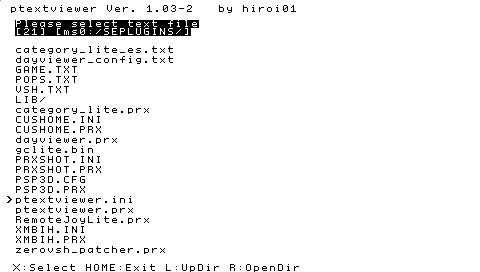
Ptextviewer is a plugin that allows you to suspend any application or game at any time and read text files stored on the Memory Stick. | Ptextviewer is a plugin that allows you to suspend any application or game at any time and read text files stored on the Memory Stick. | ||
Installation | ==Installation== | ||
Note from developer: | '''Note from developer:''' | ||
Please use version 103. Only when it does not work, you can try using the alternate version 103-2. | Please use version 103. Only when it does not work, you can try using the alternate version 103-2. | ||
This plugin depends on cmlibmenu (http://code.google.com/p/prx-common-libraries/downloads/list). Place cmlibmenu.prx and the font folder containing the font data in ms0:/seplugins/lib/ (ef0:/seplugins/lib/ for PSP Go). | This plugin depends on cmlibmenu (http://code.google.com/p/prx-common-libraries/downloads/list). Place cmlibmenu.prx and the font folder containing the font data in ms0:/seplugins/lib/ (ef0:/seplugins/lib/ for PSP Go). | ||
To install, copy the lib folder, ptextviewer.prx and ptextviewer.ini to ms0:/seplugins/ (ef0:/seplugins/ for PSP Go). | To install, copy the lib folder, ptextviewer.prx and ptextviewer.ini to ms0:/seplugins/ (ef0:/seplugins/ for PSP Go). | ||
| Line 27: | Line 25: | ||
For PSP, append this line to the text files | For PSP, append this line to the text files | ||
ms0:/seplugins/ptextviewer.prx 1 | ms0:/seplugins/ptextviewer.prx 1 | ||
For PSP Go, add this line instead | For PSP Go, add this line instead | ||
ef0:/seplugins/ptextviewer.prx 1 | ef0:/seplugins/ptextviewer.prx 1 | ||
User guide | ==User guide== | ||
You can use the plugin to read text files in txt and ini formats. Note the only text code can be read is Shift-JIS. | You can use the plugin to read text files in txt and ini formats. Note the only text code can be read is Shift-JIS. | ||
Boot key can be changed in the ptextviewer.ini. | Boot key can be changed in the ptextviewer.ini. | ||
Controls | ==Controls== | ||
L | L+R+Note - Boot key | ||
Compatibility | ==Compatibility== | ||
Supported Firmwares: | Supported Firmwares: | ||
6.20 to 6.60 | 6.20 to 6.60 | ||
Changelog | ==Changelog== | ||
v1.03 | '''v1.03''' | ||
* Fixed some issues. | |||
* The HOME menu is no longer displayed at Exit. | |||
'''v1.02fix''' | |||
* Fixed an issue that caused an error when opening a file, returning, and then opening the file. | |||
v1. | '''v1.02''' | ||
* Depends on cmlibmenu. | |||
* Code optimization. | |||
* Maximum size limit for open text files. | |||
* Eliminate flickering when sending text. | |||
* By pressing the SELECT button, you can double the font size. | |||
v1. | '''v1.01''' | ||
* Added page forward / return function. | |||
* Changed how to fill in StartPath option. | |||
* Now you can quit / wake up ptextviewer with the file open. | |||
v1. | '''v1.00''' | ||
* Release. | |||
==External links== | |||
- | * Author's Twitter - https://twitter.com/hiroi01/status/113177389575585792 | ||
* Author's website - https://hiroi01.com/?p=prx#ptextviewer | |||
[[Category:PSP homebrew applications]] | |||
[[Category:PSP homebrew plugins]] | |||