
FNF: Switch Funkin: Difference between revisions
More actions
No edit summary |
No edit summary |
||
| Line 4: | Line 4: | ||
|description=Real Psych Engine on Nintendo Switch. | |description=Real Psych Engine on Nintendo Switch. | ||
|author=Slushi-Github | |author=Slushi-Github | ||
|lastupdated=2026/ | |lastupdated=2026/07/06 | ||
|type=Music | |type=Music | ||
|version=1.0 | |version=1.1.0 | ||
|license=Apache-2.0 | |license=Apache-2.0 | ||
|download=https://dlhb.gamebrew.org/switchhomebrews/FNFSwitchFunkin.7z | |download=https://dlhb.gamebrew.org/switchhomebrews/FNFSwitchFunkin.7z | ||
| Line 25: | Line 25: | ||
Notes: | Notes: | ||
* Video playback is not supported, as there is currently no way to get hxvlc working on the Switch target. | * Video playback is not supported, as there is currently no way to get hxvlc working on the Switch target. | ||
* The engine cannot cache assets, so loading screens can be slow. | * The engine cannot cache all assets, so loading screens can be slow — even reloading the game over screen a second time can be slow. This appears to be a limitation of how the game is compiled for this platform, and might be fixed in the future by not depending on OpenFL for that. | ||
* Keyboard and mouse input are not supported on the Switch. | * Keyboard and mouse input are not supported on the Switch; this appears to be something HorizonOS (the Nintendo Switch operating system) prevents, or at least does not allow by default. | ||
* The Nintendo Switch hardware dates from around 2016 with 4 GB of RAM, so performance-heavy mods may require optimization. | * The Nintendo Switch hardware dates from around 2016 with 4 GB of RAM, so performance-heavy mods may require optimization. [https://github.com/FunkinCrew/Funkin V-Slice] would likely perform better than Psych Engine, but its complexity makes it impractical to maintain for the Switch (there is an [https://github.com/FunkinNXTeam/Funkin unfinished attempt] to do so); this is why Psych Engine was chosen, in addition to it being the FNF engine the developer knows best and prefers. | ||
* Mods that use special mechanics requiring extra keys will need modifications to support controllers. | * Mods that use special mechanics requiring extra keys will need modifications to support controllers. | ||
* This engine is not expected to compile for other platforms. Compilation has been kept working for at least Linux, but the engine has been modified specifically to work well with the Nintendo Switch. | |||
== Features == | == Features == | ||
| Line 39: | Line 40: | ||
== Installation == | == Installation == | ||
Download the latest release from [https://github.com/Slushi-Github/Switch-Funkin/releases GitHub], [https://gamebanana.com/tools/21807 GameBanana], or the [https://hb-app.store/switch/FNFSwitchFunkin Homebrew App Store]. | Download the latest release from [https://github.com/Slushi-Github/Switch-Funkin/releases GitHub], [https://github.com/Slushi-Github/Switch-Funkin/actions GitHub Actions], [https://gamebanana.com/tools/21807 GameBanana], or the [https://hb-app.store/switch/FNFSwitchFunkin Homebrew App Store]. | ||
The Homebrew App Store option allows downloading the game directly to the console. | The Homebrew App Store option allows downloading the game directly to the console; it's the easiest way to get the game and future updates, by searching for it in the HBAS client on the Switch. | ||
For manual installation, place the <code>.nro</code> file from the downloaded ZIP into the <code>switch</code> folder on the console's SD card. Then open the Homebrew Menu from an official game (by holding the R button while launching a game from the HOME menu), find "FNF: Switch Funkin'", and open it. | For manual installation, place the <code>.nro</code> file from the downloaded ZIP into the <code>switch</code> folder on the console's SD card. Then open the Homebrew Menu from an official game (by holding the R button while launching a game from the HOME menu), find "FNF: Switch Funkin'", and open it. An NSP file for installing directly to the console without using the Homebrew Menu is not currently offered. | ||
== Mods == | == Mods == | ||
After opening the game at least once, a <code>Switch-Funkin</code> folder will be created inside the <code>switch</code> folder on the SD card. Inside it, there is a <code>mods</code> folder which works exactly like normal Psych Engine. The folder also contains crash logs, shader error logs, and the <code>saves</code> folder which stores save data. | After opening the game at least once, a <code>Switch-Funkin</code> folder will be created inside the <code>switch</code> folder on the SD card. Inside it, there is a <code>mods</code> folder which works exactly like normal Psych Engine. The folder also contains crash logs, shader error logs, and the <code>saves</code> folder, which stores save data using the standard [https://haxeflixel.com/documentation/flxsave/ HaxeFlixel save format]. | ||
==Screenshots== | ==Screenshots== | ||
| Line 60: | Line 61: | ||
==Changelogs== | ==Changelogs== | ||
'''v1.1.0''' | |||
*Fixes: | |||
**FIxed a bug when the engine crashes on reset a song ([https://github.com/Slushi-Github/Switch-Funkin/issues/4 #4], [https://github.com/Slushi-Github/Switch-Funkin/issues/6 #6], [https://github.com/Slushi-Github/Switch-Funkin/issues/7 #7], [https://github.com/Slushi-Github/Switch-Funkin/issues/8 #8], [https://github.com/Slushi-Github/Switch-Funkin/issues/10 #10], [https://github.com/Slushi-Github/Switch-Funkin/issues/11 #11], [https://github.com/Slushi-Github/Switch-Funkin/issues/12 #12]) | |||
**Fixed a bug with dialogues on the week 6 ([https://github.com/Slushi-Github/Switch-Funkin/issues/5 #5]) | |||
*Additions: | |||
**Songs should now load faster since some issues with the LoadingState have been fixed and all of the console's CPU threads are being used to preload content. | |||
*A HUGE apology to everyone who had to wait so long for these issues to be fixed, especially the bug related to restarting a song :3 | |||
'''v1.0.4''' | '''v1.0.4''' | ||
*The way to check if the current version is really old has been corrected (I forgot to upload the changes to GitHub). | *The way to check if the current version is really old has been corrected (I forgot to upload the changes to GitHub). | ||
| Line 73: | Line 81: | ||
* [https://github.com/ShadowMario/FNF-PsychEngine Psych Engine] (ShadowMario) - The base engine for Switch Funkin'. | * [https://github.com/ShadowMario/FNF-PsychEngine Psych Engine] (ShadowMario) - The base engine for Switch Funkin'. | ||
* [https://github.com/Psych-Slice/P-Slice P-Slice] - Code used for the touchscreen hitbox implementation. | * [https://github.com/Psych-Slice/P-Slice P-Slice] - Code used for the touchscreen hitbox implementation. | ||
* Roxy - Helped discover performance issues in the Weekend songs | * Roxy (on Discord) - Helped discover performance issues in the Weekend songs; the original rain shader and Nene's speaker visualizer turned out to be too much for the Switch's CPU and GPU. | ||
* [https://github.com/Slushi-Github/lime-nx Lime-NX] (Slushi) - Experimental Lime fork enabling compilation for Nintendo Switch. | * [https://github.com/Slushi-Github/lime-nx Lime-NX] (Slushi) - Experimental Lime fork enabling compilation for Nintendo Switch. | ||
* [https://slushi-github.github.io/Vupx-Engine Vupx Engine] and [https://github.com/Slushi-Github/Slushi-Engine Slushi Engine] - Some code used in Switch Funkin'. | * [https://slushi-github.github.io/Vupx-Engine Vupx Engine] (a framework engine for the Nintendo Switch) and [https://github.com/Slushi-Github/Slushi-Engine Slushi Engine] (only the Slushi Freeplay) - Some code used in Switch Funkin'. | ||
== External links == | == External links == | ||
Latest revision as of 03:35, 12 July 2026
| FNF: Switch Funkin' | |
|---|---|
 | |
| General | |
| Author | Slushi-Github |
| Type | Music |
| Version | 1.1.0 |
| License | Apache-2.0 |
| Last Updated | 2026/07/06 |
| Links | |
| Download | |
| Website | |
| Source | |
| Support Author | |
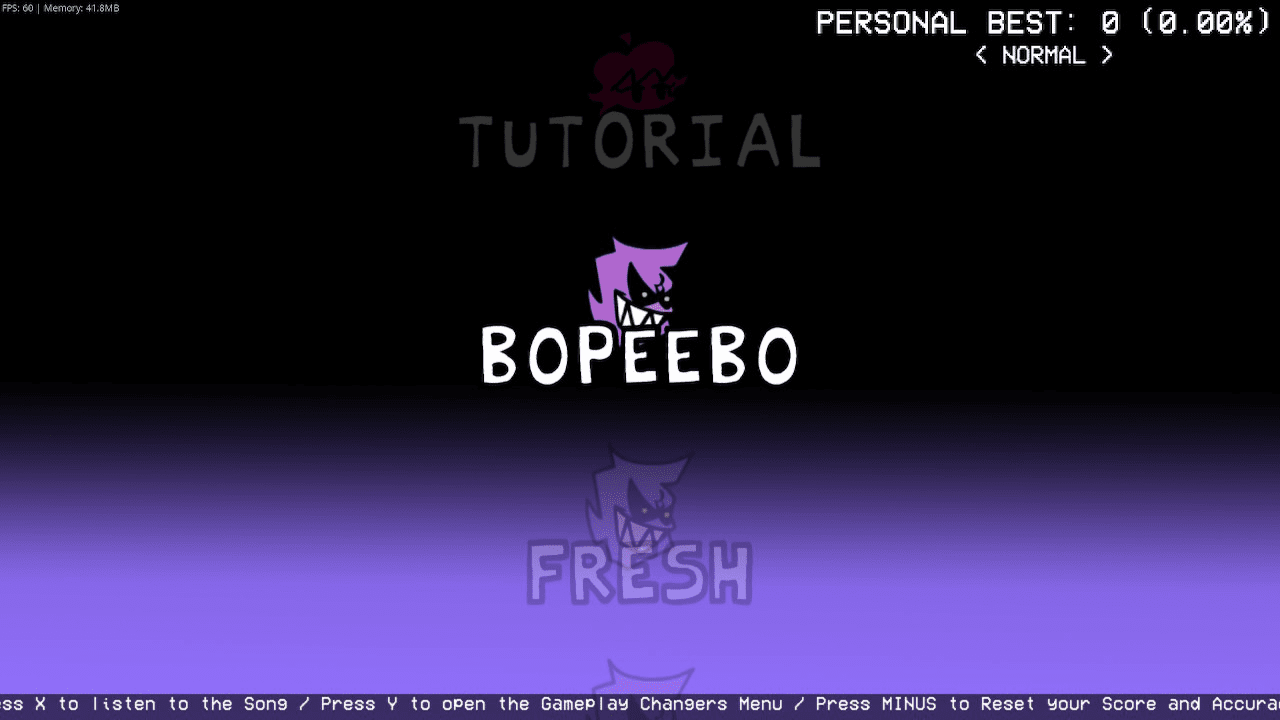
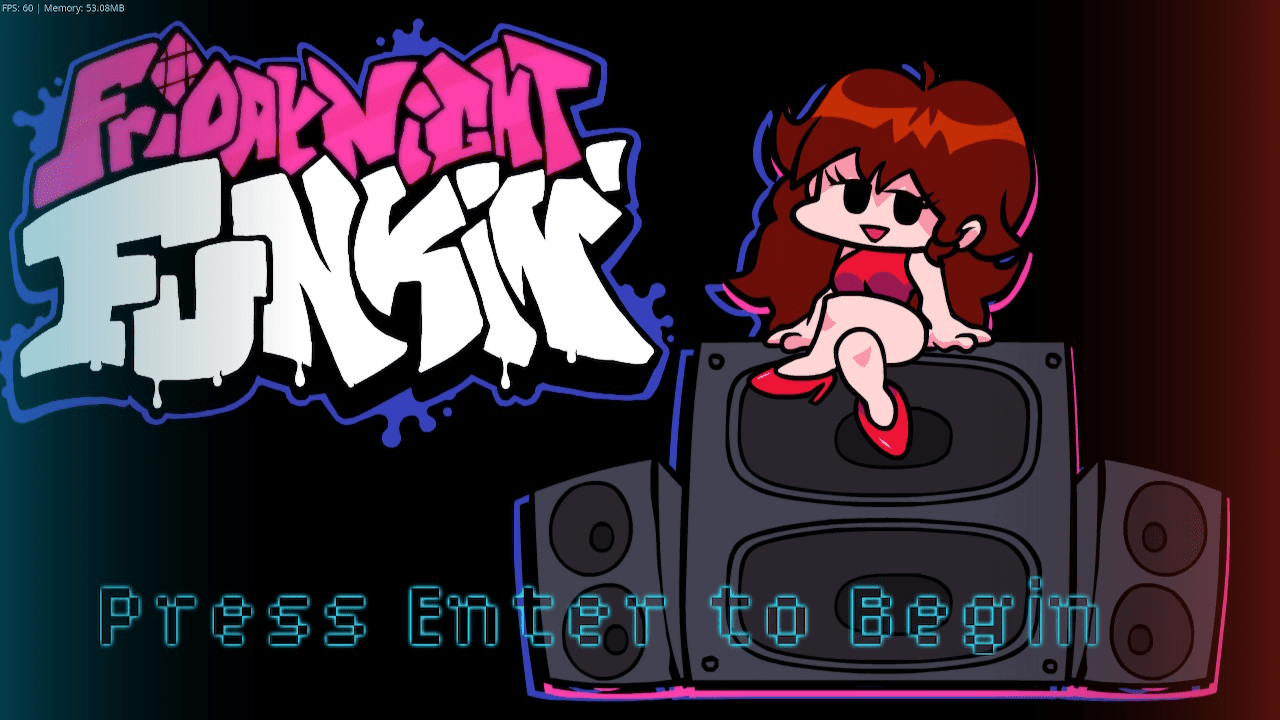
Switch Funkin' is a port of Psych Engine 1.0.4 (a Friday Night Funkin' engine) for the Nintendo Switch. It is not a recreation or inspiration, but the real HaxeFlixel engine running on the Switch.
This is made possible through Lime-NX, an experimental fork of Lime that allows compiling Lime/OpenFL projects for the Nintendo Switch using DevKitPro and DevKitA64.
Notes:
- Video playback is not supported, as there is currently no way to get hxvlc working on the Switch target.
- The engine cannot cache all assets, so loading screens can be slow — even reloading the game over screen a second time can be slow. This appears to be a limitation of how the game is compiled for this platform, and might be fixed in the future by not depending on OpenFL for that.
- Keyboard and mouse input are not supported on the Switch; this appears to be something HorizonOS (the Nintendo Switch operating system) prevents, or at least does not allow by default.
- The Nintendo Switch hardware dates from around 2016 with 4 GB of RAM, so performance-heavy mods may require optimization. V-Slice would likely perform better than Psych Engine, but its complexity makes it impractical to maintain for the Switch (there is an unfinished attempt to do so); this is why Psych Engine was chosen, in addition to it being the FNF engine the developer knows best and prefers.
- Mods that use special mechanics requiring extra keys will need modifications to support controllers.
- This engine is not expected to compile for other platforms. Compilation has been kept working for at least Linux, but the engine has been modified specifically to work well with the Nintendo Switch.
Features
- Full Psych Engine 1.0.4 functionality on the Nintendo Switch
- HScript and Lua scripting support
- Shader support
- Mod folder support (works the same as standard Psych Engine)
- Touchscreen hitbox support for playing
- Available on the Homebrew App Store for direct download to the console
Installation
Download the latest release from GitHub, GitHub Actions, GameBanana, or the Homebrew App Store.
The Homebrew App Store option allows downloading the game directly to the console; it's the easiest way to get the game and future updates, by searching for it in the HBAS client on the Switch.
For manual installation, place the .nro file from the downloaded ZIP into the switch folder on the console's SD card. Then open the Homebrew Menu from an official game (by holding the R button while launching a game from the HOME menu), find "FNF: Switch Funkin'", and open it. An NSP file for installing directly to the console without using the Homebrew Menu is not currently offered.
Mods
After opening the game at least once, a Switch-Funkin folder will be created inside the switch folder on the SD card. Inside it, there is a mods folder which works exactly like normal Psych Engine. The folder also contains crash logs, shader error logs, and the saves folder, which stores save data using the standard HaxeFlixel save format.
Screenshots
|
|
Media
Friday Night Funkin: The Full Ass Game Kickstarter Trailer (newgrounds)
Changelogs
v1.1.0
- Fixes:
- Additions:
- Songs should now load faster since some issues with the LoadingState have been fixed and all of the console's CPU threads are being used to preload content.
- A HUGE apology to everyone who had to wait so long for these issues to be fixed, especially the bug related to restarting a song :3
v1.0.4
- The way to check if the current version is really old has been corrected (I forgot to upload the changes to GitHub).
- Fixed an issue that prevented mods from being disabled.
v1.0.3
- A series of problems were fixed when it came to using the controls substate.
- Now the colors of the Joy-Con controllers in the title state are displayed correctly even if you return to a previously created state.
- Fixed an issue with the update check, where it showed that the current version was old when it was not.
v1.0
- First published version, I hope everything goes well, hehe.
Credits
- Psych Engine (ShadowMario) - The base engine for Switch Funkin'.
- P-Slice - Code used for the touchscreen hitbox implementation.
- Roxy (on Discord) - Helped discover performance issues in the Weekend songs; the original rain shader and Nene's speaker visualizer turned out to be too much for the Switch's CPU and GPU.
- Lime-NX (Slushi) - Experimental Lime fork enabling compilation for Nintendo Switch.
- Vupx Engine (a framework engine for the Nintendo Switch) and Slushi Engine (only the Slushi Freeplay) - Some code used in Switch Funkin'.
External links
- GitHub - https://github.com/Slushi-Github/Switch-Funkin
- GameBanana - https://gamebanana.com/tools/21807
- Homebrew App Store - https://hb-app.store/switch/FNFSwitchFunkin
- Lime-NX (dependency) - https://github.com/Slushi-Github/lime-nx