
Switch Assistant: Difference between revisions
More actions
No edit summary |
|||
| Line 5: | Line 5: | ||
|author=ErSeraph | |author=ErSeraph | ||
|lastupdated=2026/05/06 | |lastupdated=2026/05/06 | ||
|type= | |type=Overlays | ||
|version=1.5 | |version=1.5 | ||
|license=MIT | |license=MIT | ||
| Line 24: | Line 24: | ||
The project installs three components: | The project installs three components: | ||
* switch-ha.nro - Homebrew app used for configuration, connection tests, and automatic installation. | |||
* Atmosphere sysmodule - Background process that publishes sensors and receives MQTT commands. | |||
* Notification overlay - Shows Home Assistant popups over the currently running game. | |||
The .nro app is only used for setup and configuration. After rebooting, the sysmodule handles the background MQTT work. | |||
The | |||
== Features == | == Features == | ||
| Line 51: | Line 40: | ||
== Installation == | == Installation == | ||
Requirements: | |||
* Nintendo Switch running Atmosphere. | * Nintendo Switch running Atmosphere. | ||
* Working Homebrew Menu. | * Working Homebrew Menu. | ||
| Line 58: | Line 47: | ||
* A network where the Switch and MQTT broker can communicate with each other. | * A network where the Switch and MQTT broker can communicate with each other. | ||
The sysmodule supports plain TCP MQTT, usually on port <code>1883</code>. It does not support TLS on <code>8883</code>, MQTT over WebSocket, or mDNS hostnames such as <code>homeassistant.local</code> for the MQTT broker. | Important: | ||
* The sysmodule supports plain TCP MQTT, usually on port <code>1883</code>. It does not support TLS on <code>8883</code>, MQTT over WebSocket, or mDNS hostnames such as <code>homeassistant.local</code> for the MQTT broker. | |||
Quick installation: | |||
* Download <code>switch-ha.nro</code> from the [https://github.com/ErSeraph/switch-assistant/releases latest release]. | |||
* Copy the file to the SD card: <code>sdmc:/switch/switch-ha/</code> | |||
== User guide == | |||
=== How to use === | |||
* Launch <code>Switch Assistant</code> from the Homebrew Menu. | |||
sdmc:/atmosphere/contents/00FF000053484102 | * On first launch, the app creates the required folders and installs: | ||
sdmc:/switch/switch-ha/switch-ha-overlay.ovl | ** sdmc:/atmosphere/contents/00FF000053484101 | ||
sdmc:/switch/switch-ha/config.ini | ** sdmc:/atmosphere/contents/00FF000053484102 | ||
** sdmc:/switch/switch-ha/switch-ha-overlay.ovl | |||
** sdmc:/switch/switch-ha/config.ini | |||
* Enter the Home Assistant and MQTT settings. | |||
* Press <code>Y</code> to test the connection. | |||
* Press <code>-</code> to reboot the console. | |||
After the reboot, Home Assistant should automatically discover the new MQTT entities. | After the reboot, Home Assistant should automatically discover the new MQTT entities. | ||
=== Configuration === | |||
Fields to fill in: | |||
{| class="wikitable" | {| class="wikitable" | ||
! Field | ! Field | ||
| Line 128: | Line 120: | ||
|} | |} | ||
If entering the Home Assistant token on the console is inconvenient, open the app once, then edit: | The Home Assistant token can be long. If entering the Home Assistant token on the console is inconvenient, open the app once, then edit: <code>sdmc:/switch/switch-ha/config.ini</code> | ||
After changing any configuration value, reboot the console so the sysmodule reloads the file. | |||
=== Create a home assistant token === | |||
* Open Home Assistant. | |||
* Open your user profile. | |||
* Scroll down to Long-lived access tokens. | |||
* Create a new token. | |||
* Copy it into the <code>HA Token</code> field or into <code>config.ini</code>. | |||
=== MQTT In home assistant === | |||
With MQTT Discovery enabled, Switch Assistant publishes discovery payloads under the configured prefix, usually: | With MQTT Discovery enabled, Switch Assistant publishes discovery payloads under the configured prefix, usually: | ||
| Line 172: | Line 168: | ||
|} | |} | ||
The console supports live streaming while in-game | === Live streaming === | ||
The console supports live streaming while in-game. | |||
To enable it, create a Generic Camera using the stream URL found in the entity Screen Stream URL. SSL verification should be disabled in the camera configuration for it to work correctly. | |||
=== Send a notification to the Switch === | |||
Home Assistant creates a notify entity with a name similar to: | Home Assistant creates a notify entity with a name similar to: | ||
| Line 209: | Line 209: | ||
</syntaxhighlight> | </syntaxhighlight> | ||
and keeps a small log here: | |||
<syntaxhighlight lang="text"> | <syntaxhighlight lang="text"> | ||
| Line 217: | Line 217: | ||
The overlay reads these files and shows the popup automatically. | The overlay reads these files and shows the popup automatically. | ||
== | === Useful paths === | ||
{| class="wikitable" | {| class="wikitable" | ||
! Path | ! Path | ||
| Line 270: | Line 247: | ||
|} | |} | ||
== | == Controls == | ||
'''On the main screen:''' | |||
D-Pad - Select a field | |||
A - Edit the selected field | |||
Y - Test Home Assistant and MQTT | |||
Minus - Reboot the console to apply changes | |||
Plus - Exit the app | |||
== Screenshots == | == Screenshots == | ||
Latest revision as of 08:12, 28 June 2026
| Switch Assistant | |
|---|---|
 | |
| General | |
| Author | ErSeraph |
| Type | Overlays |
| Version | 1.5 |
| License | MIT License |
| Last Updated | 2026/05/06 |
| Links | |
| Download | |
| Website | |
| Source | |
Switch Assistant connects the Nintendo Switch to Home Assistant through MQTT.
Once configured, it publishes console sensors to Home Assistant and shows Home Assistant popup notifications directly over the game, without opening Tesla Menu.
The project installs three components:
- switch-ha.nro - Homebrew app used for configuration, connection tests, and automatic installation.
- Atmosphere sysmodule - Background process that publishes sensors and receives MQTT commands.
- Notification overlay - Shows Home Assistant popups over the currently running game.
The .nro app is only used for setup and configuration. After rebooting, the sysmodule handles the background MQTT work.
Features
- Shows battery, charging state, temperature, brightness, volume, and connected controllers in Home Assistant.
- Reports whether a game is running and publishes the current game Title ID.
- Exposes reboot and shutdown buttons in Home Assistant.
- Sends Home Assistant popup notifications to the Switch.
- Provides a simple Homebrew configuration app on the console.
- Uses MQTT Discovery so entities appear automatically in Home Assistant.
- Live screen streaming to Home Assistant via RTSP.
Installation
Requirements:
- Nintendo Switch running Atmosphere.
- Working Homebrew Menu.
- Home Assistant already installed.
- An MQTT broker reachable from the Switch, such as Mosquitto.
- A network where the Switch and MQTT broker can communicate with each other.
Important:
- The sysmodule supports plain TCP MQTT, usually on port
1883. It does not support TLS on8883, MQTT over WebSocket, or mDNS hostnames such ashomeassistant.localfor the MQTT broker.
Quick installation:
- Download
switch-ha.nrofrom the latest release. - Copy the file to the SD card:
sdmc:/switch/switch-ha/
User guide
How to use
- Launch
Switch Assistantfrom the Homebrew Menu. - On first launch, the app creates the required folders and installs:
- sdmc:/atmosphere/contents/00FF000053484101
- sdmc:/atmosphere/contents/00FF000053484102
- sdmc:/switch/switch-ha/switch-ha-overlay.ovl
- sdmc:/switch/switch-ha/config.ini
- Enter the Home Assistant and MQTT settings.
- Press
Yto test the connection. - Press
-to reboot the console.
After the reboot, Home Assistant should automatically discover the new MQTT entities.
Configuration
Fields to fill in:
| Field | Example | Notes |
|---|---|---|
HA URL
|
http://192.168.1.10:8123
|
Home Assistant URL. |
HA Token
|
Long-lived token | Home Assistant long-lived access token. |
MQTT Host IP
|
192.168.1.10
|
Use the broker IP address, not homeassistant.local.
|
MQTT Port
|
1883
|
Do not use 8123; that is the Home Assistant web port.
|
MQTT Username
|
mqtt_user
|
MQTT broker username. |
MQTT Password
|
password
|
MQTT broker password. |
Discovery
|
homeassistant
|
Standard MQTT Discovery prefix. |
Name
|
Nintendo Switch
|
Device name shown in Home Assistant. |
Client ID
|
switch-ha-xxxxxxxx
|
Generated automatically, editable if needed. |
Boot Delay
|
0
|
Seconds to wait before the sysmodule starts system services. Use only if the setup crashes during boot. |
Notifications
|
YES
|
Enabled by default. Disable and reboot if the notification overlay crashes the console. |
The Home Assistant token can be long. If entering the Home Assistant token on the console is inconvenient, open the app once, then edit: sdmc:/switch/switch-ha/config.ini
After changing any configuration value, reboot the console so the sysmodule reloads the file.
Create a home assistant token
- Open Home Assistant.
- Open your user profile.
- Scroll down to Long-lived access tokens.
- Create a new token.
- Copy it into the
HA Tokenfield or intoconfig.ini.
MQTT In home assistant
With MQTT Discovery enabled, Switch Assistant publishes discovery payloads under the configured prefix, usually:
homeassistant
Console states are published under:
switch_ha//...
Main entities:
| Type | Entities |
|---|---|
| Battery sensors | Level, charging state, charger type, voltage, temperature, battery health. |
| Console sensors | Brightness, screen, volume, audio output target. |
| Game | Game running, current Title ID. |
| Controllers | Player count, Player 1-8 controller type. |
| Commands | Reboot, shutdown. |
| Notifications | Home Assistant popup on the Switch. |
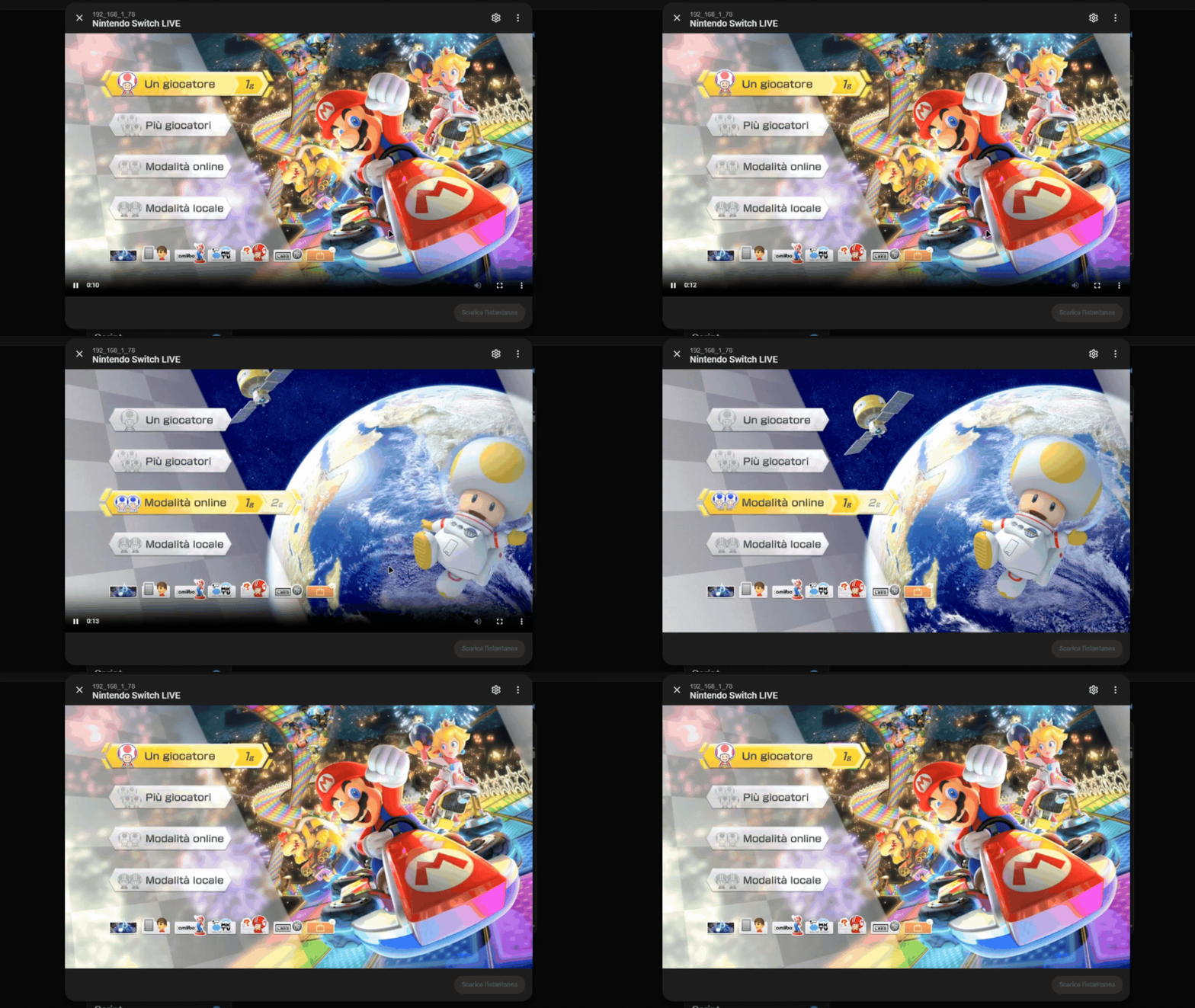
Live streaming
The console supports live streaming while in-game.
To enable it, create a Generic Camera using the stream URL found in the entity Screen Stream URL. SSL verification should be disabled in the camera configuration for it to work correctly.
Send a notification to the Switch
Home Assistant creates a notify entity with a name similar to:
notify.nintendo_switch_popup_notification
Example Home Assistant action:
action: notify.send_message
target:
  entity_id: notify.nintendo_switch_popup_notification
data:
  message: "Laundry finished"
The MQTT notify integration currently forwards the message body to Switch Assistant. Home Assistant's title field is not included in that MQTT payload, so the popup title defaults to Home Assistant when using notify.send_message.
To send a custom title, publish directly to the popup topic with JSON:
action: mqtt.publish
data:
  topic: switch_ha//notify/popup
  payload: '{"title":"Laundry","message":"The washing machine has finished"}'
Alternatively, use a two-line payload where the first line is the title and the second line is the message.
The sysmodule writes the latest notification here:
sdmc:/switch/switch-ha/notification-current.ini
and keeps a small log here:
sdmc:/switch/switch-ha/notifications.log
The overlay reads these files and shows the popup automatically.
Useful paths
| Path | Contents |
|---|---|
sdmc:/switch/switch-ha/switch-ha.nro
|
Homebrew app. |
sdmc:/switch/switch-ha/config.ini
|
Configuration. |
sdmc:/switch/switch-ha/switch-ha-overlay.ovl
|
Notification overlay. |
sdmc:/switch/switch-ha/sysmodule.log
|
Sysmodule log. |
sdmc:/switch/switch-ha/sysmodule-heartbeat.txt
|
Sysmodule diagnostic state. |
sdmc:/switch/switch-ha/notifications.log
|
Short notification history. |
sdmc:/atmosphere/contents/00FF000053484101
|
Switch Assistant sysmodule. |
sdmc:/atmosphere/contents/00FF000053484102
|
Switch Assistant overlay loader. |
Controls
On the main screen:
D-Pad - Select a field
A - Edit the selected field
Y - Test Home Assistant and MQTT
Minus - Reboot the console to apply changes
Plus - Exit the app
Screenshots
|
|
Changelog
v1.5
- Added a configurable Notifications option to disable notifications if a custom Atmosphere setup is not compatible.
v1.4
- Added live screen streaming to Home Assistant via RTSP.
- Published a new MQTT entity with the console's RTSP stream URL for easy camera setup.
v1.3
- Fixed saved video recordings showing a green screen by excluding the notification overlay from the recording layer stack.
- Resolved the current game name from a bundled title database.
- Installed the bundled title database alongside the Switch Assistant config files.
v1.2
- Fixed Switch Assistant title IDs to avoid collisions with existing homebrew sysmodules.
- Safely cleaned up old Switch Assistant installs only when identified by project markers.
- Improved notification text handling for Unicode payloads.
- Prevented old notifications from being shown again on boot.
- Added a configurable Boot Delay option for custom Atmosphere packs that crash when boot2 sysmodules start system services too early.
v1.1
- Published active game Title ID and app running state sensors.
- Added Home Assistant popup notifications.
v1.0
- Initial release.
Credits
The overlay loader is derived from the ISC-licensed nx-ovlloader project and chainloads the Switch Assistant overlay directly instead of Tesla Menu.