
Ironfoil Switch: Difference between revisions
More actions
Created page with "{{Infobox Switch Homebrews |title=ironfoil |image=ironfoilSwitch.png |description=A tiny command-line tool to transfer to Awoo installer |author=sermuns |lastupdated=2026/04/24 |type=Game Installer Companion |version=0.4.4 |license=Mixed |download=https://github.com/sermuns/ironfoil/releases |website=https://gbatemp.net/threads/ironfoil-cli-tool-to-transfer-to-awoo-installer.680103/ |source=https://github.com/sermuns/ironfoil |donation= }} {{#seo: |title=Switch Homebrew..." |
|||
| Line 98: | Line 98: | ||
{| style="max-width:80%; margin-left:0em;" | {| style="max-width:80%; margin-left:0em;" | ||
| | | | ||
https://dlhb.gamebrew.org/switchhomebrews/ironfoilSwitch-01.png | https://dlhb.gamebrew.org/switchhomebrews/images/ironfoilSwitch-01.png | ||
https://dlhb.gamebrew.org/switchhomebrews/ironfoilSwitch-02.png | https://dlhb.gamebrew.org/switchhomebrews/images/ironfoilSwitch-02.png | ||
https://dlhb.gamebrew.org/switchhomebrews/ironfoilSwitch-03.gif | https://dlhb.gamebrew.org/switchhomebrews/images/ironfoilSwitch-03.gif | ||
|} | |} | ||
Revision as of 05:37, 24 May 2026
| ironfoil | |
|---|---|
 | |
| General | |
| Author | sermuns |
| Type | Game Installer Companion |
| Version | 0.4.4 |
| License | Mixed |
| Last Updated | 2026/04/24 |
| Links | |
| Download | |
| Website | |
| Source | |
ironfoil is a tool to transfer to many title installers. It exists as both a graphical application, ironfoil-gui, and a core command-line application, ironfoil.
Using the TinFoil USB protocol, it has been tested with Awoo Installer Switch and CyberFoil. It also supports Sphaira Switch with its own protocol, with Sphaira support enabled when transferring.
Installation
GUI
Download the latest archive for your OS and extract it to any location of your choice.
CLI
Install the CLI using one of the following methods:
Manually download the latest release and extract the tool to a location that is in your $PATH.
Use cargo-binstall:
cargo binstall ironfoil
Install the latest release using cargo:
cargo install ironfoil
Usage for the CLI
ironfoil --help
Transfer to NS title installers from the command-line

Usage: ironfoil <COMMAND>

Commands:
  usb      Transfer over USB
  network  Transfer over network
  rcm      Inject RCM payload
  help     Print this message or the help of the given subcommand(s)

Options:
  -h, --help     Print help
  -V, --version  Print version
ironfoil usb --help
Transfer over USB

Usage: ironfoil usb [OPTIONS] <GAME_BACKUP_PATH>

Arguments:
  <GAME_BACKUP_PATH>  Path to a game backup file or directory containing game backup files

Options:
  -r, --recurse  Whether to recursively look for files (only for directories)
      --sphaira  If transferring to Sphaira homebrew menu
  -h, --help     Print help
ironfoil network --help
Transfer over network

Usage: ironfoil network [OPTIONS] <GAME_BACKUP_PATH> <TARGET_IP>

Arguments:
  <GAME_BACKUP_PATH>  Path to a game backup file or directory containing game backup files
  <TARGET_IP>         The IP address of the Nintendo Switch

Options:
  -r, --recurse  Whether to recursively look for files (only for directories)
  -h, --help     Print help
ironfoil rcm --help
Inject RCM payload

Usage: ironfoil rcm <PAYLOAD_PATH>

Arguments:
  <PAYLOAD_PATH>  Path to the RCM payload file

Options:
  -h, --help  Print help
Screenshots
|
|
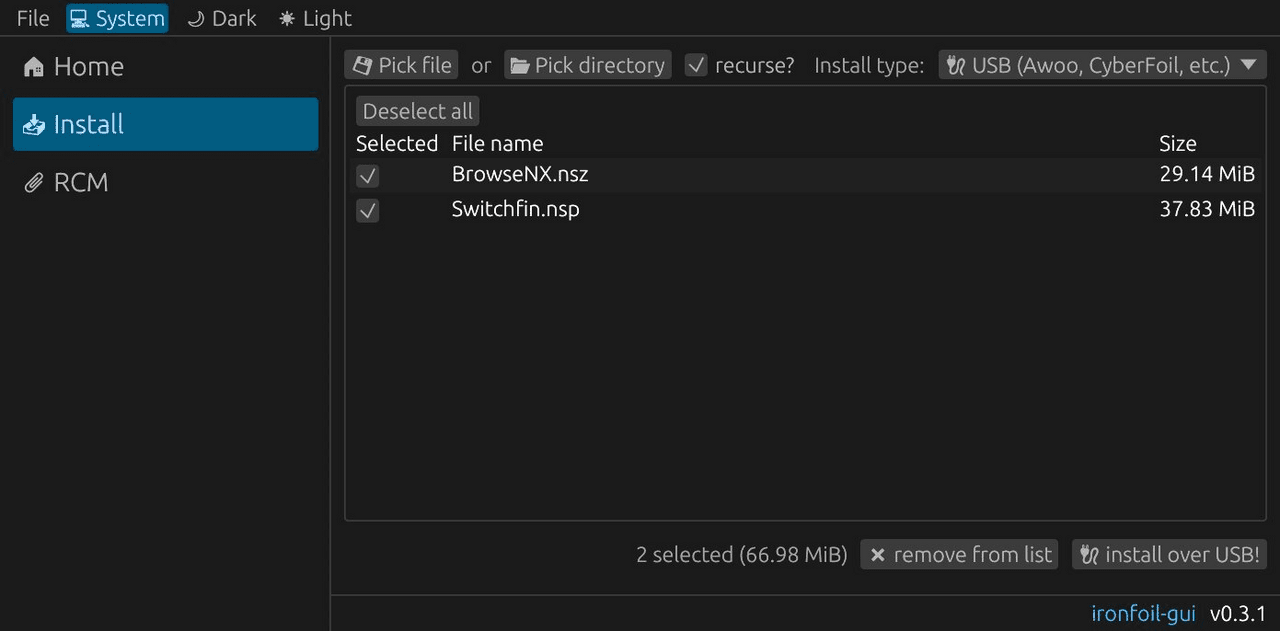
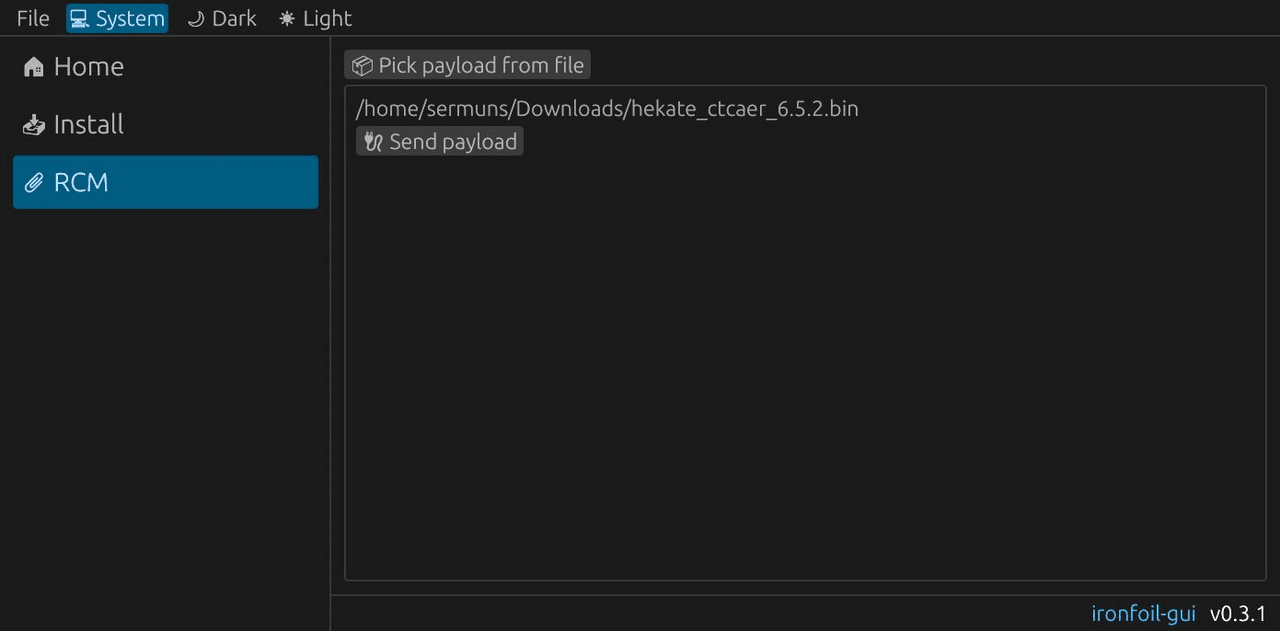
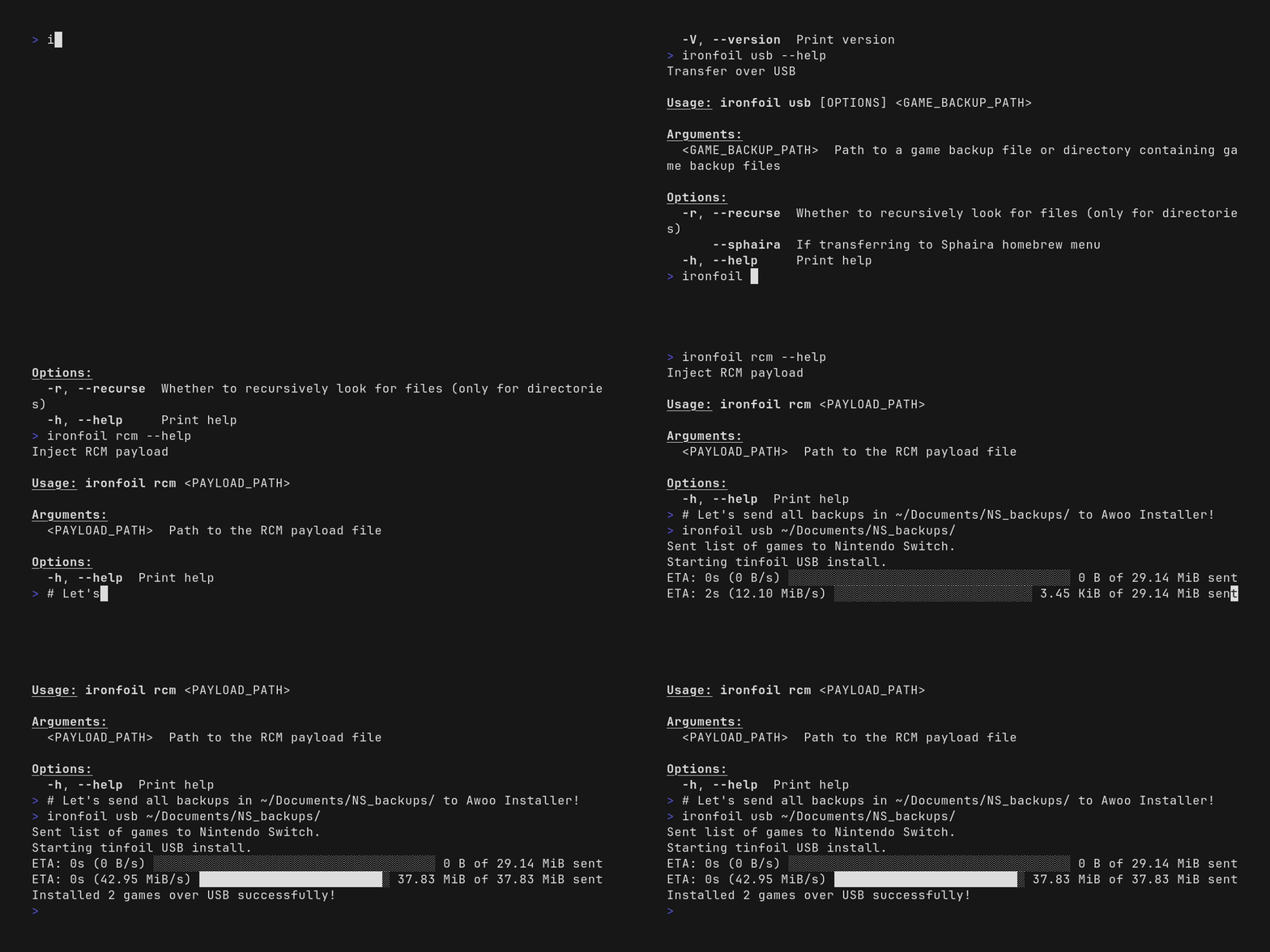
Changelog
v0.4.4
chore: release v0.4.4
v0.4.3
chore: release v0.4.3
v0.4.2
chore: release v0.4.2
v0.4.1
chore: release v0.4.1
v0.4.0
chore: release v0.4.0
v0.3.1
chore: release v0.3.1
v0.3.0
chore: release v0.3.0
v0.2.1
chore: release v0.2.1
v0.2.0
Features:
- Add Sphaira USB install support.
- Begin creating GUI.
- Add icons and semi-working transfer to the GUI.
- Add Sphaira support to the GUI.
- Better Dockerfile using cargo-chef.
- Better error on permission denied.
- Remove indicatif from core and use mpsc::Channel to synchronize progress.
- Add cancelling and stop using suggestion().
- Fully working GUI and refactor a lot of code.
- Simplify and reword GUI and error.
- Add distributioning with
cargo-dist.
Bug fixes:
- Use installer-generic language in error.
- Align center.
- Make Windows correctly parse release version.
- Symlink media for crates.io.
- Enable file_glob.
- Only build and publish CLI.
- Force bash in release notes.
- Publish ironfoil-core before CLI.
Refactor:
- Export
GAME_BACKUP_EXTENSIONS.
- Export
Documentation:
- Update README.
- Update demos and begin explaining GUI installation.
Miscellaneous tasks:
- Add push recipe.
- Add TODO to network.
- Don't optimize debug build.
- Update README.md.
- Update README and description for more general title installers.
- Make features bump minor.
- Allow dirty CI.
- Don't use cargo-dist for CLI.
- Skip pre-building.
- Simplify dist.
- Name CLI artifacts without version, as GUI does.
- Add release notes to GUI release and cleanup.
- Stop releasing for i686 Linux.
- Add rust-cache.
- Release v0.2.0.
v0.1.6
Features:
- Add RCM payload injection.
Bug fixes:
- More robust RELEASE_VERSION parsing and release notes handling.
v0.1.5
Miscellaneous tasks:
- Release v0.1.5.
v0.1.4
Miscellaneous tasks:
- Release v0.1.4.
v0.1.3
Miscellaneous tasks:
- Release v0.1.3.