
FAT Player Mod: Difference between revisions
From GameBrew
More actions
Created page with "{{Infobox DS Homebrews |title=FAT Player Mod |image=FatPlayerMod.png |description=.mod file player. |author=Cid2Mizard |lastupdated=2007/11/03 |type=Media Players |version=2 |license=N/A |download=https://dlhb.gamebrew.org/dshomebrew2/FPMv2.zip |website=http://cid2mizard.dev-fr.org/Tag-3166-fat-player-mod-1.html |source= }} FaT Player Mod is a .mod file player for the Nintendo DS. == Installation == Copy your .mod files into the /Mods directory. == Controls == Touchscr..." |
No edit summary |
||
| Line 2: | Line 2: | ||
|title=FAT Player Mod | |title=FAT Player Mod | ||
|image=FatPlayerMod.png | |image=FatPlayerMod.png | ||
|description=.mod file player. | |description=A .mod file player. | ||
|author=Cid2Mizard | |author=Cid2Mizard | ||
|lastupdated=2007/11/03 | |lastupdated=2007/11/03 | ||
Latest revision as of 07:47, 5 April 2026
| FAT Player Mod | |
|---|---|
 | |
| General | |
| Author | Cid2Mizard |
| Type | Media Players |
| Version | 2 |
| License | N/A |
| Last Updated | 2007/11/03 |
| Links | |
| Download | |
| Website | |
FaT Player Mod is a .mod file player for the Nintendo DS.
Installation
Copy your .mod files into the /Mods directory.
Controls
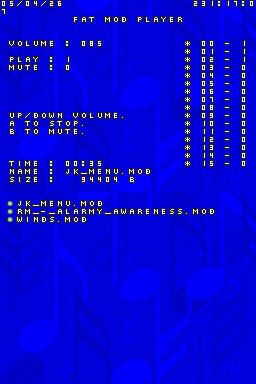
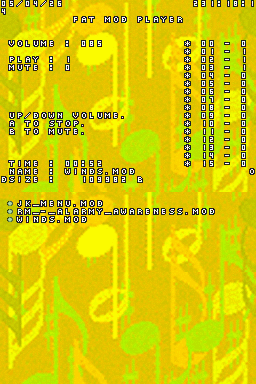
Touchscreen - Select file
Up/Down - Change volume
A - Stop
B - Mute
Screenshots
Compatibility
Works with DeSmuME.
Changelog
v2
- Volume control.
- A timer.
- Mute with the B button.
- Stop with the A button.
- Scrolling across both screens during playback.
- Palette changes depending on system activity.
- Date and time display.
- A nice background.
Credits
- Mollusk
- Cid2mizard
- Ariala
- Copper
- The Pimousse
- Pouer
- Alekmaul
External links
- Author's website - http://cid2mizard.dev-fr.org/p3743/2007-11-03-fat-player-mod-v2.html