
PkHouse Switch: Difference between revisions
More actions
No edit summary |
1.7.0 |
||
| Line 4: | Line 4: | ||
|description=Nintendo Switch homebrew for local bank system for Pokemon Games. | |description=Nintendo Switch homebrew for local bank system for Pokemon Games. | ||
|author=Insektaure | |author=Insektaure | ||
|lastupdated=2026/ | |lastupdated=2026/03/05 | ||
|type=Other Apps | |type=Other Apps | ||
|version=1. | |version=1.7.0 | ||
|license=GPL-2.0 | |license=GPL-2.0 | ||
|download=https://dlhb.gamebrew.org/switchhomebrews/pkHouseLocalPokeBankSwitch.7z | |download=https://dlhb.gamebrew.org/switchhomebrews/pkHouseLocalPokeBankSwitch.7z | ||
| Line 100: | Line 100: | ||
** Nature and Ability | ** Nature and Ability | ||
** All four moves | ** All four moves | ||
** IVs (perfect 31s highlighted in gold) | ** IVs displayed as a hexagonal radar chart (perfect 31s highlighted in gold) | ||
** EVs | ** EVs displayed as a hexagonal radar chart | ||
** Shiny names in gold; Alpha Pokémon display a dedicated icon (Legends: Arceus / Z-A). | ** Shiny names in gold; Alpha Pokémon display a dedicated icon (Legends: Arceus / Z-A). | ||
'''Bank System: | '''Bank System: | ||
| Line 150: | Line 150: | ||
** Highlight (default): Returns to box view; matching Pokémon outlined, non‑matching dimmed. Highlights persist when Pokémon are moved. In box overview, boxes containing matches are outlined and matching slots are highlighted in the preview. Press B to clear. | ** Highlight (default): Returns to box view; matching Pokémon outlined, non‑matching dimmed. Highlights persist when Pokémon are moved. In box overview, boxes containing matches are outlined and matching slots are highlighted in the preview. Press B to clear. | ||
** List: Displays results as a scrollable list with status badges ([S] shiny, [A] alpha, [E] egg), species, level, gender, and location. Press A to jump to a result, L/R to skip 10 results, X to adjust filters, B to close. | ** List: Displays results as a scrollable list with status badges ([S] shiny, [A] alpha, [E] egg), species, level, gender, and location. Press A to jump to a result, L/R to skip 10 results, X to adjust filters, B to close. | ||
'''Wondercard Injection: | |||
* Inject event wondercard files directly into your save as fully formed Pokemon. Access from the menu (+ button -> Wondercard). | |||
* File locations: | |||
** Let's Go Pikachu/Eevee: <code>wondercards/LetsGo/</code> (.wb7 / .wb7full) | |||
** Sword/Shield: <code>wondercards/SwordShield/</code> (.wc8) | |||
** Brilliant Diamond/Shining Pearl: <code>wondercards/BDSP/</code> (.wb8) | |||
** Legends: Arceus: <code>wondercards/LegendsArceus/</code> (.wa8) | |||
** Scarlet/Violet: <code>wondercards/ScarletViolet/</code> (.wc9) | |||
** Legends: Z-A: <code>wondercards/LegendsZA/</code> (.wa9) | |||
* The wondercard list shows each card's species, level, and shiny status. Select a card and press A to inject it into the currently selected box slot. | |||
* The injected Pokemon is fully generated from the wondercard data — PID, IVs, nature, ability, moves, OT, and all metadata are set according to the event's rules, matching official distribution behavior. | |||
* Wondercard files can be downloaded from the [https://github.com/projectpokemon/EventsGallery Project Pokemon EventsGallery] repository. | |||
'''Save Integrity: | '''Save Integrity: | ||
* SCBlock saves (ZA, SV, SwSh, PLA): Decrypted, modified, and re-encrypted. A round-trip verification runs on load to confirm the cycle is lossless. | * SCBlock saves (ZA, SV, SwSh, PLA): Decrypted, modified, and re-encrypted. A round-trip verification runs on load to confirm the cycle is lossless. | ||
| Line 293: | Line 305: | ||
== Changelog == | == Changelog == | ||
'''v1.7.0''' | |||
* New: Wondercard Injection | |||
** Inject event wondercard files directly into your saves / banks as fully formed Pokemon | |||
** Support : LGPE / SWSH / BDSP / PLA / SV / LZA | |||
** Fully generates the Pokemon from wondercard data (PID, IVs, nature, ability, moves, OT, ribbons, ...) | |||
** Matches official distribution behavior — shiny locks, fixed IVs, ability restrictions, and date windows are all respected | |||
** Game-specific stat calculations are handled correctly (LGPE awakening values + CP, PLA ganbaru values, ...) | |||
'''v1.6.0''' | '''v1.6.0''' | ||
* Add FireRed / LeafGreen support (game version 1.0.0). | * Add FireRed / LeafGreen support (game version 1.0.0). | ||
'''v1.5.2''' | '''v1.5.2''' | ||
* Rename bank boxes from the box view (ZL / ZR) — press Y on any box to set a custom name (max 16 characters). | * Rename bank boxes from the box view (ZL / ZR) — press Y on any box to set a custom name (max 16 characters). | ||
* Names are saved in the bank file and persist across sessions. | * Names are saved in the bank file and persist across sessions. | ||
| Line 306: | Line 324: | ||
'''v1.5.1''' | '''v1.5.1''' | ||
* Hold L / R shoulder buttons to auto-repeat box switching. | * Hold L / R shoulder buttons to auto-repeat box switching. | ||
* Hold L / R in search results list to fast-scroll through pages. | * Hold L / R in search results list to fast-scroll through pages. | ||
| Line 315: | Line 332: | ||
'''v1.5.0''' | '''v1.5.0''' | ||
* Search for Pokemon across both panels (save and bank) from the menu (+ → Search). | * Search for Pokemon across both panels (save and bank) from the menu (+ → Search). | ||
* Filter by species name, OT name, shiny, egg, alpha, gender, level range, and perfect IVs. | * Filter by species name, OT name, shiny, egg, alpha, gender, level range, and perfect IVs. | ||
| Line 323: | Line 339: | ||
'''v1.4.0''' | '''v1.4.0''' | ||
* 7 color themes (Default, HOME, HOME - Violet, HOME - Blue, HOME - Green, HOME - Red, Pikachu) | * 7 color themes (Default, HOME, HOME - Violet, HOME - Blue, HOME - Green, HOME - Red, Pikachu) | ||
'''v1.3.1''' | '''v1.3.1''' | ||
* Save backup now checks SD card free space before backing up (requires 2x save size). | * Save backup now checks SD card free space before backing up (requires 2x save size). | ||
* Warning dialog if space is low, with option to continue without backup or cancel. | * Warning dialog if space is low, with option to continue without backup or cancel. | ||
| Line 343: | Line 357: | ||
'''v1.2.0''' | '''v1.2.0''' | ||
* Implement all boxes overview for save and bank boxes (access with ZL / ZR). | * Implement all boxes overview for save and bank boxes (access with ZL / ZR). | ||
'''v1.1.0''' | '''v1.1.0''' | ||
* Now supports Let's Go Pikachu / Eevee games. | * Now supports Let's Go Pikachu / Eevee games. | ||
'''v1.0.1''' | '''v1.0.1''' | ||
* Implement full swap history to avoid losing Pokemon when doing multiple in-place swaps then canceling with B button. | * Implement full swap history to avoid losing Pokemon when doing multiple in-place swaps then canceling with B button. | ||
'''v1.0.0''' | '''v1.0.0''' | ||
* Initial release. | * Initial release. | ||
Revision as of 04:36, 6 March 2026
| pkHouse | |
|---|---|
 | |
| General | |
| Author | Insektaure |
| Type | Other Apps |
| Version | 1.7.0 |
| License | GPL-2.0 |
| Last Updated | 2026/03/05 |
| Links | |
| Download | |
| Website | |
| Source | |
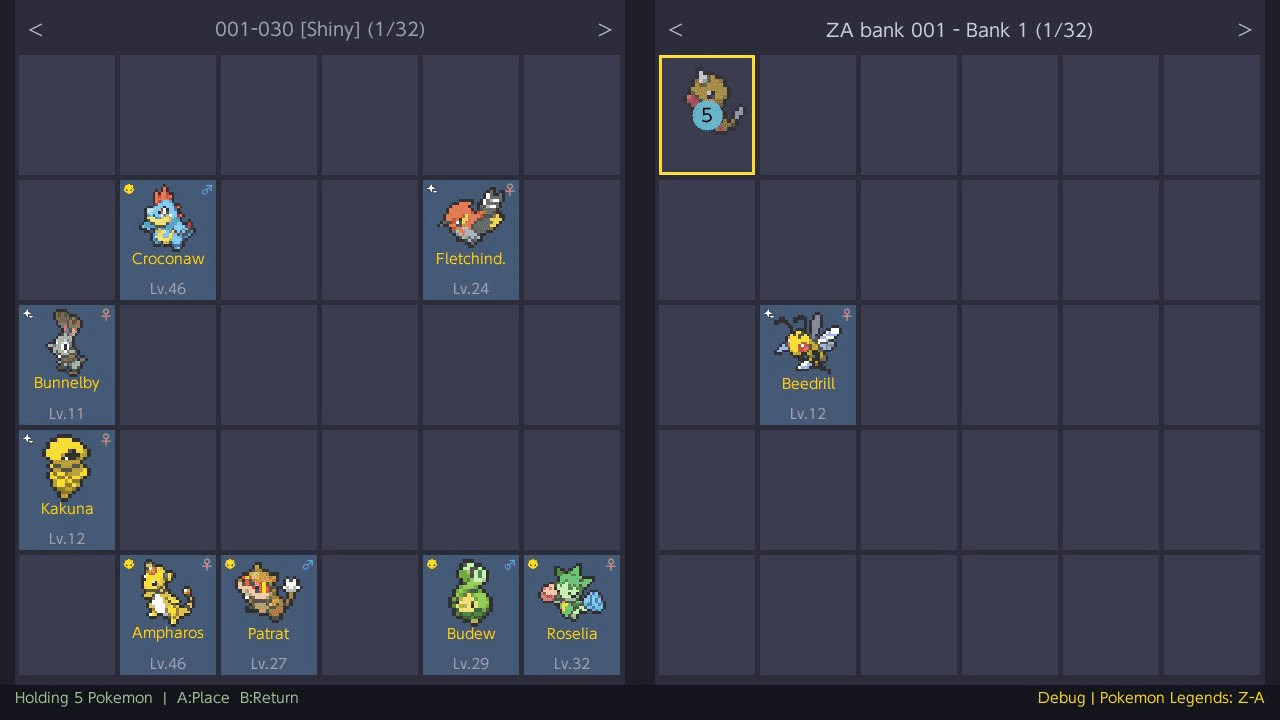
pkHouse is a Nintendo Switch homebrew application that provides a local bank system for Pokemon games. It allows moving Pokemon between save files and local bank storage directly on the console, similar to Pokemon HOME but as a free offline solution.
The application supports multiple Pokemon games across different save formats, with automatic save backup, multi-select capabilities, search and filtering, and multiple color themes.
Note: Moving Pokemon between different games is not supported. Banks are separated by game family because transferred Pokemon would lack the HOME Tracker ID required for cross-game compatibility.
Disclaimer
This software is provided "as-is" without any warranty. While the app has been tested, it may contain bugs that could corrupt or damage your save files.
Use at your own risk. The author is not responsible for any data loss or damage to your save data.
This is why the automatic backup system exists — always verify your backups before making changes.
If you need to restore a backup, use a save manager such as Checkpoint or JKSV to import the backup files back onto your Switch.
Supported games
| Game | Tested Version | Save Format | Boxes | Slots/Box |
|---|---|---|---|---|
| Pokemon Let's Go Pikachu | 1.0.2 | BEEF blocks (savedata.bin) |
40 | 25 |
| Pokemon Let's Go Eevee | 1.0.2 | BEEF blocks (savedata.bin) |
40 | 25 |
| Pokemon Sword | 1.3.2 | SCBlock (main) |
32 | 30 |
| Pokemon Shield | 1.3.2 | SCBlock (main) |
32 | 30 |
| Pokemon Brilliant Diamond | 1.3.0 | Flat binary (SaveData.bin) |
40 | 30 |
| Pokemon Shining Pearl | 1.3.0 | Flat binary (SaveData.bin) |
40 | 30 |
| Pokemon Legends: Arceus | 1.1.1 | SCBlock (main) |
32 | 30 |
| Pokemon Scarlet | 4.0.0 | SCBlock (main) |
32 | 30 |
| Pokemon Violet | 4.0.0 | SCBlock (main) |
32 | 30 |
| Pokemon Legends: Z-A | 2.0.1 | SCBlock (main) |
32 | 30 |
| Pokemon FireRed | 1.0.0 | GBA sectors (FireRed_e.sav) |
14 | 30 |
| Pokemon LeafGreen | 1.0.0 | GBA sectors (LeafGreen_e.sav) |
14 | 30 |
Features
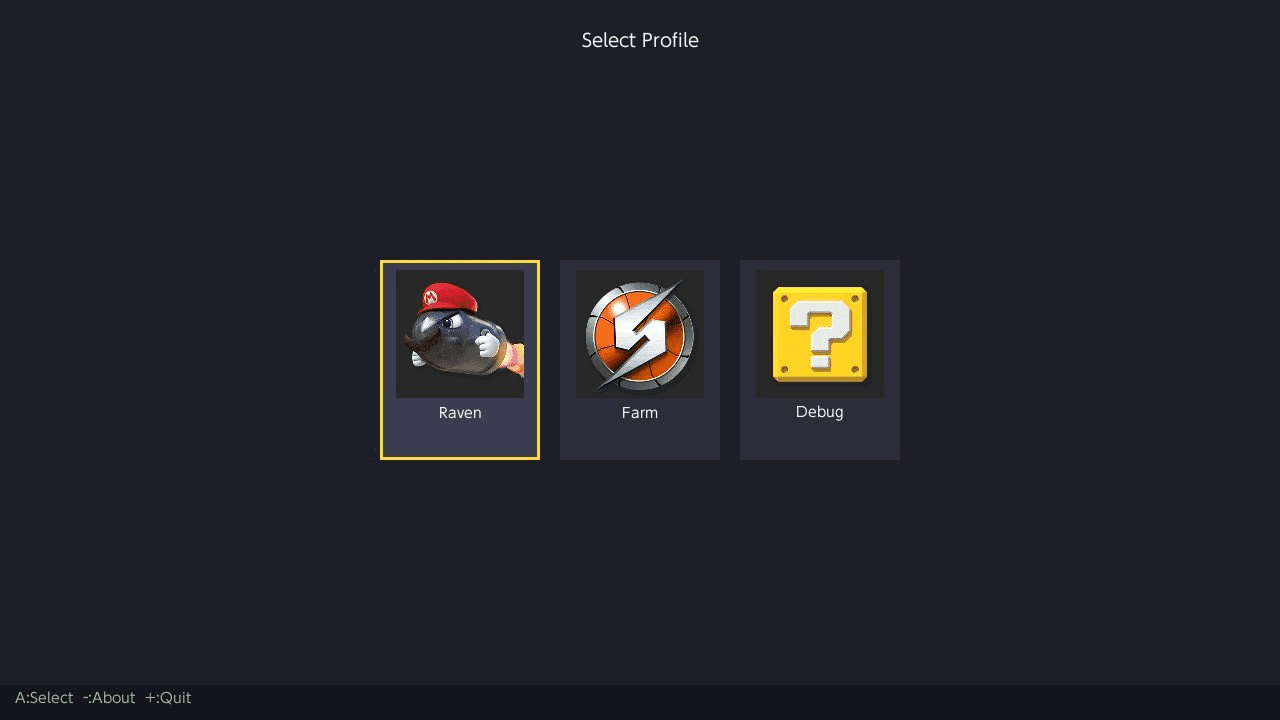
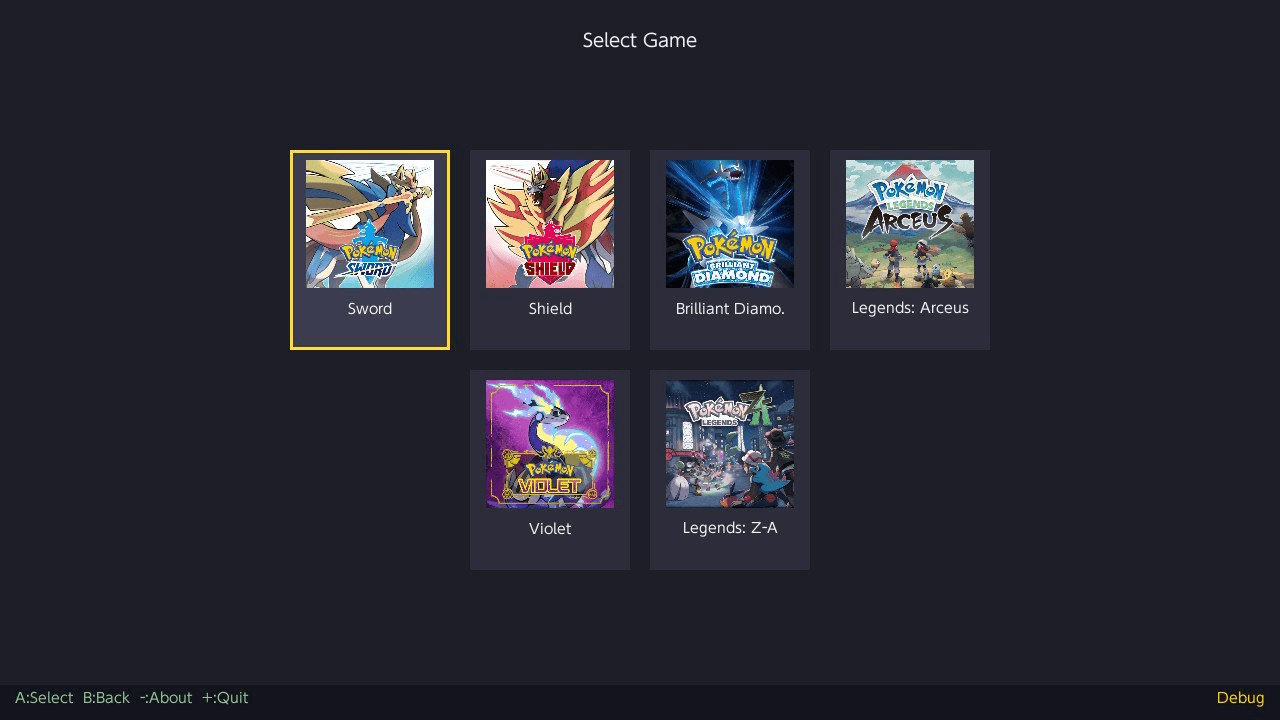
Profile Selection:
- Loads all user profiles from the system.
- Select a profile, then choose a game from those with save data for that profile.
- Profile name is displayed alongside game name in all views.
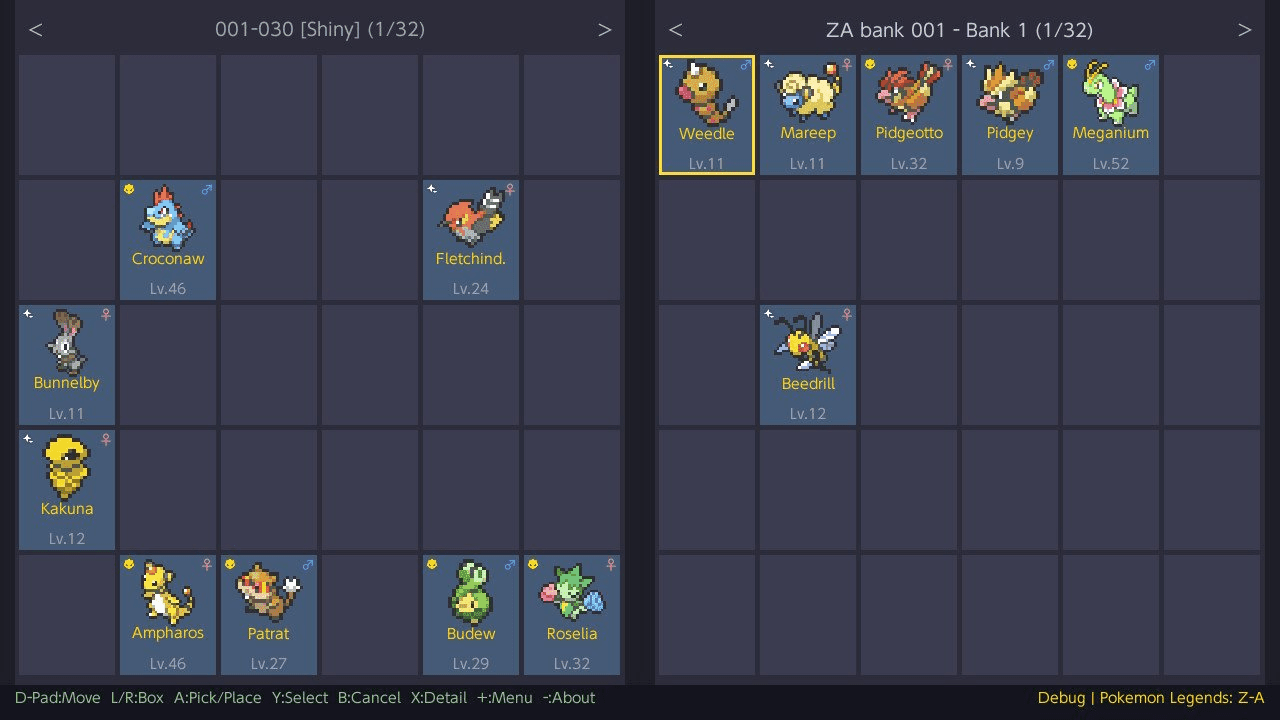
Two-Panel Box Viewer:
- Title override mode - Left panel shows game save, right panel shows bank.
- Applet mode (bank-only) - Both panels show banks, allow bank-to-bank transfers.
Pick & Place:
- Press A to pick up a Pokémon, move to any slot, press A again to place.
- Placing on an occupied slot swaps the two Pokémon.
- Press B to cancel and return the Pokémon to its original slot.
- Press X while holding a Pokémon to delete it (with confirmation).
Multi-Select:
- Tap Y on individual Pokémon to toggle selection.
- Hold Y + D-Pad to draw a rectangular selection.
- Double-tap Y to select all Pokémon in the current box (green highlight).
- Only occupied slots are selectable. Selected slots display a numbered badge indicating pick-up order.
- Press A to pick up all selected Pokémon, navigate to another box, press A to place.
- Regular selections (cyan): Pokémon are placed into the first available empty slots.
- "Select all" selections (green): Pokémon preserve their original slot indices; all target slots must be empty.
- Press B to cancel and return all Pokémon to their original positions.
- Selection is cleared when switching boxes or panels.
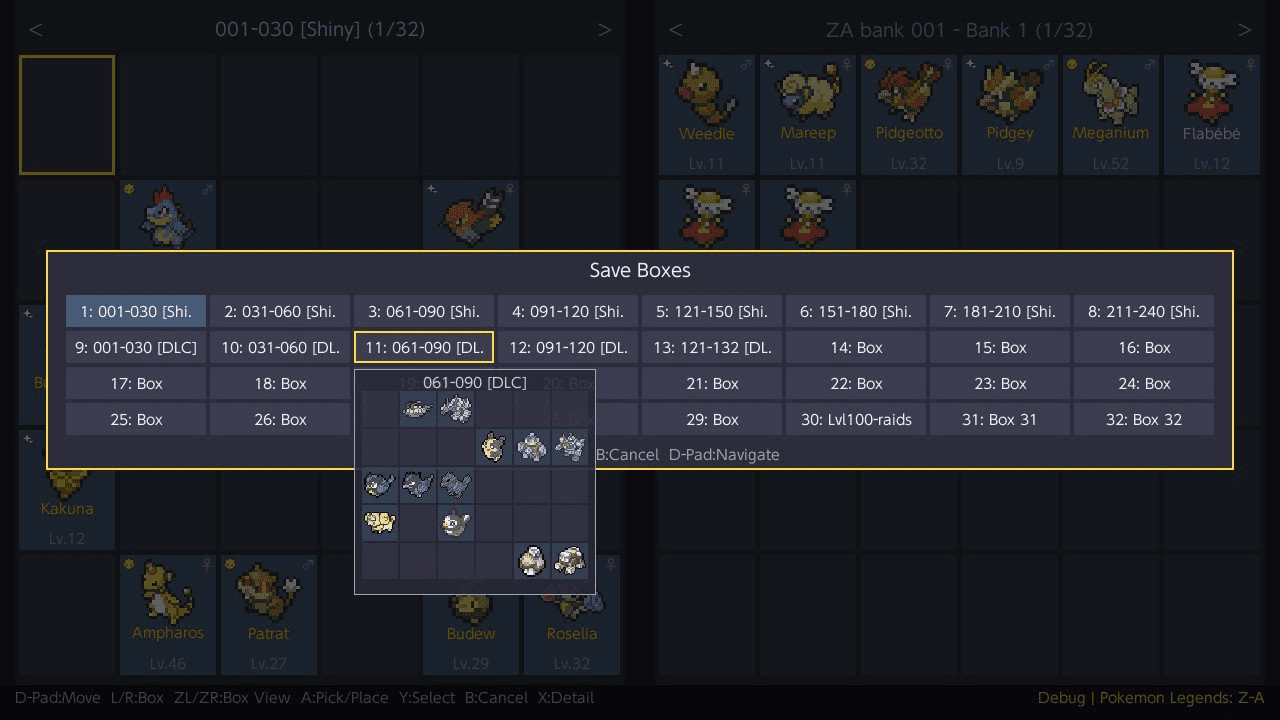
Box View:
- Press ZL for an overview of all save boxes, ZR for all bank boxes.
- Navigate the grid with D-Pad; a semi-transparent preview of the highlighted box’s contents appears.
- Press A to jump directly to that box.
- Press Y to rename a bank box (max 16 characters).
- Press B to cancel.
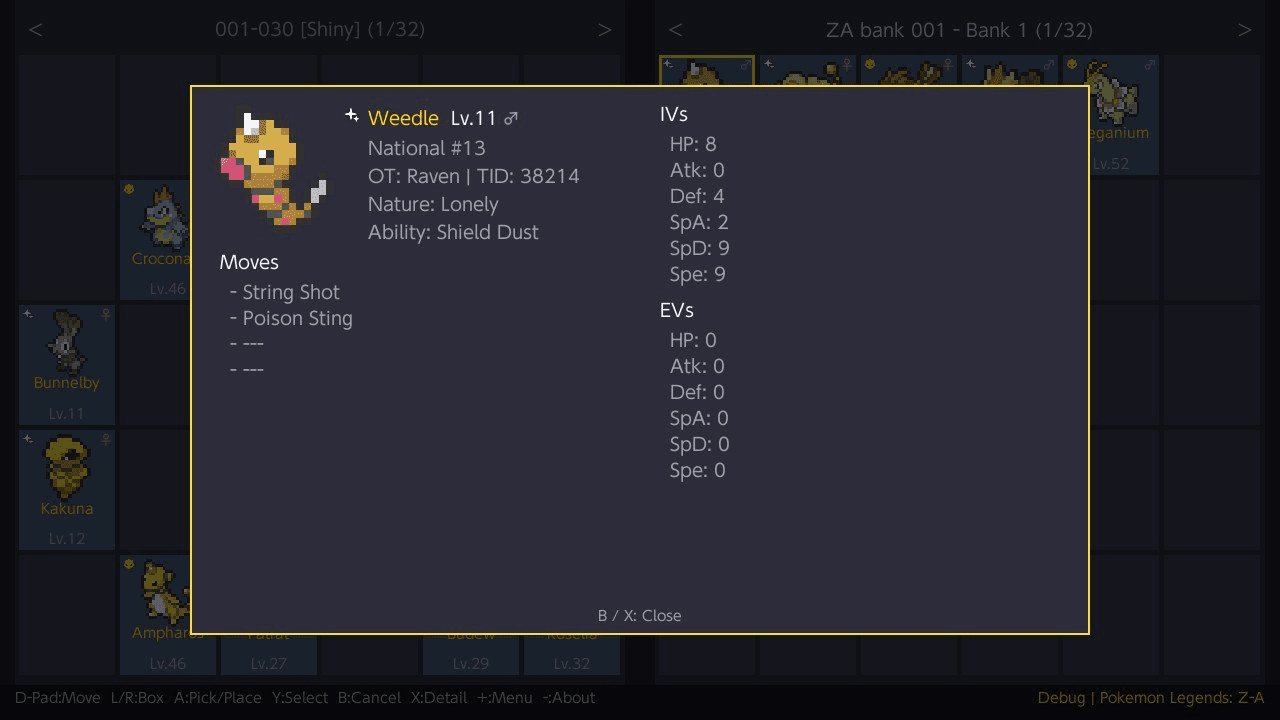
Pokémon Details:
- Press X on any Pokémon to view:
- Species, level, gender
- National Pokédex number
- Original Trainer (OT) and Trainer ID
- Nature and Ability
- All four moves
- IVs displayed as a hexagonal radar chart (perfect 31s highlighted in gold)
- EVs displayed as a hexagonal radar chart
- Shiny names in gold; Alpha Pokémon display a dedicated icon (Legends: Arceus / Z-A).
Bank System:
- Banks are local
.binfiles stored per game family; paired games share a folder. - Bank folders:
- Let’s Go Pikachu/Eevee:
banks/LetsGo/ - Sword/Shield:
banks/SwordShield/ - Brilliant Diamond/Shining Pearl:
banks/BDSP/ - Legends: Arceus:
banks/LegendsArceus/ - Scarlet/Violet:
banks/ScarletViolet/ - Legends: Z-A:
banks/LegendsZA/ - FireRed/LeafGreen:
banks/FireRedLeafGreen/
- Let’s Go Pikachu/Eevee:
- From the bank selector:
- Create a new bank (up to 32 characters, checks available SD space).
- Rename an existing bank.
- Delete a bank (confirmation required; cannot delete the currently loaded bank).
- Each bank matches the box capacity of its game family (32 or 40 boxes).
- Bank list shows the number of occupied slots.
- Switch banks from the main menu; save and bank are saved together before switching.
- If no other bank exists, the app offers to create a new one.
Backup System:
- Automatic backup when loading a game save on Switch:
backups/<profile>/<game>/<profile>_YYYY-MM-DD_HH-MM-SS/ - Full copy of the mounted save directory, created only once when the game is initially selected.
- Checks available SD space (requires 2× save size); warns and allows proceeding without backup if space is insufficient.
- If backup fails, a similar warning is shown before proceeding.
Themes:
- Default (dark blue-gray)
- HOME (light pastels)
- HOME - Violet
- HOME - Blue
- HOME - Green
- HOME - Red
- Pikachu (yellow and brown)
- Change themes from the main menu (+) or by pressing Y on profile/game selection screens.
- Live preview as you scroll; press A to confirm, B to cancel.
- Theme preference is saved automatically.
Search / Filter:
- Search for Pokemon across both panels (save and bank) using the menu (+ button -> search). Available filters:
- Species Name (text, case‑insensitive substring)
- OT Name (text, case‑insensitive substring)
- Shiny (toggle)
- Egg (toggle)
- Alpha (toggle, Legends games only)
- Gender (Any / Male / Female / Genderless)
- Level (min/max range)
- Perfect IVs (Off / 1+ / 6IV)
- Two result modes are available (selectable in the filter with Left/Right):
- Highlight (default): Returns to box view; matching Pokémon outlined, non‑matching dimmed. Highlights persist when Pokémon are moved. In box overview, boxes containing matches are outlined and matching slots are highlighted in the preview. Press B to clear.
- List: Displays results as a scrollable list with status badges ([S] shiny, [A] alpha, [E] egg), species, level, gender, and location. Press A to jump to a result, L/R to skip 10 results, X to adjust filters, B to close.
Wondercard Injection:
- Inject event wondercard files directly into your save as fully formed Pokemon. Access from the menu (+ button -> Wondercard).
- File locations:
- Let's Go Pikachu/Eevee:
wondercards/LetsGo/(.wb7 / .wb7full) - Sword/Shield:
wondercards/SwordShield/(.wc8) - Brilliant Diamond/Shining Pearl:
wondercards/BDSP/(.wb8) - Legends: Arceus:
wondercards/LegendsArceus/(.wa8) - Scarlet/Violet:
wondercards/ScarletViolet/(.wc9) - Legends: Z-A:
wondercards/LegendsZA/(.wa9)
- Let's Go Pikachu/Eevee:
- The wondercard list shows each card's species, level, and shiny status. Select a card and press A to inject it into the currently selected box slot.
- The injected Pokemon is fully generated from the wondercard data — PID, IVs, nature, ability, moves, OT, and all metadata are set according to the event's rules, matching official distribution behavior.
- Wondercard files can be downloaded from the Project Pokemon EventsGallery repository.
Save Integrity:
- SCBlock saves (ZA, SV, SwSh, PLA): Decrypted, modified, and re-encrypted. A round-trip verification runs on load to confirm the cycle is lossless.
- BDSP saves: Flat binary with MD5 checksum, recalculated on every save.
- LGPE saves: BEEF block format with CRC16 checksums, recalculated on every save. Storage is compacted before writing.
- FRLG saves: GBA sector-based format (128KB, two save slots). CheckSum32 recalculated per sector on save. Both slots are updated.
- All saves are written in-place to preserve the Switch filesystem journal.
Controls
Main view
| Button | Action |
|---|---|
| D-Pad | Move cursor |
| L / R | Switch box (hold to auto-repeat) |
| ZL / ZR | Box view (save / bank) |
| A | Pick up / Place Pokemon |
| B | Cancel / Return held Pokemon |
| Y | Toggle multi-select |
| X | View Pokemon details (or delete held Pokemon) |
| + | Open menu |
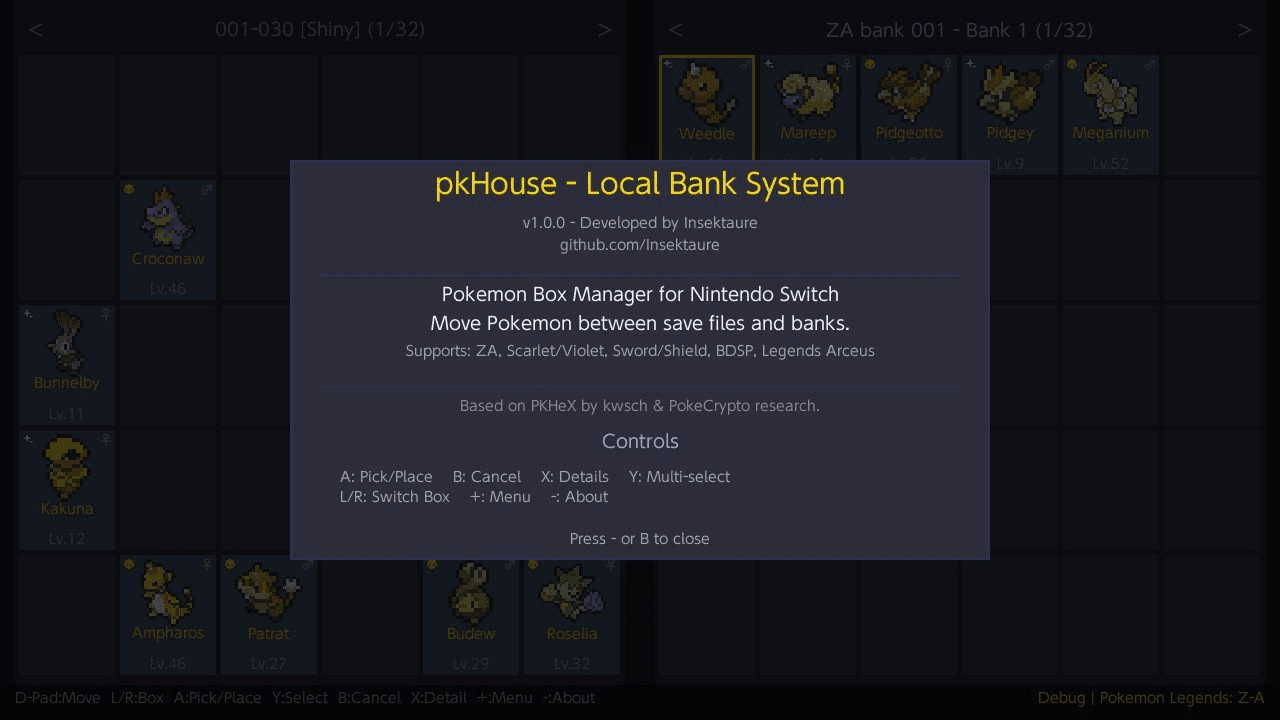
| - | About |
Profile selector
| Button | Action |
|---|---|
| D-Pad Left/Right | Navigate profiles |
| A | Select profile |
| Y | Theme selector |
| - | About |
| + | Quit |
Game selector
| Button | Action |
|---|---|
| D-Pad | Navigate game grid |
| A | Select game |
| B | Back to profile selector |
| Y | Theme selector |
| - | About |
| + | Quit |
Bank selector
| Button | Action |
|---|---|
| D-Pad Up/Down | Navigate bank list |
| A | Open bank |
| Y | Create new bank |
| X | Rename bank |
| + | Delete bank |
| B | Back (main view if bank loaded, otherwise game selector) |
| - | About |
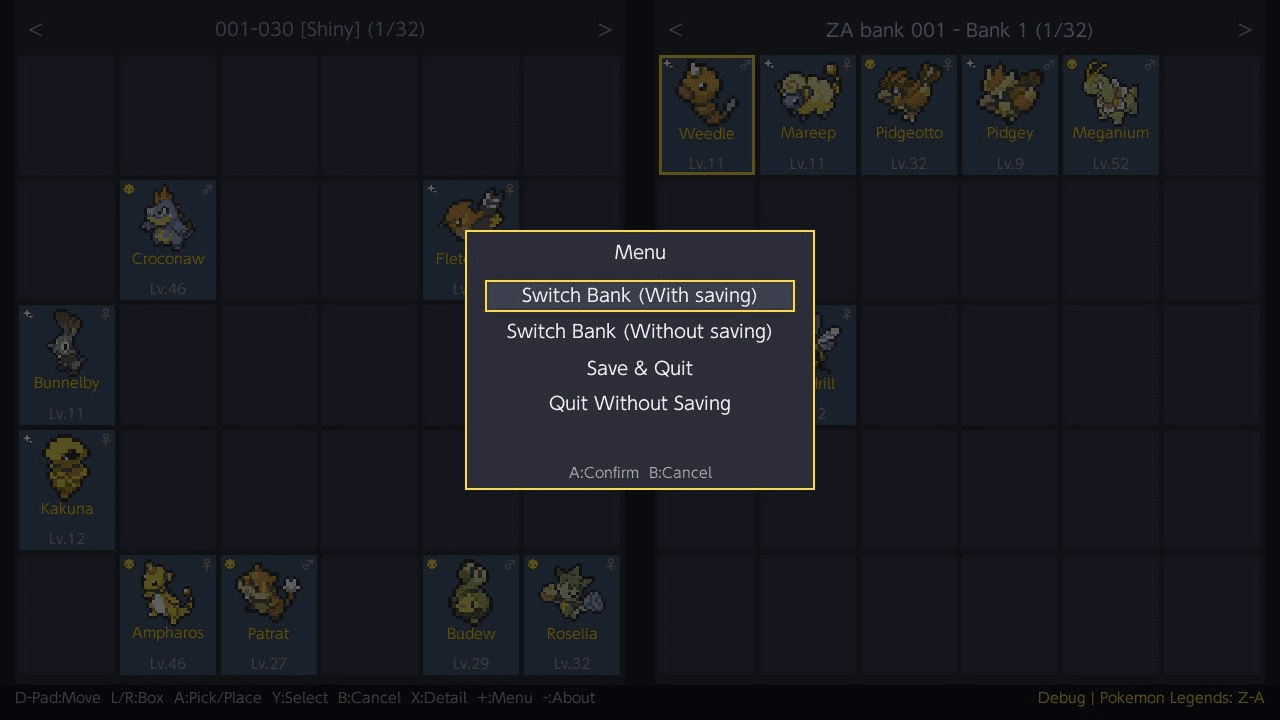
Menu options (Title Override Mode)
| Option | Description |
|---|---|
| Theme | Open the theme selector |
| Search | Search / filter Pokemon across panels |
| Switch Bank | Save game and bank, return to bank selector |
| Change Game | Save everything, return to game selector |
| Save & Quit | Save everything and exit |
| Quit Without Saving | Exit without saving changes |
Menu options (Applet / Bank-Only Mode)
| Option | Description |
|---|---|
| Theme | Open the theme selector |
| Search | Search / filter Pokemon across panels |
| Switch Left Bank | Save both banks, switch the left bank |
| Switch Right Bank | Save both banks, switch the right bank |
| Change Game | Save both banks, return to game selector |
| Save Banks | Save both banks |
| Quit | Exit |
Screenshots
|
|
Changelog
v1.7.0
- New: Wondercard Injection
- Inject event wondercard files directly into your saves / banks as fully formed Pokemon
- Support : LGPE / SWSH / BDSP / PLA / SV / LZA
- Fully generates the Pokemon from wondercard data (PID, IVs, nature, ability, moves, OT, ribbons, ...)
- Matches official distribution behavior — shiny locks, fixed IVs, ability restrictions, and date windows are all respected
- Game-specific stat calculations are handled correctly (LGPE awakening values + CP, PLA ganbaru values, ...)
v1.6.0
- Add FireRed / LeafGreen support (game version 1.0.0).
v1.5.2
- Rename bank boxes from the box view (ZL / ZR) — press Y on any box to set a custom name (max 16 characters).
- Names are saved in the bank file and persist across sessions.
- Existing banks are fully backward compatible — unnamed boxes display as "Bank 1", "Bank 2", etc.
- Box view overlay now shows a subtitle: bank file name for bank panels, profile and game name for save panels.
- Long bank file names are truncated with (..) in the panel header to prevent overflow.
v1.5.1
- Hold L / R shoulder buttons to auto-repeat box switching.
- Hold L / R in search results list to fast-scroll through pages.
- New search highlight mode: matching Pokemon outlined in box view, non-matches dimmed.
- Search result modes: choose between Highlight (default) and List via the Mode row in search filter.
- Live highlight tracking: moving, swapping, or deleting Pokemon while highlights are active updates them in real-time.
- Boxes containing search matches are outlined in the box view (ZL / ZR) with matching Pokemon highlighted.
v1.5.0
- Search for Pokemon across both panels (save and bank) from the menu (+ → Search).
- Filter by species name, OT name, shiny, egg, alpha, gender, level range, and perfect IVs.
- Results displayed as a scrollable list with status badges: [S] shiny, [A] alpha, [E] egg.
- Press A to jump directly to a Pokemon in the box view; L/R to skip 10 results; X to adjust filters.
- Delete Pokemon: press X while holding Pokemon (single or multi-select) to delete them with confirmation.
v1.4.0
- 7 color themes (Default, HOME, HOME - Violet, HOME - Blue, HOME - Green, HOME - Red, Pikachu)
v1.3.1
- Save backup now checks SD card free space before backing up (requires 2x save size).
- Warning dialog if space is low, with option to continue without backup or cancel.
- If backup fails, a prompt is shown before proceeding.
- Creating a new bank now checks available SD card space first.
v1.3.0
- New applet mode (album/HB menu): bank-only access for all games, two banks side by side for bank-to-bank transfers.
- Banks that are currently in use cannot be deleted.
- When switching banks, the selector appears on the side being switched while the other panel stays visible.
- Bank switching now always saves game and bank together to prevent data corruption.
- Multi-select improvements: drag selection (hold Y + D-Pad) to select a rectangular group of Pokemon at once.
- Double-tap Y to select all Pokemon in the current box (green). Position-preserving placement for "select all" selections.
v1.2.0
- Implement all boxes overview for save and bank boxes (access with ZL / ZR).
v1.1.0
- Now supports Let's Go Pikachu / Eevee games.
v1.0.1
- Implement full swap history to avoid losing Pokemon when doing multiple in-place swaps then canceling with B button.
v1.0.0
- Initial release.