
Netsurf 3DS: Difference between revisions
From GameBrew
More actions
No edit summary |
No edit summary |
||
| Line 42: | Line 42: | ||
* nsfb.cia - NetSurf for 3DS as a CIA installable archive | * nsfb.cia - NetSurf for 3DS as a CIA installable archive | ||
* nsfb_himem.cia - NetSurf for 3DS as a CIA installable archive, using the 3DS's extended memory mode. This gives you 80MB of memory (instead of 64MB) at the cost of higher boot times, and certain 3DS system apps becoming unavailable while NetSurf is running. It is recommended that you use the other versions unless you find a website that needs the extra memory. Both nsfb.cia and nsfb_himem.cia should work identically on New3DS, but it is yet untested. | * nsfb_himem.cia - NetSurf for 3DS as a CIA installable archive, using the 3DS's extended memory mode. This gives you 80MB of memory (instead of 64MB) at the cost of higher boot times, and certain 3DS system apps becoming unavailable while NetSurf is running. It is recommended that you use the other versions unless you find a website that needs the extra memory. Both nsfb.cia and nsfb_himem.cia should work identically on New3DS, but it is yet untested. | ||
==Screenshots== | ==Screenshots== | ||
| Line 62: | Line 53: | ||
'''3DSで動作する非公式webブラウザ【NetSurf 3DS】''' ([https://www.youtube.com/watch?v=ebow9P_gQ5g 2ipper]) <br> | '''3DSで動作する非公式webブラウザ【NetSurf 3DS】''' ([https://www.youtube.com/watch?v=ebow9P_gQ5g 2ipper]) <br> | ||
<youtube width=""640"">ebow9P_gQ5g</youtube> | <youtube width=""640"">ebow9P_gQ5g</youtube> | ||
==Changelog== | ==Changelog== | ||
Latest revision as of 04:43, 26 December 2025
| Netsurf 3DS | |
|---|---|
 | |
| General | |
| Author | coderman64 |
| Type | Other Apps |
| Version | 0.03 |
| License | Mixed |
| Last Updated | 2025/12/24 |
| Links | |
| Download | |
| Website | |
| Source | |
NetSurf 3DS is a work-in-progress (WIP) modern-ish web browser for the Nintendo 3DS. It is a homebrew port of the NetSurf web browser, known for being portable and lightweight, functioning on less than 32MB of RAM without requiring third-party GUI libraries, thanks to its framebuffer front-end.
Features
- What works:
- Browsing to webpages with SSL (HTTPS) <= 1.2 (which is better than the 3DS default browser with insecure SSL <= 1.1).
- submitting basic HTML forms (like Google's search bar).
- entering web addresses and values for text entries with the 3DS's system keyboard.
- PNG, JPEG, BMP, and GIF images.
- Basic HTML/CSS.
- What doesn't work:
- Downloading files.
- Webpages are hopelessly mangled.
- NetSurf's super-basic JavaScript support doesn't yet compile and is disabled in the build process.
- WebP and SVG support doesn't exist since the required libraries have not been ported yet.
- FreeType font support is disabled in the build process (Enabling it yields an instant crash on startup), so only a simple built-in pixel-y font is provided.
- The "History" view does not work correctly.
- Only 16BPP color is currently supported (though you probably wouldn't notice, anyway).
Installation
NetSurf 3DS is available as a 3DSX or CIA file from releases:
- nsfb.3dsx - NetSurf for 3DS as a 3DSX executable file
- nsfb.cia - NetSurf for 3DS as a CIA installable archive
- nsfb_himem.cia - NetSurf for 3DS as a CIA installable archive, using the 3DS's extended memory mode. This gives you 80MB of memory (instead of 64MB) at the cost of higher boot times, and certain 3DS system apps becoming unavailable while NetSurf is running. It is recommended that you use the other versions unless you find a website that needs the extra memory. Both nsfb.cia and nsfb_himem.cia should work identically on New3DS, but it is yet untested.
Screenshots
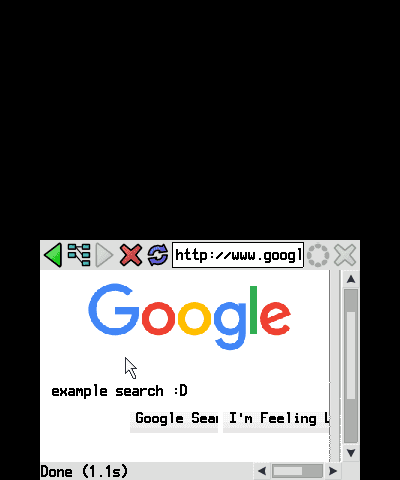
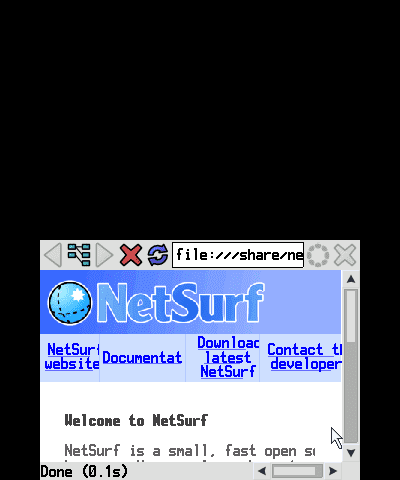
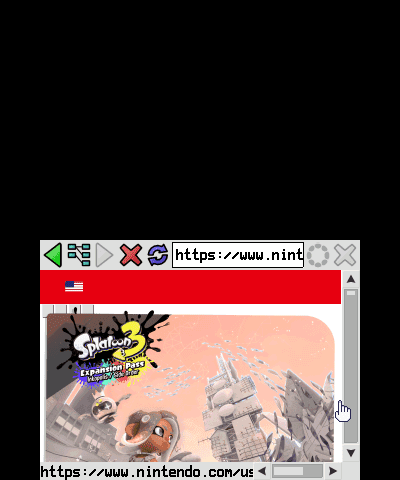
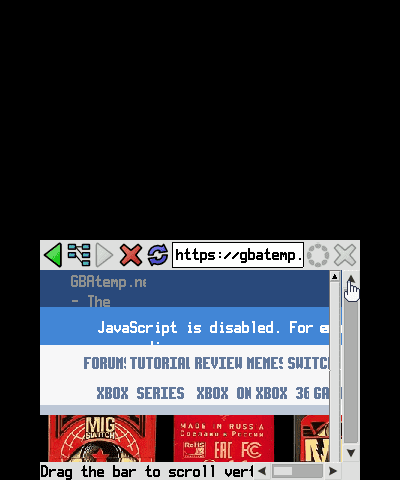
Media
3DSで動作する非公式webブラウザ【NetSurf 3DS】 (2ipper)
Changelog
v0.03
- RomFS Support - resources will now be loaded from the app's own RomFS instead of from
/share/netsurfon your SD card, meaning no more confusing zipfile extraction! - CIA support - NetSurf now has two CIA builds -
nsfb.ciais the normal browser, whilensfb_himem.ciauses the 3DS's extended memory mode, allowing NetSurf to use 80MB of memory instead of 64MB, at the cost of longer boot times.
v0.02
- NetSurf 3.11 on the 3DS! Now with SSL 1.2 support.
v0.01
- First Release.
Credits
Thanks to the NetSurf developers for making such an awesome lightweight and portable browser.
Also thanks to DevkitPro 3DS for making the 3DS homebrew toolchain and library ports.