
OpenFodder Switch: Difference between revisions
More actions
No edit summary |
m Text replacement - "ForTheUsers - " to "Homebrew App Store - " |
||
| Line 74: | Line 74: | ||
* GitHub - https://github.com/keeganatorr/openfodder-switch | * GitHub - https://github.com/keeganatorr/openfodder-switch | ||
* GBAtemp - https://gbatemp.net/threads/openfodder-switch-cannon-fodder-port.510070/ | * GBAtemp - https://gbatemp.net/threads/openfodder-switch-cannon-fodder-port.510070/ | ||
* | * Homebrew App Store - https://apps.fortheusers.org/switch/openfodder | ||
Latest revision as of 10:45, 23 November 2025
| OpenFodder Switch | |
|---|---|
 | |
| General | |
| Author | keeganatorr |
| Type | Strategy |
| Version | 1.4 |
| License | Mixed |
| Last Updated | 2018/07/03 |
| Links | |
| Download | |
| Website | |
| Source | |
Port of Open Fodder to Nintendo Switch. It is an open source version of the Cannon Fodder engine, for modern operating systems.
Cannon Fodder is an action-strategy shoot 'em up game developed by Sensible Software and published by Virgin Interactive.
The game is military-themed and based on shooting action but with a strategy game-style control system. The player directs troops through numerous missions, battling enemy infantry, vehicles and installations.
Installation
Note: While Open Fodder comes with four demos, the full game it requires a copy of Cannon Fodder (DOS or Amiga, Amiga files work better). You can purchase the DOS version from GOG.
Extract OpenFodder.zip and copy the contents of OpenFodder/ to /switch/openfodder/ on your Nintendo Switch SD card.
- [DOS] Copy
CF_ENG.DATfrom the CD (or the GOG install destination) to the/switch/openfodder/Data/Dos_CD/folder. - [Amiga] Copy the contents of
cf_datainto the/switch/openfodder/Data/Amiga/directory.
Copy openfodder-switch.nro to /switch/openfodder/ and boot the game through the homebrew launcher.
Controls
D-Pad or Analog - Move Mouse
A or ZR - Click
B or ZL - Fire
X - Speed up cursor
Y - Swap alt weapon
Click+Fire - Use alt weapon
Plus - Pause
Minus - Show map preview
Minus+L/R - Decrease/Increase window size
Plus+Minus - Go back
Screenshots
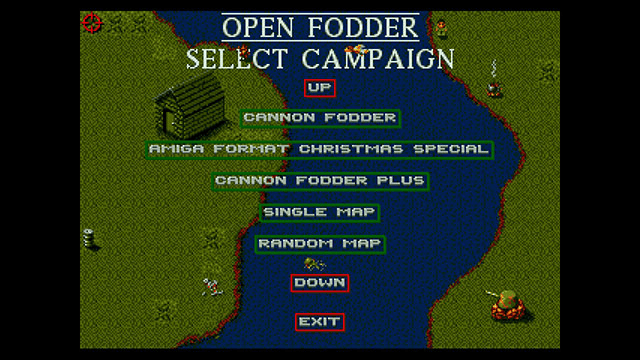
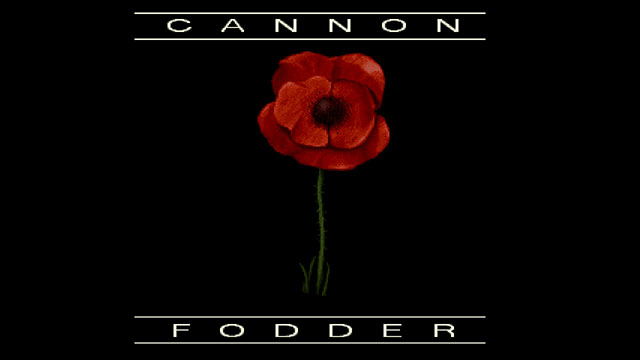
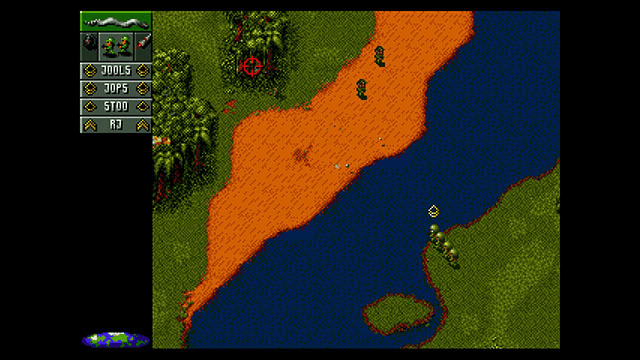
Known issues
- DOS sound effects don't work.
- DOS has small graphical issues where the screen tries to scroll past the top left when you reach that area in a mission.
Changelog
v1.4-switch
- Initial release.
Credits
Special Thanks:
- DEVKITPRO.
- The developers of Open Fodder.
- Sensible Software.
External links
- GitHub - https://github.com/keeganatorr/openfodder-switch
- GBAtemp - https://gbatemp.net/threads/openfodder-switch-cannon-fodder-port.510070/
- Homebrew App Store - https://apps.fortheusers.org/switch/openfodder