
Dune Legacy Switch: Difference between revisions
More actions
No edit summary |
|||
| Line 19: | Line 19: | ||
|image_alt=Dune Legacy | |image_alt=Dune Legacy | ||
}} | }} | ||
Dune Legacy | Port of Dune Legacy to the Nintendo Switch. | ||
Dune Legacy is an open-source enhanced reimplementation of the classic 1992 real-time strategy game Dune II, originally developed by Westwood Studios. | |||
== | ==Installation== | ||
You need to put all pak files from the original game into sdmc:/switch/dunelegacy/data directory, otherwise the game will close immediately. | You need to put all pak files from the original game into sdmc:/switch/dunelegacy/data directory, otherwise the game will close immediately. | ||
Note: The Level editor and Multiplayer games (LAN) are working. | |||
==Controls== | ==Controls== | ||
Control is adapted from the [[Dune Legacy Vita|PS Vita port]]. You can always use the touch screen of the switch for controlling the game mouse. | |||
The emulated mouse has a custom crosshair, since the original cursor is small. | The emulated mouse has a custom crosshair, since the original cursor is small. | ||
* Left Stick - Move emulated mouse cursor (accelerate to double speed with pressing left stick) | |||
* Right Stick - Scroll the map | |||
* Y - Attack | |||
* X - Stop/Guard | |||
* A or Press Right Stich - Left click/Select | |||
* B - Right click/Action | |||
* ZL - Cycle through construction yards | |||
* ZB - Cycle through factories/other builders | |||
* Plus - Menu/Back | |||
* Minus - Pause | |||
Special unit grouping with L/R and the d-pad (each direction is a group). | |||
* | * Direction - Select units | ||
* L+Direction - Save units to group | |||
* R+Direction - Add group to current selection | |||
* | |||
* | |||
Map scroll speed and emulated mouse speed can be changed in the the configuration file/ingame menus. | |||
==Screenshots== | ==Screenshots== | ||
{| style="max-width:80%; margin-left:0em;" | {| style="max-width:80%; margin-left:0em;" | ||
| | |https://dlhb.gamebrew.org/switchhomebrews/images/DuneLegacySwitch-01.png | ||
https://dlhb.gamebrew.org/switchhomebrews/images/DuneLegacySwitch-01.png | |https://dlhb.gamebrew.org/switchhomebrews/images/DuneLegacySwitch-02.png | ||
https://dlhb.gamebrew.org/switchhomebrews/images/DuneLegacySwitch-02.png | |||
|} | |} | ||
== | ==Media== | ||
'''Dune Legacy - Harkonnen - 1 (qBotBrutal)''' ([https://www.youtube.com/watch?v=Zy5uwBbxHtA IceTone Gaming]) <br> | |||
<youtube>Zy5uwBbxHtA</youtube> | |||
== | ==Known issues== | ||
* Screenshots are not working (crashing, therefore disabled) | * Screenshots are not working (crashing, therefore disabled) | ||
* After inserting text with swkbd (e.g custom map name, network host,...), the game needs another input to display it (wobble the right stick) | * After inserting text with swkbd (e.g custom map name, network host,...), the game needs another input to display it (wobble the right stick) | ||
| Line 75: | Line 70: | ||
== External links == | == External links == | ||
* | * GitHub - https://github.com/carstene1ns/dunelegacy/tree/switch-port | ||
* GBAtemp - https://gbatemp.net/threads/dune-legacy-dune-ii-remake.676917/ | |||
Revision as of 03:41, 9 November 2025
| Dune Legacy | |
|---|---|
 | |
| General | |
| Author | carstene1ns |
| Type | Strategy |
| Version | 2025 |
| License | GPL-2.0 |
| Last Updated | 2025/11/07 |
| Links | |
| Download | |
| Website | |
| Source | |
Port of Dune Legacy to the Nintendo Switch.
Dune Legacy is an open-source enhanced reimplementation of the classic 1992 real-time strategy game Dune II, originally developed by Westwood Studios.
Installation
You need to put all pak files from the original game into sdmc:/switch/dunelegacy/data directory, otherwise the game will close immediately.
Note: The Level editor and Multiplayer games (LAN) are working.
Controls
Control is adapted from the PS Vita port. You can always use the touch screen of the switch for controlling the game mouse.
The emulated mouse has a custom crosshair, since the original cursor is small.
- Left Stick - Move emulated mouse cursor (accelerate to double speed with pressing left stick)
- Right Stick - Scroll the map
- Y - Attack
- X - Stop/Guard
- A or Press Right Stich - Left click/Select
- B - Right click/Action
- ZL - Cycle through construction yards
- ZB - Cycle through factories/other builders
- Plus - Menu/Back
- Minus - Pause
Special unit grouping with L/R and the d-pad (each direction is a group).
- Direction - Select units
- L+Direction - Save units to group
- R+Direction - Add group to current selection
Map scroll speed and emulated mouse speed can be changed in the the configuration file/ingame menus.
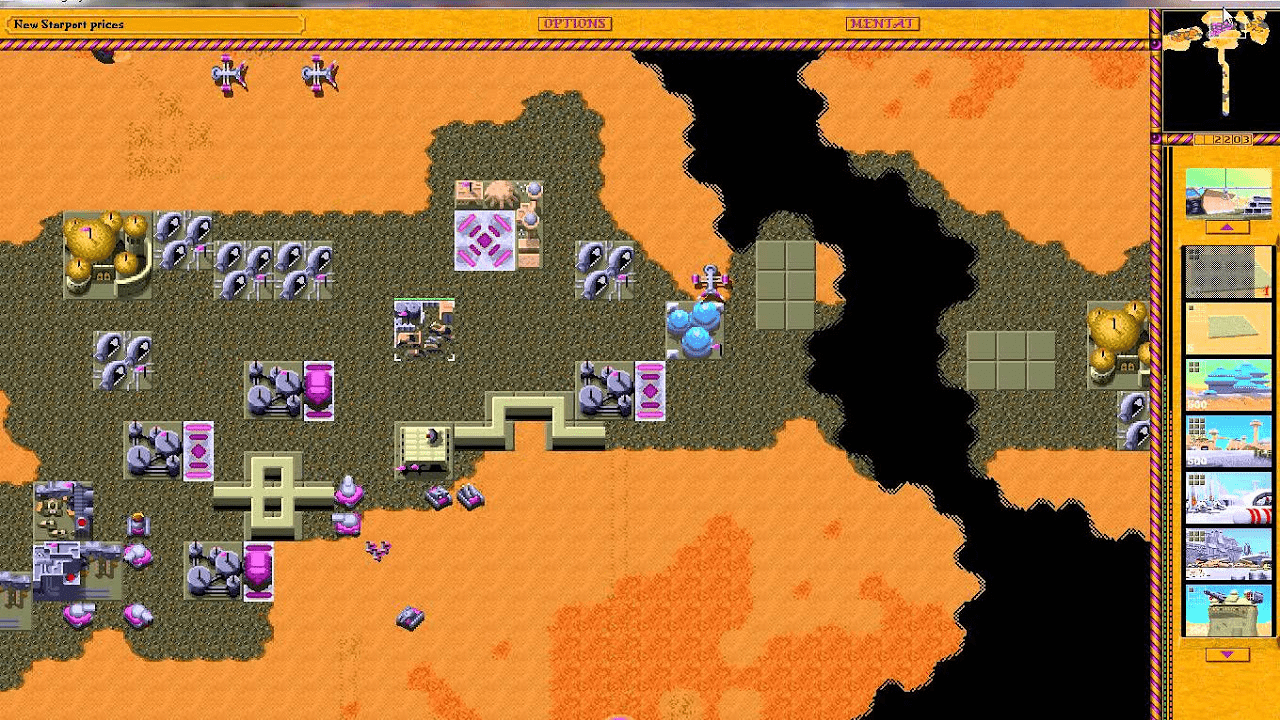
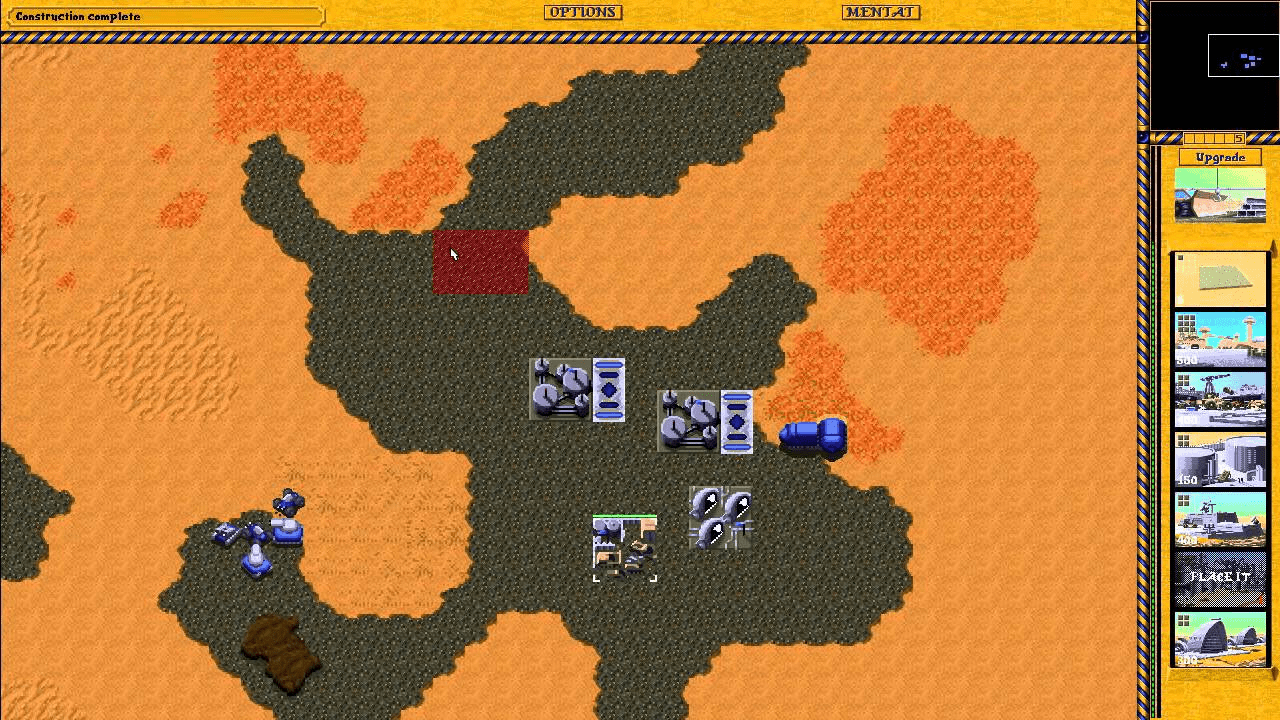
Screenshots
|
|
Media
Dune Legacy - Harkonnen - 1 (qBotBrutal) (IceTone Gaming)
Known issues
- Screenshots are not working (crashing, therefore disabled)
- After inserting text with swkbd (e.g custom map name, network host,...), the game needs another input to display it (wobble the right stick)
- It might crash on first start while doing some file copying (maps, config, etc.), though i hope I have fixed this already.
Changelog
2025
- First Release.