
Vita PC Passthough: Difference between revisions
From GameBrew
More actions
No edit summary |
No edit summary |
||
| Line 4: | Line 4: | ||
|description=A simple Vita Passthough meant to work with xerpi's vita-udcd-uvc. | |description=A simple Vita Passthough meant to work with xerpi's vita-udcd-uvc. | ||
|author=reyayer | |author=reyayer | ||
|lastupdated=2025/ | |lastupdated=2025/10/06 | ||
|type=PC Utilities | |type=PC Utilities | ||
|version=1. | |version=1.2.0 | ||
|license=N/A | |license=N/A | ||
|download=https://dlhb.gamebrew.org/vitahomebrews/VitaPCPassthough.7z | |download=https://dlhb.gamebrew.org/vitahomebrews/VitaPCPassthough.7z | ||
| Line 36: | Line 36: | ||
'=' - PSP overlay | '=' - PSP overlay | ||
'[' - Change resolution ( | '[]' - Change resolution (896x504, 960x544, and 480x272) | ||
F11 - Toggle fullscreen | |||
==Screenshots== | ==Screenshots== | ||
| Line 45: | Line 47: | ||
==Changelog== | ==Changelog== | ||
'''v1.2.0''' | |||
* Added fullscreen with f11. | |||
'''v1.1.0''' | '''v1.1.0''' | ||
* Added Feature to cycle between resolution using the bracket keys. | * Added Feature to cycle between resolution using the bracket keys. | ||
Latest revision as of 02:35, 11 October 2025
| Vita PC Passthough | |
|---|---|
 | |
| General | |
| Author | reyayer |
| Type | PC Utilities |
| Version | 1.2.0 |
| License | N/A |
| Last Updated | 2025/10/06 |
| Links | |
| Download | |
| Website | |
| Source | |
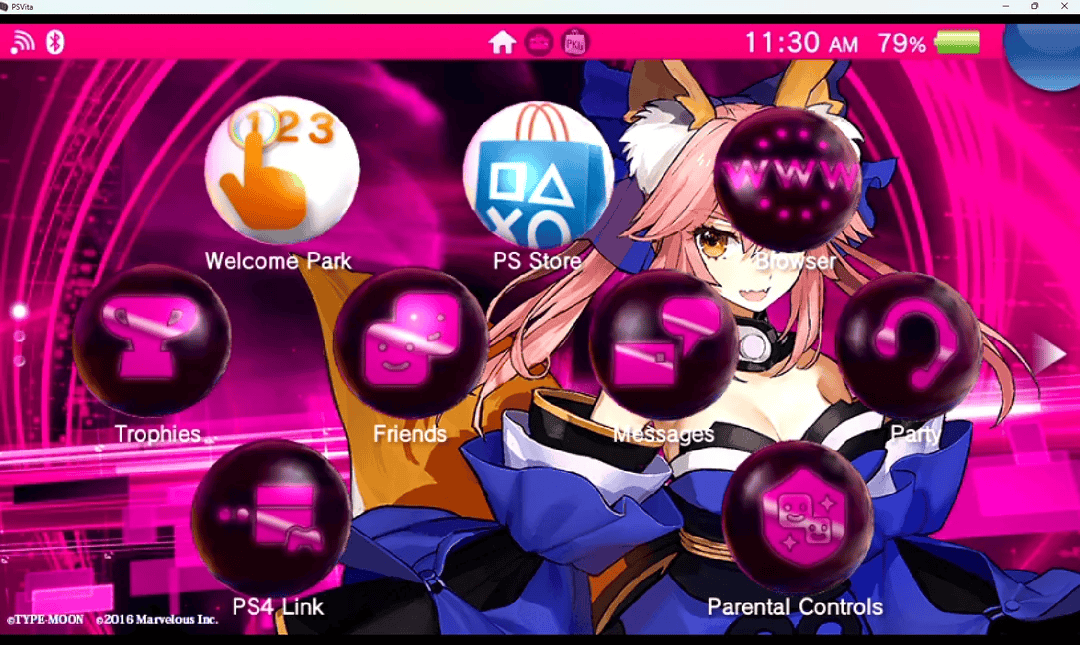
A simple Vita Passthough using xerpi's vita-udcd-uvc.
Note: Upscaling is only available when no overlay is currently displayed.
Controls
1–5 = Change video feed
6–8 - Change mic feed
9 - Upscale (if no overlay is selected)
0 - PSVita 2000 overlay
'-' - PSVita 1000 overlay
'=' - PSP overlay
'[]' - Change resolution (896x504, 960x544, and 480x272)
F11 - Toggle fullscreen
Screenshots
|
|
Changelog
v1.2.0
- Added fullscreen with f11.
v1.1.0
- Added Feature to cycle between resolution using the bracket keys.
- Fixed Bug where you couldn't shrink the window.
v1.0.1
- Update README.md.
v1.0
- First Release.
Credits
- Developed by reyayer.
- Built for use with xerpi's vita-udcd-uvc.