
QWBFS Manager Wii: Difference between revisions
From GameBrew
More actions
Tag: Reverted |
No edit summary Tag: Manual revert |
||
| Line 88: | Line 88: | ||
https://dlhb.gamebrew.org/wiihomebrews/images/QWBFSManagerWii-01.png | https://dlhb.gamebrew.org/wiihomebrews/images/QWBFSManagerWii-01.png | ||
https://dlhb.gamebrew.org/wiihomebrews/images/QWBFSManagerWii- | https://dlhb.gamebrew.org/wiihomebrews/images/QWBFSManagerWii-02.png | ||
https://dlhb.gamebrew.org/wiihomebrews/images/QWBFSManagerWii- | https://dlhb.gamebrew.org/wiihomebrews/images/QWBFSManagerWii-03.png | ||
==Changelog== | ==Changelog== | ||
Latest revision as of 06:39, 27 April 2025
| QWBFS Manager | |
|---|---|
 | |
| General | |
| Author | pasnox |
| Type | PC Utilities |
| Version | 1.2.5 |
| License | N/A |
| Last Updated | 2015/02/24 |
| Links | |
| Download | |
| Website | |
| Source | |
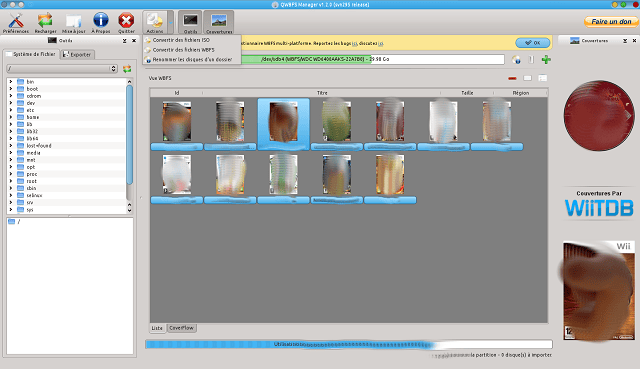
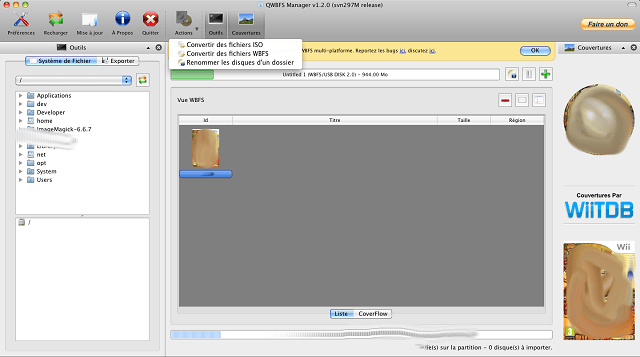
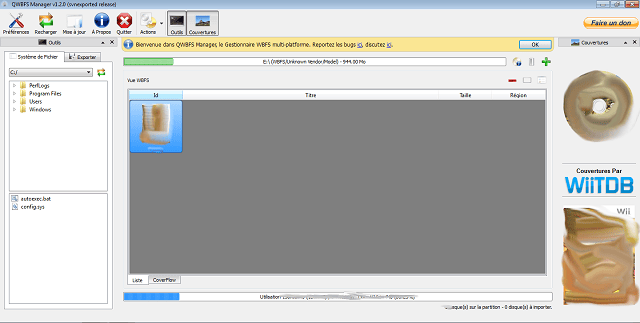
QWBFS Manager is a cross-platform graphical user interface (GUI) application designed to work with hard drives formatted to the Wii Backup File System (WBFS). It allows users to organize, convert, and transfer Wii game files between their computer and WBFS-formatted drives. Features include game sorting by ID, title, size, and region, as well as batch conversion between ISO and WBFS formats.
Please note that QWBFS Manager has been archived and is no longer actively maintained. Users seeking similar functionality might consider alternative tools like Wii Backup Manager, which offers broader file system support and additional features .
Features
- Build with Qt4 and/or Qt5 (1.2.5)
- Partitions combobox widget presenting their name, file system and size for a better and easy access to your drives. (1.2.0)
- Game sorting by id, title, size and region. (1.2.0)
- New ListView widget providing enhanced list and icon mode. (1.2.0)
- CoverFlow view. (1.2.0)
- Worker thread has been rewrited and now support all kind of import/export/convert (ISO to ISO, ISO to WBFS, WBFS to ISO, WBFS to WBFS), opening the door for normal file system disc handling (FAT, NTFS...) in a next version. (1.3.0 ?)
- Batch convertion of ISOs files to WBFSs files. (1.2.0)
- Batch convertion of WBFSs files to ISOs files. (1.2.0)
- Batch renaming of ISOs/WBFSs files using customizable mask. (1.2.0)
- New application icon by Vasseur Jean-Baptiste (Exilys, [email protected]) (1.2.0)
- New splashscreen by Nagy Franto (http://code.google.com/u/nagy.franto) (1.2.0)
- Listing of games with titles, sizes and codes. (1.0.0)
- Drag-and-drop support for adding multiple files at once to the WBFS drive (ISOs). (1.0.0) - Now support WBFSs files (1.2.0)
- Easy to use interface which also reports available, total and used disk space at a glance. (1.0.0)
- Batch processing of multiple ISOs. (1.0.0) - Now supports WBFSs files (1.2.0)
- Rename discs on the WBFS drive. (1.0.0)
- Multilingual support
- en_US. (1.0.0)
- fr_FR. (1.1.0)
- es_ES by Frannoe (Ubuntu Cosillas) ([email protected]) (1.2.0)
- ca_ES by Frannoe (Ubuntu Cosillas) ([email protected]) (1.2.0)
- it_IT by Federico Pietta (Darkmagister, [email protected]) (1.2.0)
- it_IT update by kimotori (kimotori, https://github.com/kimotori) (1.2.5)
- ru_RU, sl_SI, pl_PL, zh_CN, he_IL, da_DK, sk_SK, ja_JP, uk_UA, cs_CZ, ar_SA, zh_TW, de_DE, pt_PT, sv_SE open for translation. (1.1.0)
Homebrew Channel entry creation.- Direct & Indirect Drive-To-Drive transferring and cloning. (1.0.0)
Automatic RAR archive extraction.- Batch extraction and deletion. (1.0.0)
Exporting list of games on drive to a .CSV.Ability to use more than one cover directory.Channel Creation (NEW).- Using libwbfs directly to achieve greater flexiblity. (1.0.0)
- Using libfresh for extending Qt, providing great classes like the update checker, the network cache... (1.2.0)
- Use a separate worker thread to improve responsiveness when doing IO operations. (1.0.0)
- Update checker. (1.1.0)
- Passive error handling. (1.1.0)
- Translations manager. (1.1.0)
- Network cache based on max retry per query to avoid over bandwidth traffic. (1.1.0)
Notes
- Estimating the size of an ISO file can lead to the creation of a temporary file of 16MB in your system temporary path.
- Indirect transfer can lead to WBFS convertion to ISO of 4.4GB in a temporary file in you system path.
Requirements
- Qt 4.5.0 minimum (bundled with mac os x & windows packages)
- OpenSSL (bundled with mac os x & windows packages)
- A brain
- A chair
- Some fingers
Instructions
- Install using setup.
- Plug in the hard drive or USB stick.
- Run the application.
- Choose the correct drive letter.
- Click Load. (If you haven't already formatted the disk to WBFS, you can do that by clicking Format).
- You should now see any backups on the drive on the right hand side.
- You can drag and drop ISO files from Windows Explorer onto the left hand side or you can browse the file system in the left hand view.
- Click the Process the import list button to copy them over to the WBFS drive.
- Enjoy!
Screenshots
Changelog
v1.2.5
- Reworked the release script over git so it become easy agai nto releases packages for all platforms at once.
v1.2.4
- Fix build errors from master
- Deprecate universal Mac OS X builds (may reappear later).
- Mac OS X x86_64