
OpenRCT2-CE Vita: Difference between revisions
More actions
No edit summary |
|||
| Line 19: | Line 19: | ||
|image_alt=OpenRCT2-CE | |image_alt=OpenRCT2-CE | ||
}} | }} | ||
OpenRCT2 is an open-source re-implementation of RollerCoaster Tycoon 2 | OpenRCT2 is an open-source re-implementation of RollerCoaster Tycoon 2, an amusement construction and management simulation game. | ||
You will need the data files from RollerCoaster Tycoon 2 in order to run it. | |||
==Installation== | ==Installation== | ||
Download data.zip and openrct2.vpk from the [https://github.com/technicaljicama/OpenRCT2-CE/releases releases page]. | |||
Extract data.zip into ux0:data/ so that the folder structure is like this: | |||
<pre>ux0:data/ | <pre>ux0:data/ | ||
|-OpenRCT2/ | |||
| |-g2.dat | |||
|-OpenRCT2/ | |||
| |-.... | |||
|-language/ | |||
| |-....</pre> | |||
Extract the files from RollerCoaster Tycoon 2 to ux0:data/RCT2/ so that the folder structure is like this: | |||
<pre>ux0:data/ | <pre>ux0:data/ | ||
|-RCT2/ | |||
| |-Data/ | |||
| |-ObjData/ | |||
| |-Tracks/ | |||
| |-...</pre> | |||
Then install the vpk file. | |||
== Controls == | == Controls == | ||
Cross | Cross - Left click | ||
Square | Square - Right click | ||
Circle | Circle - Hold to speedup cursor | ||
Triangle | Triangle - Close all windows | ||
Left | Left Stick - Move mouse cursor | ||
D-Pad - Move viewport around | |||
L - Rotate view clockwise | |||
R - Rotate view counter-clockwise | |||
Start | Start - Chat | ||
==Screenshots== | ==Screenshots== | ||
| Line 71: | Line 73: | ||
==Media== | ==Media== | ||
'''OpenRCT2 - BETTER than the Original?''' ([https://www.youtube.com/watch?v=f--LjAnoSKo AbsolutelyPathetic]) <br> | '''OpenRCT2 - BETTER than the Original?''' ([https://www.youtube.com/watch?v=f--LjAnoSKo AbsolutelyPathetic]) <br> | ||
<youtube width= | <youtube width="640">f--LjAnoSKo</youtube> | ||
==Changelog== | ==Changelog== | ||
| Line 78: | Line 80: | ||
== External links == | == External links == | ||
* GitHub - https://github.com/technicaljicama/OpenRCT2-CE | |||
* VitaDB - https://www.rinnegatamante.eu/vitadb/#/info/1269 | |||
* Reddit - https://www.reddit.com/r/vitahacks/comments/1k5wd6g/release_openrct2_ps_vita_port/ | * Reddit - https://www.reddit.com/r/vitahacks/comments/1k5wd6g/release_openrct2_ps_vita_port/ | ||
Latest revision as of 14:27, 26 April 2025
| OpenRCT2-CE | |
|---|---|
 | |
| General | |
| Author | technicaljicama |
| Type | Strategy |
| Version | vita-1 |
| License | GPL-3.0 |
| Last Updated | 2025/04/23 |
| Links | |
| Download | |
| Website | |
| Source | |
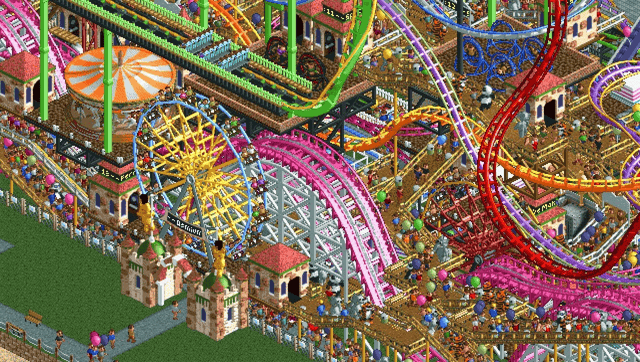
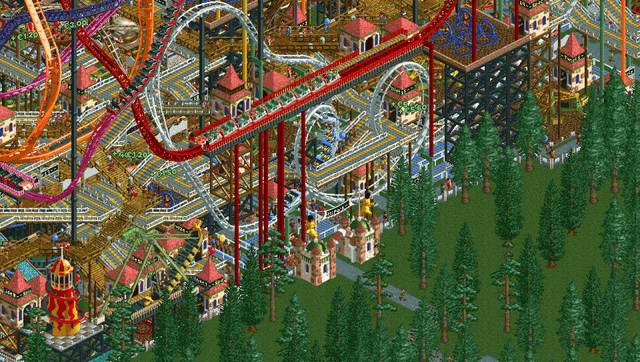
OpenRCT2 is an open-source re-implementation of RollerCoaster Tycoon 2, an amusement construction and management simulation game.
You will need the data files from RollerCoaster Tycoon 2 in order to run it.
Installation
Download data.zip and openrct2.vpk from the releases page.
Extract data.zip into ux0:data/ so that the folder structure is like this:
ux0:data/
     |-OpenRCT2/
     |  |-g2.dat
     |-OpenRCT2/
     |  |-....
     |-language/
     |  |-....
Extract the files from RollerCoaster Tycoon 2 to ux0:data/RCT2/ so that the folder structure is like this:
ux0:data/
     |-RCT2/
     |  |-Data/
     |  |-ObjData/
     |  |-Tracks/
     |  |-...
Then install the vpk file.
Controls
Cross - Left click
Square - Right click
Circle - Hold to speedup cursor
Triangle - Close all windows
Left Stick - Move mouse cursor
D-Pad - Move viewport around
L - Rotate view clockwise
R - Rotate view counter-clockwise
Start - Chat
Screenshots
Media
OpenRCT2 - BETTER than the Original? (AbsolutelyPathetic)
Changelog
vita-1
- First Release.