
Plutonium Switch: Difference between revisions
More actions
No edit summary |
|||
| Line 41: | Line 41: | ||
==Changelog== | ==Changelog== | ||
'''v1.0.0 2025/03/24'' | '''v1.0.0 2025/03/24''' | ||
*Too many things to sum up here, to be fair... | *Too many things to sum up here, to be fair... | ||
Latest revision as of 12:21, 29 March 2025
| Plutonium | |
|---|---|
 | |
| General | |
| Author | XorTroll |
| Type | Developments |
| Version | 1.0.0 |
| License | MIT License |
| Last Updated | 2025/03/24 |
| Links | |
| Download | |
| Website | |
| Source | |
| Support Author | |
Plutonium is a high-level, C++ graphical library with the aim of making UIs in a more simple, user-friendly way.
It uses libnx and SDL2, so both libraries are required.
To be more exact, this libraries should be installed via pacman:
switch-sdl2 switch-sdl2_ttf switch-sdl2_image switch-sdl2_gfx switch-sdl2_mixer switch-mesa switch-glad switch-glm switch-libdrm_nouveau switch-libwebp switch-libpng switch-freetype switch-bzip2 switch-libjpeg-turbo switch-opusfile switch-libopus
User guide
Plutonium internally uses SDL2 for UI rendering.
Plutonium's API is based on WPF/WinForms's system. The user doesn't directly interact with the rendering, as it's done via a main rendering system and different objects to render.
Check the basic example for a basic usage of the libraries. In case you want to see a really powerful app which really shows what Plutonium is capable of, take a look at Goldleaf, uLaunch or many other homebrew apps made using this libraries.
Check the readme and documentation for a more detailed explanation of the library's usage.
Screenshots
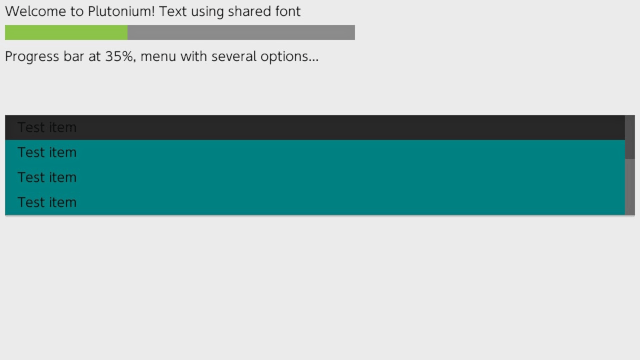
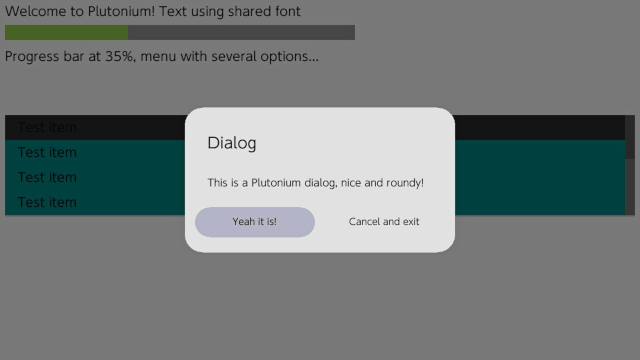
Old version
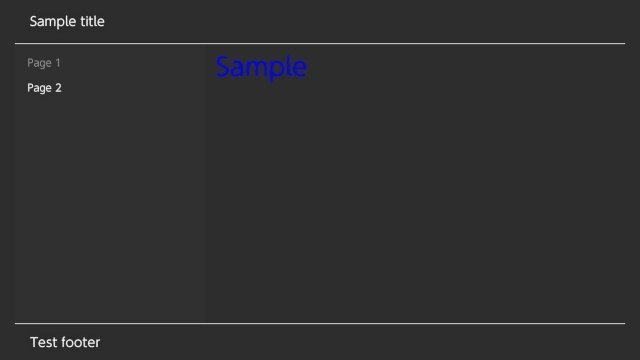
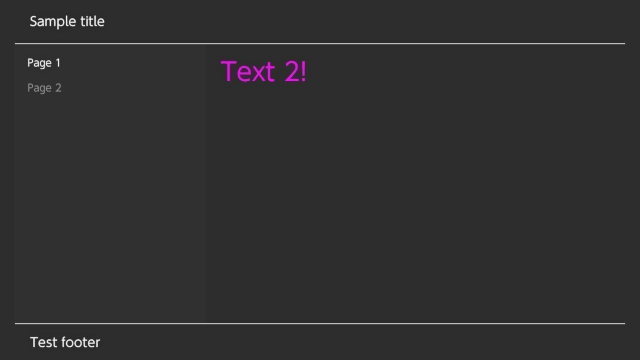
Changelog
v1.0.0 2025/03/24
- Too many things to sum up here, to be fair...
v0.2.1 2019/03/24
- Elements:
- When moving among Menu items, going upper than the top element will move to the latest element, ang going down on the latest one will start at the top.
- Examples:
- Added two new examples: GlobalInputs and Dialogs.
v0.2 2019/03/23
- Rendering:
- The internal application rendering system has slightly changed to improve dialogs' rendering, which has also changed some rendering callbacks for elements.
- New functions have been added into SDL2-based rendering system, mostly related to round shapes.
- Dialogs have been redesigned, without the old fullscreen, round shapes. Now the right joystick allows fast moving among options, and all the margins and sizes are automatically computed.
- Elements:
- Rounded shapes have been added, now applying to progress bars and dialogs.
- Some element destructors have been fixed and/or improved.
- Added a WIP focus system, which is barely untested:
- It's based in Windows's focus system with UI elements.
- Only an element has focus, and focus is changed via touch or R-Stick, based on stick directions.
- As said it's WIP, so might not work as expected. By default elements don't use the focus system.
v0.1 2018/12/29
- As everything is new, I would suggest to read the documentation or the README for more details.
- Have fun making nice UIs.
External links
- GitHub - https://github.com/XorTroll/Plutonium
- Documentation - https://xortroll.github.io/Plutonium/
- GBAtemp - https://gbatemp.net/threads/customui-c-libnx-libs-for-creating-switch-like-ui-homebrew-apps.511850/
- GBAtemp - https://gbatemp.net/threads/plutonium-an-easy-to-use-ui-framework-for-nintendo-switch-homebrew.527496/