
Minecraft PSP Mario Pack: Difference between revisions
From GameBrew
More actions
Created page with "{{Infobox PSP Homebrews |title=Minecraft PSP Mario Pack |image=mcpspnewmario.png |description=Minecraft PSP texture pack inspired by Super Mario Bros. |author=Nikolay Gretsky |lastupdated=2018/11/27 |type=Simulation |format= |version=1.0 |license=Mixed |download=https://dlhb.gamebrew.org/psphomebrew/mcpspnew_mario.rar |website=https://www.youtube.com/watch?v=ZlbYiXmMkpU |source= }} Texture pack for Minecraft PSP 2.2 inspired by Super Mario Bros. == Installation == E..." |
No edit summary |
||
| Line 13: | Line 13: | ||
|source= | |source= | ||
}} | }} | ||
Texture pack for [[Minecraft PSP 2.2]] inspired by Super Mario Bros. | Texture pack for [[Minecraft PSP - Artem|Minecraft PSP 2.2]] inspired by Super Mario Bros. | ||
== Installation == | == Installation == | ||
Revision as of 23:44, 22 February 2025
| Minecraft PSP Mario Pack | |
|---|---|
 | |
| General | |
| Author | Nikolay Gretsky |
| Type | Simulation |
| Version | 1.0 |
| License | Mixed |
| Last Updated | 2018/11/27 |
| Links | |
| Download | |
| Website | |
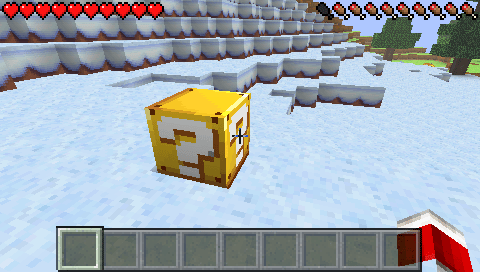
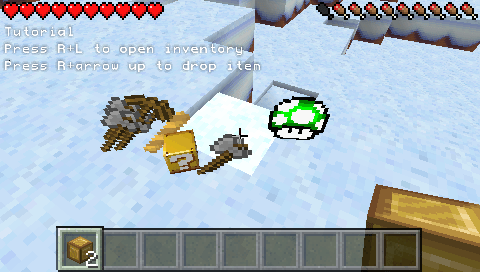
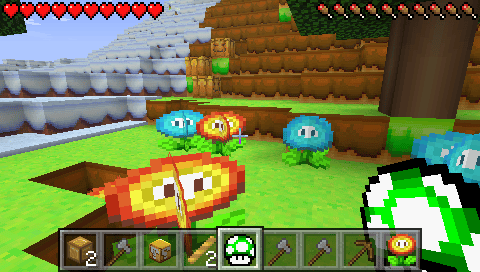
Texture pack for Minecraft PSP 2.2 inspired by Super Mario Bros.
Installation
Extract the archive to /PSP/GAME/.
If you have a PSP E1000 (Street), make sure to disable the texture pack when exiting the game. Otherwise, you’ll have to transfer the game again.
Controls
Analog - Movement
Triangle/Cross/Square/Circle - Look around
Left/Right - Item
L+R - Inventory
L - Destroy block
R - Place block
R+Up - Drop an item
Screenshots
Media
Minecraft PSP Mario Pack 1.0 (Texture Pack) (PSP Minecraft Texture Packs)