Rockbound 2 PSP: Difference between revisions
More actions
Created page with "{{Infobox PSP Homebrews |title=Rockbound 2 |image=rockbound2psp.png |description=A maze game for the PSP. |author=Anton Lamberth |lastupdated=2023/05/10 |type=Puzzle |format= |version=1.0 |license=Mixed |download=https://dlhb.gamebrew.org/psphomebrew/rockbound2psp.7z |website=https://github.com/Treemaster134/Rockbound-2-for-PSP |source=https://github.com/Treemaster134/Rockbound-2-for-PSP }} A maze game for the PSP. == Features == * Game. * Level editor. == Installation..." |
No edit summary |
||
| Line 43: | Line 43: | ||
D-Pad - Move player | D-Pad - Move player | ||
Hold square - Enable holding | Hold square - Enable holding D-Pad | ||
Select - Return to menu | Select - Return to menu | ||
Latest revision as of 05:41, 16 February 2025
| Rockbound 2 | |
|---|---|
 | |
| General | |
| Author | Anton Lamberth |
| Type | Puzzle |
| Version | 1.0 |
| License | Mixed |
| Last Updated | 2023/05/10 |
| Links | |
| Download | |
| Website | |
| Source | |
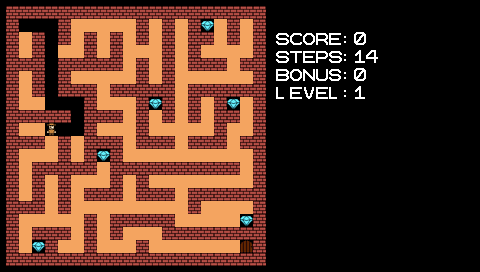
A maze game for the PSP.
Features
- Game.
- Level editor.
Installation
Copy the game folder to /PSP/GAME/.
To use custom levels, put your level pack in the same folder as the game. The level file needs to be named "level.rblv" (All lower case).
If you want to play the bundled levels after loading a custom pack, you need to restart the game.
Note: The game is not compatible with level packs designed for Rockbound 1, as the game does not feature boulders and requires the player to start at a specific position. You should instead use the included editor.
Controls
Menu:
Circle - Load external level from "level.rblv"
Triangle - Full visibility
Square - Medium visibility (Recommended)
Cross - Very little visibility
In game:
D-Pad - Move player
Hold square - Enable holding D-Pad
Select - Return to menu
Screenshots