
Halo DMR -n- Carbines PSP: Difference between revisions
From GameBrew
More actions
Created page with "{{Infobox PSP Homebrews |title=Halo DMR -n- Carbines |image=revamped17mod.png |description=A Halo mod of Revamped rev 17. |author=Mexicouger, jomart2000 |lastupdated=2012/07/26 |type=Shooter |format= |version=2012 |license=Mixed |download=https://dlhb.gamebrew.org/psphomebrew/halo2psp.zip |website=https://augustine.forumotion.com/f11-revamped-1 |source= }} Halo mod of Revamped Rev 17. == Installation == Copy the halo2+psp folder to /PSP/GAME/. Adding b..." |
No edit summary |
||
| Line 18: | Line 18: | ||
Copy the halo2+psp folder to /PSP/GAME/. | Copy the halo2+psp folder to /PSP/GAME/. | ||
== User guide == | |||
Adding bots: | Adding bots: | ||
* On the Main Menu > Custom > Start Match. | * On the Main Menu > Custom > Start Match. | ||
* Then open the Menu > Multiplayer > Add Bot / Add Team Bot. | * Then open the Menu > Multiplayer > Add Bot / Add Team Bot. | ||
Revision as of 06:25, 12 February 2025
| Halo DMR -n- Carbines | |
|---|---|
 | |
| General | |
| Author | Mexicouger, jomart2000 |
| Type | Shooter |
| Version | 2012 |
| License | Mixed |
| Last Updated | 2012/07/26 |
| Links | |
| Download | |
| Website | |
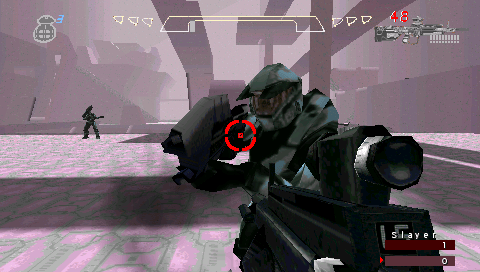
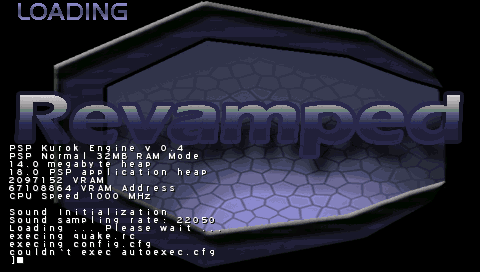
Halo mod of Revamped Rev 17.
Installation
Copy the halo2+psp folder to /PSP/GAME/.
User guide
Adding bots:
- On the Main Menu > Custom > Start Match.
- Then open the Menu > Multiplayer > Add Bot / Add Team Bot.
Controls
Menu:
Cross - Select option
Circle - Go back
D-Pad - Navigate through options
In game:
Cross/Triangle/Circle/Square - Move
Analog - Look
Up - Change weapon
Left - Pick up weapon
Right - Hit
Down - Jump
R - Shoot
L - Throw grenade
Start - Show the main menu
Screenshots
External links
- Augustine: Despondent - https://augustine.forumotion.com/f11-revamped-1
- PlayStation Portable Library - https://archive.org/details/halo2psp.7z