
TheXTech Switch: Difference between revisions
From GameBrew
More actions
Created page with "{{Infobox Switch Homebrews |title=TheXTech |image=TheXTechSwitch.png |description=SMBX engine, rewritten into C++ from VisualBasic 6. |author=ds-sloth |lastupdated=2024/09/24 |type=Platform |version=1.3.6.6 |license=GPL-3.0 |download=https://dlhb.gamebrew.org/switchhomebrews/TheXTechSwitch.7z |website=https://wohlsoft.ru/projects/TheXTech/ |source=https://github.com/TheXTech/TheXTech |donation= }} {{#seo: |title=Switch Homebrew Games (Platform) - GameBrew |title_mode=app..." |
No edit summary |
||
| Line 3: | Line 3: | ||
|image=TheXTechSwitch.png | |image=TheXTechSwitch.png | ||
|description=SMBX engine, rewritten into C++ from VisualBasic 6. | |description=SMBX engine, rewritten into C++ from VisualBasic 6. | ||
|author= | |author=Wohlstand | ||
|lastupdated=2024/09/24 | |lastupdated=2024/09/24 | ||
|type=Platform | |type=Platform | ||
Revision as of 06:03, 19 January 2025
| TheXTech | |
|---|---|
 | |
| General | |
| Author | Wohlstand |
| Type | Platform |
| Version | 1.3.6.6 |
| License | GPL-3.0 |
| Last Updated | 2024/09/24 |
| Links | |
| Download | |
| Website | |
| Source | |
TheXTech is a free, open-source game engine for creating Mario-style platformer games. It's based on the Super Mario Bros. X (SMBX) 1.3 game engine, which was discontinued in 2011. This version is compatible with all the original SMBX levels and episodes, and also supports creating new ones. Unlike the original SMBX, which only runs on Windows, TheXTech works on multiple operating systems (Linux, macOS, Android, etc.) and different processor types (x86_64, ARM, etc.). So, if you love making and playing custom Mario levels, TheXTech is a solid choice!
Installation
How to install on hardware:
In order to run this game, you are required to have a hacked Switch.
- Download both NRO and Assets packages.
- At root of your SD card, create the TheXTech directory.
- Unpack the Assets archive into the TheXTech directory.
- Place the NRO file into the switch directory at your SD card root.
- Try to run the game.
How to run on emulators:
- Download both NRO and Assets packages.
- At the directory linked as an SD card, create the TheXTech directory.
- Unpack the Assets archive into the TheXTech directory.
- Place the NRO file into any convenient directory.
- Try to open the NRO file via the emulator.
Media
Super Mario Bros. X (SMBX, TheXTech) Gameplay (Vitzie629's Gaming & Technology)
Screenshots
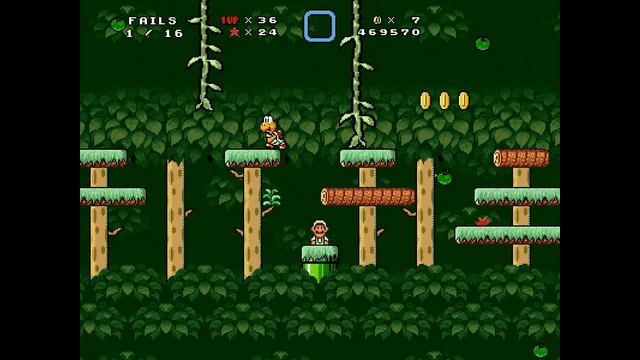
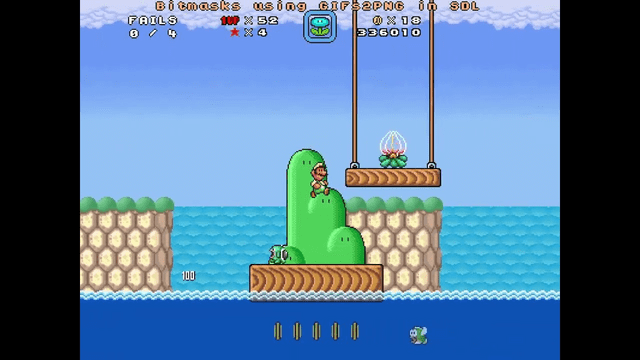
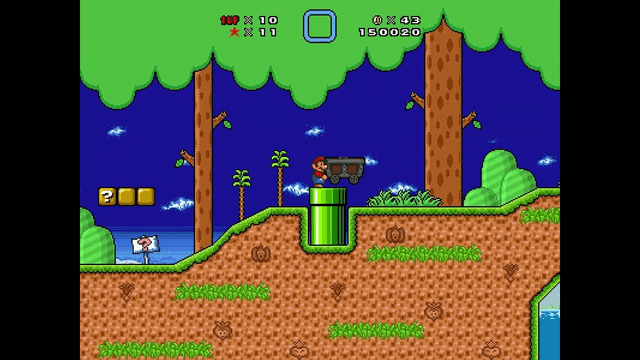
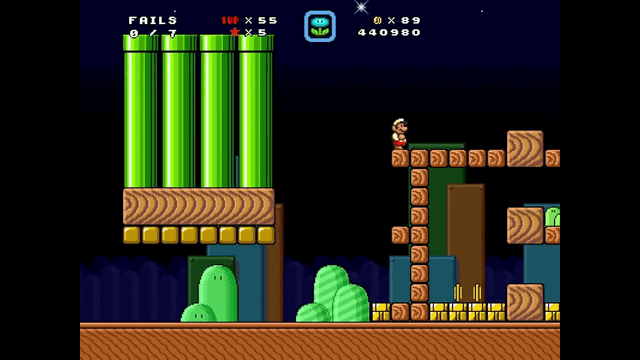
Changelog
v1.3.6.6
- New vanilla bugfixes:
- Fix vanilla bug where vehicle could be vulnerable if player entered it during AltJump (requires frame perfect down press), guarded by compat flag "fix-vehicle-altjump-bug" (@ds-sloth)
- Fix vanilla bug where vehicle could not be exited if player entered it while holding AltJump key, guarded by compat flag "fix-vehicle-altjump-lock" (@ds-sloth)
- Fix vanilla bug where player can get softlocked if hit by a grabbable NPC while digging dirt, guarded by compat flag "fix-player-stuck-on-dirt" (Classic Mode) (@ds-sloth)
- TheXTech bugfixes:
- Fixed the problem when a touch screen is not detected on some Android devices (@Wohlstand)
- Fix minor bug that caused certain configurations on macOS to crash on startup (@ds-sloth)
- Fix Wii U bug where resizing the game screen could cause the game to crash (@ds-sloth)
- Fix TheXTech 1.3.6.1 crash caused when a pet mount is eating the last NPC in the level and the eaten NPC is killed (@ds-sloth)
- Fixed Wii U bug where game quits into the black screen instead of the Wii U's main menu when game started from the Aroma (@Wohlstand)
- Fix TheXTech 1.3.6.1 inaccuracy allowing the player to dismount a vehicle when blocked by an NPC (@ds-sloth)
- Fix TheXTech 1.3.6.1 bug where conveyor belts would sometimes not activate correctly (@ds-sloth)
- Fix TheXTech 1.3.6.1 OpenGL bug where the shadow effect interacted inaccurately with bitmasked textures (@ds-sloth)
- Fix TheXTech 1.3.6 bug where it was impossible to unpause while holding an item (@ds-sloth, thanks to SimplyMav for the report)
- Fix TheXTech 1.3.6.1 bug where GIF masks for sizable block 261 were not loaded (@ds-sloth)
- Fix TheXTech 1.3.6.1 bug where SMBX level version autodetection did not work for platforms (note that this logic will be fully removed in 1.3.7) (@ds-sloth)
- Fix TheXTech 1.3.6.1 bug where NPCs on hidden layers were incorrectly allowed to chain-activate (The bug affected the outro scene of Dynamite Grotto in SRW2). (@ds-sloth)
- Add workaround for TheXTech 1.3.6.1 Modern Mode inaccuracy where NPC clipping did not match SMBX 1.3 (This bug affected the same scene). (@ds-sloth)
- Known issues
- 3DS and Wii ports do not run at the native system resolution.
- Audio may be choppy on Old 3DS.
- On Windows 10 when running OpenGL with some ~2006 Intel iGPU on laptop, game would crash (possibly fixed).
- Edit 2024-11-02: the included source package will fail to build for an arm64 Linux target (#855). Tag
v1.3.6.6-1fixes this issue.
External links
- Official Website- https://wohlsoft.ru/projects/TheXTech/
- Github - https://github.com/TheXTech/TheXTech