Flex PSP: Difference between revisions
From GameBrew
More actions
Created page with "{{Infobox PSP Homebrews |title=Flex |image=flexpsp.png |description=Match the color of the falling bar. |author=Dsoft20 |lastupdated=2006/11/27 |type=Action |format= |version=1.0 alpha |license=Mixed |download=https://dlhb.gamebrew.org/psphomebrew/FLEX_1.0a.zip |website=http://forums.qj.net/f-psp-development-forum-11/t-release-flex-ver-10-alpha-80458.html |source=https://dlhb.gamebrew.org/psphomebrew/FLEX_1.0a.zip }} Flex is a challenging game where you have to match the..." |
No edit summary |
||
| Line 38: | Line 38: | ||
== External links == | == External links == | ||
* QuickJump - http://forums.qj.net/f-psp-development-forum-11/t-release-flex-ver-10-alpha-80458.html | * QuickJump - http://forums.qj.net/f-psp-development-forum-11/t-release-flex-ver-10-alpha-80458.html | ||
[[Category:Lua games on PSP]] | |||
Latest revision as of 12:11, 28 December 2024
| Flex | |
|---|---|
 | |
| General | |
| Author | Dsoft20 |
| Type | Action |
| Version | 1.0 alpha |
| License | Mixed |
| Last Updated | 2006/11/27 |
| Links | |
| Download | |
| Website | |
| Source | |
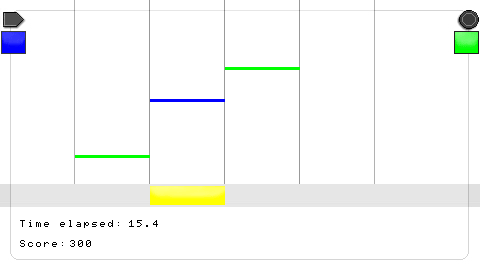
Flex is a challenging game where you have to match the color of the bars that are falling.
User guide
Moving the bar left and right and change the color to match the bars that come down.
You can change the colour of your bar with the left button and the Circle button.
Controls
Menu:
Left/Right - Move between options
Circle - Select menu option
In game:
L/R - Move to the left/right
Left or Circle - Change color of the bottom bar
Screenshots