
SeaWolf: Difference between revisions
More actions
No edit summary |
No edit summary |
||
| Line 32: | Line 32: | ||
|height=384px | |height=384px | ||
|EJS_backgroundImage=https://www.gamebrew.org/images/8/8b/Seawolf.png | |EJS_backgroundImage=https://www.gamebrew.org/images/8/8b/Seawolf.png | ||
|EJS_core= | |EJS_core=nds | ||
|EJS_gameName=Seawolf | |EJS_gameName=Seawolf | ||
|EJS_gameUrl=https://dlhb.gamebrew.org/onlineemulators/nds/seawolf.7z | |EJS_gameUrl=https://dlhb.gamebrew.org/onlineemulators/nds/seawolf.7z | ||
Revision as of 12:52, 14 August 2024
| Seawolf | |
|---|---|
| Error creating thumbnail: Unable to save thumbnail to destination | |
| General | |
| Author | Mark-io |
| Type | Shooter |
| Version | 1.0 |
| License | Mixed |
| Last Updated | 2010/01/16 |
| Links | |
| Download | |
| Website | |

Seawolf is a remake of the original Sea Wolf coin-op arcade game released in 1976 by Midway.
User guide
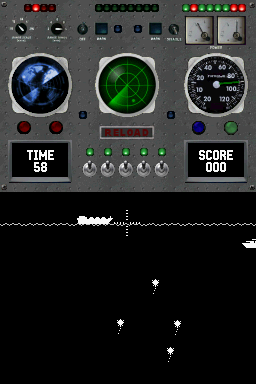
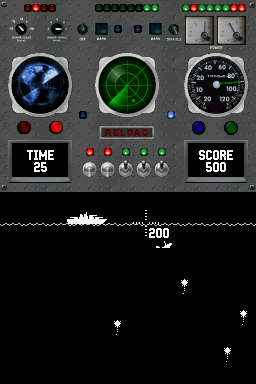
In Sea Wolf you take the controls of a submarine and torpedo enemy ships. There are five different types of ship and each kind has a specific length, speed and score value. Floating mines just below the water's surface can block a torpedo from hitting a ship. After launching five torpedoes, you must wait a few moments to reload.
This version is a mixture of old skool black & white gameplay and a modern interface. It has a couple of features like positional audio with authentic sounds, animated and largely functional instrument panel, high score, Easter Egg surprise and a secret operator settings dipswitch.
Controls
Left/Right - Move sideways
A - Shoot
Screenshots
Online emulator
| Nintendo DS | Keyboard |
|---|---|

|

|

|

|

|

|

|

|

|

|

|

|

|

|

|

|

|

|
Compatibility
Tested on R4 SDHC (firmware 1.32).
External links
- PAlib - http://palib-dev.com/forum/index.php/topic,156.0.html (archived)