
Connect4DS - Stelek: Difference between revisions
From GameBrew
More actions
m Text replacement - "Category:Board Games on DS" to "" |
No edit summary |
||
| Line 46: | Line 46: | ||
https://dlhb.gamebrew.org/dshomebrew/connect4dsste3.png | https://dlhb.gamebrew.org/dshomebrew/connect4dsste3.png | ||
<!--BEGIN Online Emulator Section--> | <!--BEGIN Online Emulator Section--> | ||
==Online | ==Online emulator== | ||
{{ | {{EmulatorJS Main | ||
|width=515px | |||
|height=384px | |||
|EJS_backgroundImage=https://www.gamebrew.org/images/3/32/Connect4dsste2.png | |||
EJS_core = | |EJS_core=desmume2015 | ||
EJS_gameName = | |EJS_gameName=Connect4 DS | ||
EJS_gameUrl = | |EJS_gameUrl=https://dlhb.gamebrew.org/onlineemulators/nds/connect4dsste.7z | ||
}} | }} | ||
{{DS Control Settings}} | {{DS Control Settings}} | ||
Revision as of 06:24, 14 August 2024
| Connect4 DS | |
|---|---|
 | |
| General | |
| Author | Stelek |
| Type | Board |
| Version | 2008 |
| License | Mixed |
| Last Updated | 2008/10/09 |
| Links | |
| Download | |
| Website | |
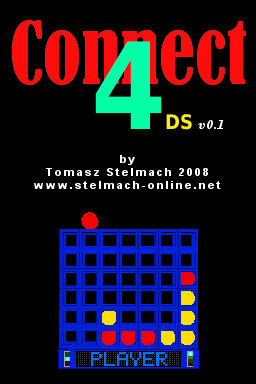
Connect4DS is a Connect 4 board game for the DS. The homebrew is in 3D and can play against the computer.
Features
- 3 Difficulty Levels.
- 3D Graphics.
- Menu Screen.
User guide
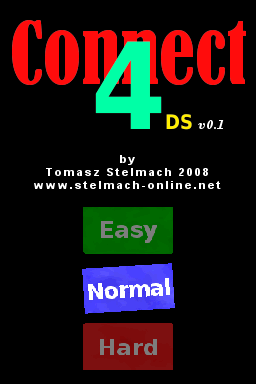
There are three levels of difficulty: Easy, Normal and Hard.
Controls
Menu:
D-Pad - Move
A - Select
In game:
D-Pad - Move the tab
A - Leave the tab in the selected box
L/R - Rotate game table
X - Reset the position of the table
Start - Exit game and return to the Main Menu
A/B/Start - Exit when game is finished
Screenshots
Online emulator
| Nintendo DS | Keyboard |
|---|---|

|

|

|

|

|

|

|

|

|

|

|

|

|

|

|

|

|

|
External links
- Author's website - http://stelmach-online.net (archived)