
Nin-Jecter Wii U: Difference between revisions
From GameBrew
More actions
No edit summary |
No edit summary |
||
| Line 6: | Line 6: | ||
|lastupdated=2016/03/09 | |lastupdated=2016/03/09 | ||
|format=exe | |format=exe | ||
|type= | |type=Game Injection | ||
|version=0.05 | |version=0.05 | ||
|license=Mixed | |license=Mixed | ||
Latest revision as of 02:54, 22 May 2024
| Nin-Jecter | |
|---|---|
 | |
| General | |
| Author | ScarletDreamz |
| Type | Game Injection |
| Version | 0.05 |
| License | Mixed |
| Last Updated | 2016/03/09 |
| Links | |
| Download | |
| Website | |
| This application has been obsoleted by one or more applications that serve the same purpose, but are more stable or maintained. |

A tool to assist injecting VC NES/SNES/NDS ROMs, it generates all the necessary directories from the VC folder.
If you already have a Loadiine ready VC NES/SNES/NDS dump to use as a base game, you can add a new game fairly easily with this tool.
User guide
What you will need:
- A NES, SNES, or NDS game from the virtual console of the eShop (dumped with ddd or similar tools).
- Nin-Jecter. The program may trigger a virus warning in antivirus software like Avast, but it is likely a false positive.
- (NES/SNES only) makerpl64 makerpl64 from the Wii U SDK. Please note that these files have Nintendo copyright and are not provided.
Injecting NDS ROMs:
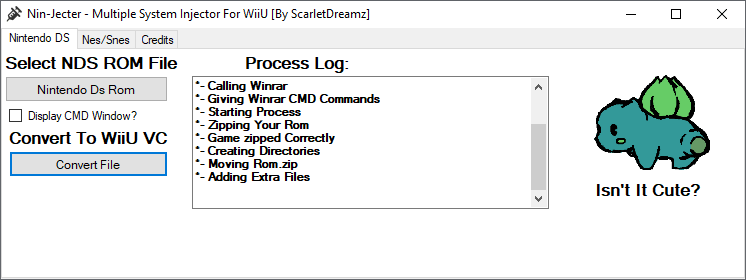
- Launch Nin-Jecter, select the NDS ROM you want to inject, and click "Convert File."
- Necessary files will be created, which you'll then need to copy into the Wii U eShop NDS game.
- Replace the original files with the created ones, maintaining the folder structure.
Injecting NES or SNES ROMs:
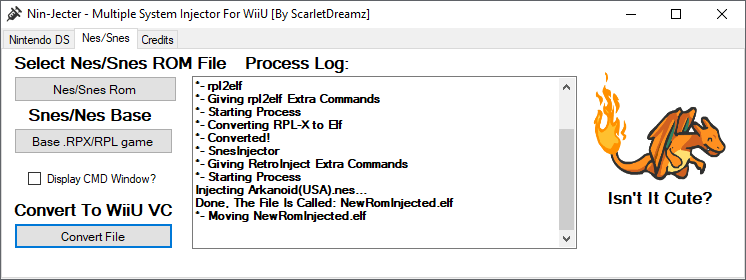
- Launch Nin-Jecter, select the NES or SNES ROM you want to inject, then choose the .rpx or .rpl file (in the "code" folder of the eShop game where you'll inject the ROM).
- Click "Convert File."
- The "InjectedGame.elf" file should be generated; convert it to .rpx using makerpl64.exe tool (not provided):
makerpl64 -f -z9 -s InjectedGame.elf - Rename the file and move it to replace the one in the "code" folder of the eShop game.
Screenshots
Changelog
v0.05
- Introduced Nes and Snes Injection [(S)NesInject]. Note that users still need to employ makerpl64 from the Wii U SDK to convert the ELF back to an RPX.
v0.03:
- Initial Release.
Credits
Coded by ScarletDreamz.
rpl2elf by Hykem.
(S)NESInject by daxtsu.
Special thanks to GBAtemp community.