
Re nfpii Wii U: Difference between revisions
More actions
Created page with "{{Infobox WiiU Homebrews |title=re_nfpii |image=renfpii.png |description=Emulating the use of amiibo on the Wii U console (WIP). |author=GaryOderNichts |lastupdated=2023/08/02 |format=wps |type=Plugins |version=0.3.0 |license=GPL-2.0 |download=https://dlhb.gamebrew.org/wiiuhomebrews/renfpii.7z |website=https://gbatemp.net/threads/release-re_nfpii-amiibo-emulation.618858/ |source=https://github.com/GaryOderNichts/re_nfpii |donation=https://ko-fi...." |
No edit summary |
||
| Line 16: | Line 16: | ||
<!--bin: github--> | <!--bin: github--> | ||
<!--date: github--> | <!--date: github--> | ||
{{lowercase title}} | |||
re-nfpii is an implementation of the nn_ntp.rpl library that attempts to emulate the use of amiibo on the Wii U (experimental). | re-nfpii is an implementation of the nn_ntp.rpl library that attempts to emulate the use of amiibo on the Wii U (experimental). | ||
Latest revision as of 11:04, 17 May 2024
| re_nfpii | |
|---|---|
 | |
| General | |
| Author | GaryOderNichts |
| Type | Plugins |
| Version | 0.3.0 |
| License | GPL-2.0 |
| Last Updated | 2023/08/02 |
| Links | |
| Download | |
| Website | |
| Source | |
| Support Author | |
re-nfpii is an implementation of the nn_ntp.rpl library that attempts to emulate the use of amiibo on the Wii U (experimental).
For a list of confirmed working games, please refer to compatibility list .
Installation
Download the latest release.
Copy the contents of the downloaded .zip file to your target environment.
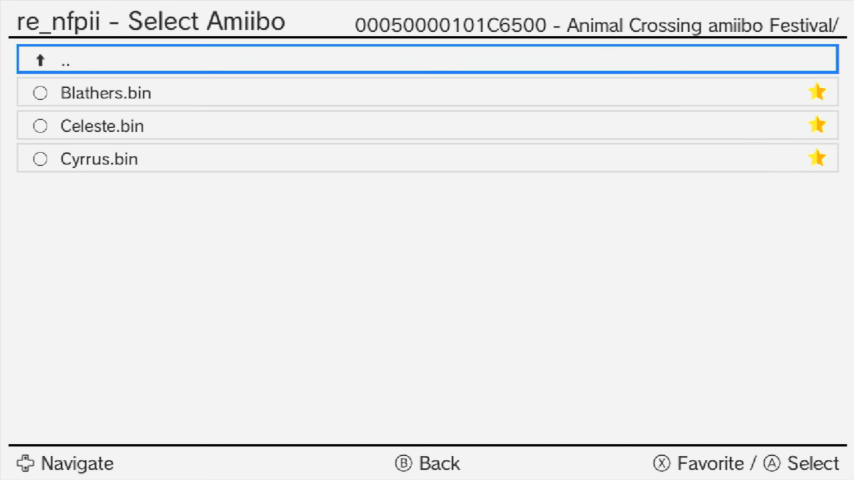
Copy your (encrypted) Amiibo dumps to wiiu/re_nfpii. Subfolders are also supported and can be browsed from the configuration menu.
Folders in the re_nfpii folder starting with a Title ID (without the -) will be automatically opened for that game. For example, a folder named 0005000010144F00 - Smash Bros would automatically open for Smash Bros USA.
User guide
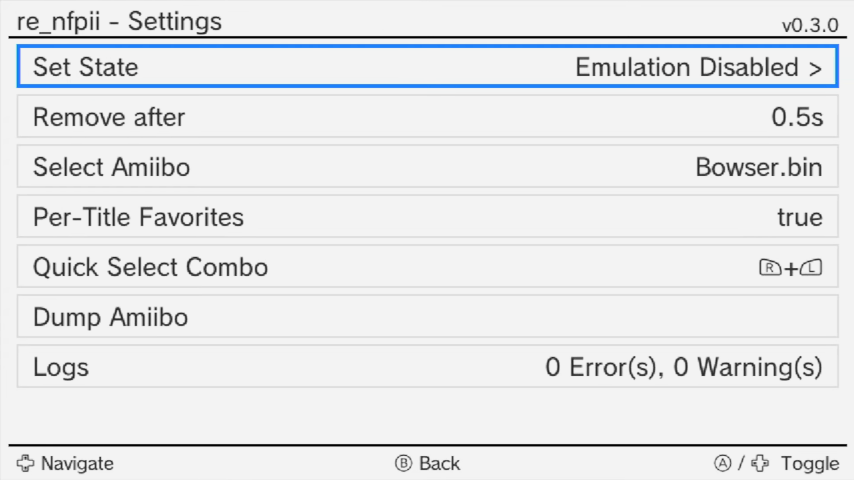
Open the plugin configuration menu with L+Down+Select.
Select one of your Amiibo and enable emulation.
(Note: Official Amiibo figures cannot be used while the module is loaded. To use the figures again, delete the re_nfpii.wms file from your modules folder.)
Remove After Feature:
The "remove after" feature "removes" the virtual tag from the reader after the specified amount of time.
Quick Selecting Favorites:
Mark Amiibo as favorites using X. By setting a Quick Select button combination, you can quickly cycle through your favorites.
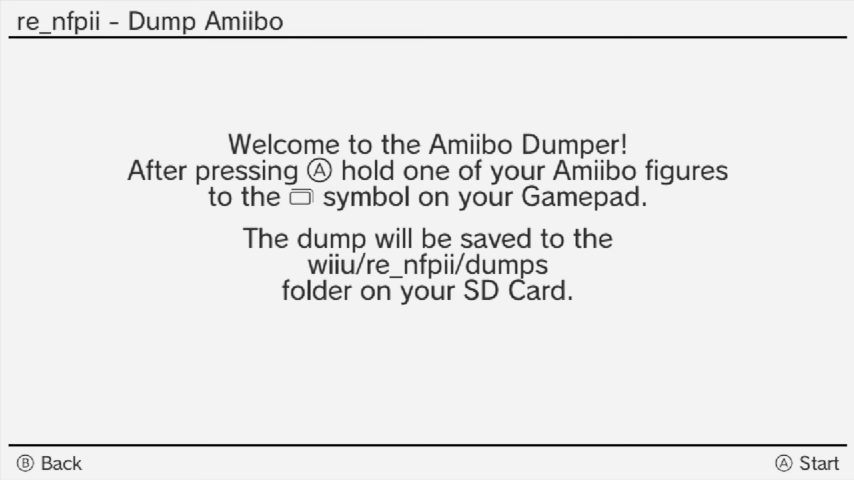
Dumping Amiibo:
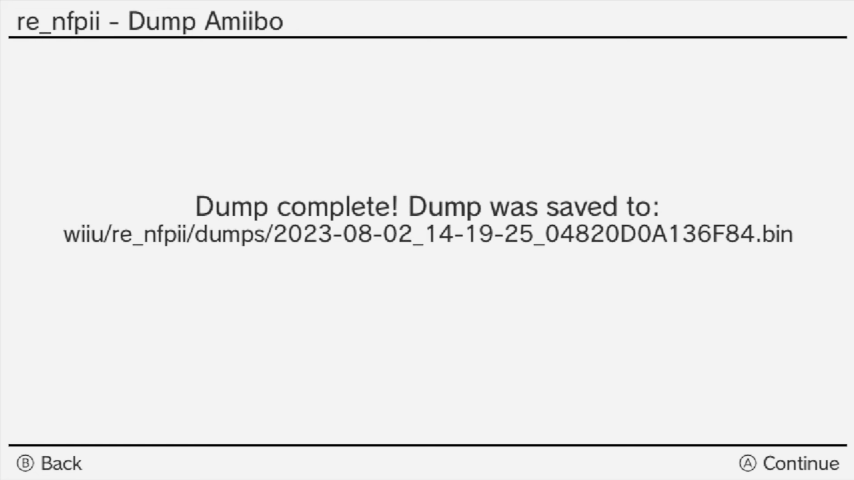
The re_nfpii plugin includes an Amiibo dumper in the configuration menu. This allows you to dump your tags directly to the wiiu/re_nfpii/dumps folder.
Amiibo Settings
- The Wii U Plugin System does not work in applets, such as the Amiibo Settings, yet.
- This means you can't open the re_nfpii configuration while in the Amiibo Settings.
- To use the Amiibo Settings, select the Amiibo you want to configure before entering them, and everything else will be handled automatically.
- After returning from the Amiibo Settings, re-enable Amiibo emulation.
Screenshots
Media
re_nfpii v0.3.0 Update Showcase (GaryOderNichts)
re_nfpii v0.2.0 Update Showcase (GaryOderNichts)
Changelog
v0.3.0 2023/08/02
- Amiibo figures can now be dumped to the SD Card using the "Dump Amiibo" option in the configuration menu.
- Amiibo can now be marked as favorites either on a global or per-title basis. Favorites can then be cycled through using a user-defined button combination.
v0.2.2 2023/06/16
- Fixes an issue where
NFCGetTagInfowould always fail if nn_nfp was not initialized. This fixes Pokemon Rumble U.
v0.2.1 2023/02/16
- The title ID prefix of folders is now case-insensitive (Thanks @vaguerant).
v0.2.0 2023/02/16
- The Amiibo browser has been updated to visually blend in with the plugin configuration menu.
- The Amiibo browser now supports browsing subfolders.
Folders in the re_nfpii folder starting with a Title ID (without the -) will be automatically opened for that game (for example a folder named 0005000010144F00 - Smash Bros would automatically open for Smash Bros USA).
- A log viewer has been added to the configuration menu to show error messages.
- The maximum "remove after" time has been increased to 10 seconds for games like Mario Party 10.
v0.1.0 2022/10/14
- Fixes a stack overflow in Mario Party 10, due to a recursion in
NFCGetTagInfo. - Fixes the flags in
nn::nfp::GetNfpAdminInfo. This fixes amiibo settings detecting the game data as "Data from an unknown game". - Properly emulate periodic nfc polling. This is more accurate to what nn_nfp is doing.