
LiveSynthesisU Wii U: Difference between revisions
From GameBrew
More actions
Created page with "{{Infobox WiiU Homebrews |title=LiveSynthesisU |image=livesynthesisuwiiu.png |description=PoC Live sound synthesis on the Wii U. |author=ashquarky, ZestyTS, vaguerant |lastupdated=2016/09/05 |format=elf |type=Music Apps |version=1.0 |license=Mixed |download=https://dlhb.gamebrew.org/wiiuhomebrews/livesynthesisuwiiu.7z |website=https://gbatemp.net/threads/poc-release-live-sound-synthesis.440620/ |source=https://github.com/ashquarky/LiveSynthesisU..." |
No edit summary |
||
| Line 3: | Line 3: | ||
|image=livesynthesisuwiiu.png | |image=livesynthesisuwiiu.png | ||
|description=PoC Live sound synthesis on the Wii U. | |description=PoC Live sound synthesis on the Wii U. | ||
|author= | |author=QuarkTheAwesome | ||
|lastupdated=2016/09/05 | |lastupdated=2016/09/05 | ||
|format=elf | |format=elf | ||
Revision as of 12:39, 20 April 2024
| LiveSynthesisU | |
|---|---|
 | |
| General | |
| Author | QuarkTheAwesome |
| Type | Music Apps |
| Version | 1.0 |
| License | Mixed |
| Last Updated | 2016/09/05 |
| Links | |
| Download | |
| Website | |
| Source | |
A proof of concept of live sound synthesis on the Wii U + USB keyboard.
Installation
Copy the wiiu folder to the root of the SD card.
User guide
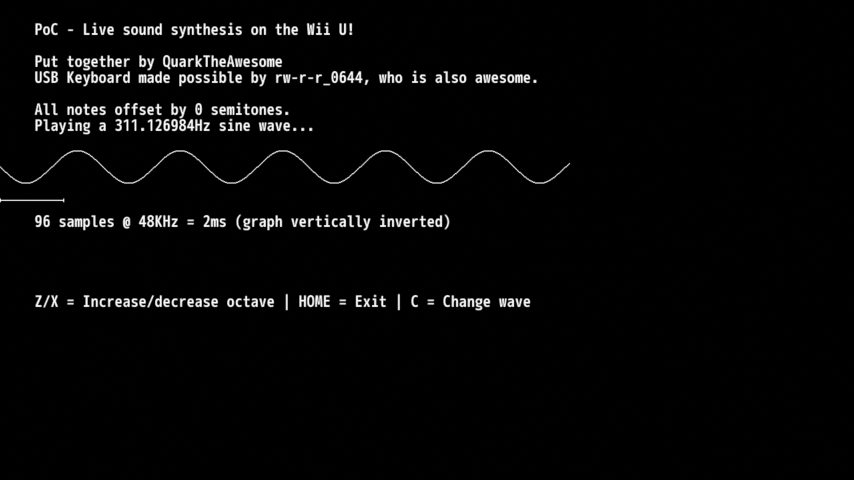
Once the app starts up, connect a USB keyboard and start playing.
The middle row of keys (asdfghjkl) are your white notes; some of the upper row (wetyuop) are your black notes.
Z and X control the octave of the notes and C changes the waveform (sine, square, sawtooth or triangle).
Home on the GamePad quits; don't press A.
Screenshots
Compatibility
Only tested on 5.5.1; needs sndcore2.
Credits
It uses kbd.rpl for USB keyboard support (thanks @rw-r-r_0644 for making this possible).