
Tibia DS: Difference between revisions
From GameBrew
More actions
m Text replacement - "EJS_gameUrl = 'https://dlhb.gamebrew.org/dshomebrew/" to "EJS_gameUrl = 'https://dlhb.gamebrew.org/onlineemulators/nds/" |
m Text replacement - "EJS_core = 'nds';" to "EJS_core = 'desmume2015';" |
||
| Line 22: | Line 22: | ||
<script type='text/javascript'> | <script type='text/javascript'> | ||
{{DS EmulatorJS Settings}} | {{DS EmulatorJS Settings}} | ||
EJS_core = ' | EJS_core = 'desmume2015'; | ||
EJS_gameName = "Tibia DS"; | EJS_gameName = "Tibia DS"; | ||
EJS_gameUrl = 'https://dlhb.gamebrew.org/onlineemulators/nds/tibiads.7z'; | EJS_gameUrl = 'https://dlhb.gamebrew.org/onlineemulators/nds/tibiads.7z'; | ||
Revision as of 11:38, 28 November 2023
| Tibia DS | |
|---|---|
 | |
| General | |
| Author | Gamer Lords |
| Type | Role playing |
| Version | Demo 0.2 |
| License | Mixed |
| Last Updated | 2009/09/01 |
| Links | |
| Download | |
| Website | |
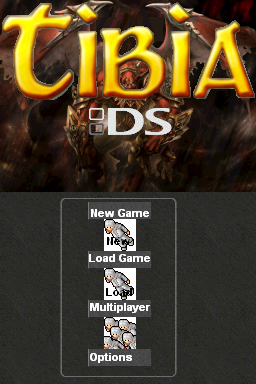
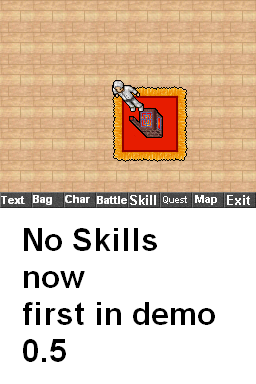
Tibia DS is a basic version of a homebrew RPG for the NDS. In this demo you can walk on the current screen.
Screenshots
Online Emulator
| Nintendo DS | Keyboard |
|---|---|

|

|

|

|

|

|

|

|

|

|

|

|

|

|

|

|

|

|
Compatibility
Tested with:
DSTT (works but the music doesnt start)
R4 (works perfect)
Changelog
Demo 0.2
- Background.
- 1 Music.
- A Test World with a Collision BG and Scrolling (for newbs the bg mobes and it has walls).
- 2 Buttons in the menu added.
- When the keyboard appear you hear a Click.
- The Main Character added.
- You know now where you should place the weapons in the Character menu.