
Steam: Difference between revisions
From GameBrew
More actions
m Text replacement - "EJS_gameUrl = 'https://dlhb.gamebrew.org/dshomebrew/" to "EJS_gameUrl = 'https://dlhb.gamebrew.org/onlineemulators/nds/" |
m Text replacement - "EJS_core = 'nds';" to "EJS_core = 'desmume2015';" |
||
| Line 34: | Line 34: | ||
<script type='text/javascript'> | <script type='text/javascript'> | ||
{{DS EmulatorJS Settings}} | {{DS EmulatorJS Settings}} | ||
EJS_core = ' | EJS_core = 'desmume2015'; | ||
EJS_gameName = "Steam"; | EJS_gameName = "Steam"; | ||
EJS_gameUrl = 'https://dlhb.gamebrew.org/onlineemulators/nds/steam.7z'; | EJS_gameUrl = 'https://dlhb.gamebrew.org/onlineemulators/nds/steam.7z'; | ||
Revision as of 11:37, 28 November 2023
| Steam | |
|---|---|
 | |
| General | |
| Author | mindwave |
| Type | Music |
| Version | Demo 0.7 |
| License | Mixed |
| Last Updated | 2011/08/26 |
| Links | |
| Download | |
| Website | |
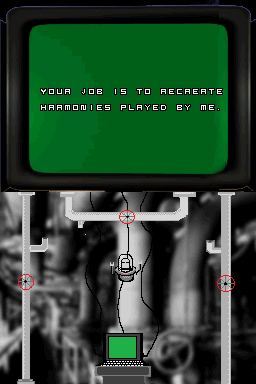
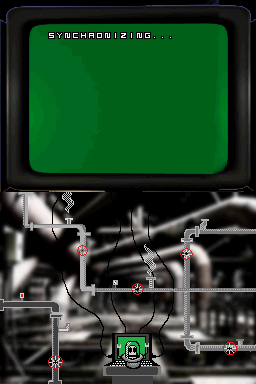
Steam is a homebrew minigame where you have to match musical harmonies.
User guide
The computer will play a harmony, then you must match it by releasing valves that play the notes.
Compare notes to the harmony when you think you matched the harmony.
Controls
D-Pad - Move the computer
A - Open valve, Compare notes
B - Close valve
Screenshots
Online Emulator
| Nintendo DS | Keyboard |
|---|---|

|

|

|

|

|

|

|

|

|

|

|

|

|

|

|

|

|

|
External links
- Author's website - http://mindwavegames.wordpress.com