
Organism: Difference between revisions
From GameBrew
More actions
m Text replacement - "EJS_gameUrl = 'https://dlhb.gamebrew.org/dshomebrew/" to "EJS_gameUrl = 'https://dlhb.gamebrew.org/onlineemulators/nds/" |
m Text replacement - "EJS_core = 'nds';" to "EJS_core = 'desmume2015';" |
||
| Line 37: | Line 37: | ||
<script type='text/javascript'> | <script type='text/javascript'> | ||
{{DS EmulatorJS Settings}} | {{DS EmulatorJS Settings}} | ||
EJS_core = ' | EJS_core = 'desmume2015'; | ||
EJS_gameName = "Organism"; | EJS_gameName = "Organism"; | ||
EJS_gameUrl = 'https://dlhb.gamebrew.org/onlineemulators/nds/organism.7z'; | EJS_gameUrl = 'https://dlhb.gamebrew.org/onlineemulators/nds/organism.7z'; | ||
Revision as of 11:36, 28 November 2023
| Organism | |
|---|---|
 | |
| General | |
| Author | AngelWire |
| Type | Adventure |
| Version | 2011 |
| License | Mixed |
| Last Updated | 2011/04/26 |
| Links | |
| Download | |
| Website | |
| Source | |
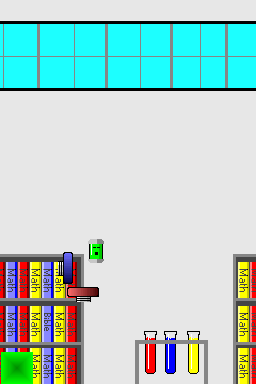
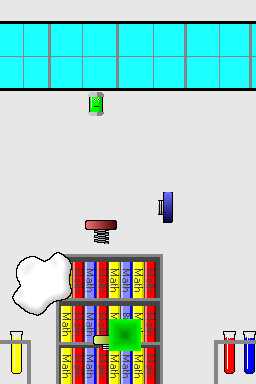
Organism is a DS homebrew adventure game made by AngelWire.
User guide
In Organism, you play as a green organism that longs to be free.
Create blocks, glue and springs to help the organism escape the laboratory.
Controls
Uses stylus.
Tap - Makes a block
Slide up/down/right - Make a spring
Slide left - Slow down organism with glue
Screenshots
Online Emulator
| Nintendo DS | Keyboard |
|---|---|

|

|

|

|

|

|

|

|

|

|

|

|

|

|

|

|

|

|
Compatibility
Tested on:
DSTT/TTDS (firmware 1.17a12)
iEvolution CycloDS (firmware 2.2)
External links
- DS Game Maker - http://dsgamemaker.com/dsgmforum/viewtopic.php?f=14&t=1559 (archived)