NxLink-PUI Switch: Difference between revisions
From GameBrew
More actions
No edit summary |
|||
| Line 16: | Line 16: | ||
==User guide== | ==User guide== | ||
Open HB Menu and click on Y key. | |||
Click on Nxlink_start.sh to open the tool. | |||
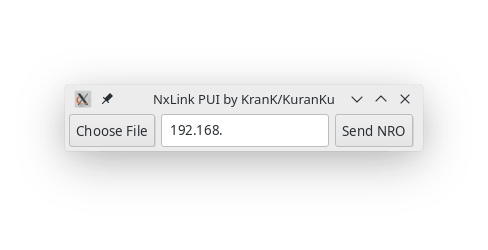
Browse nro file / enter Switch IP adress. | |||
Click Send NRO button. | |||
==Screenshots== | ==Screenshots== | ||
Revision as of 05:03, 10 June 2023
| NxLink GUI Python 3 | |
|---|---|
 | |
| General | |
| Author | KranKRival |
| Type | PC Utilities |
| Version | 2019 |
| License | Mixed |
| Last Updated | 2019/08/13 |
| Links | |
| Download | |
| Website | |
| Source | |
GUI for Nxlink in Python.
User guide
Open HB Menu and click on Y key.
Click on Nxlink_start.sh to open the tool.
Browse nro file / enter Switch IP adress.
Click Send NRO button.
Screenshots