
Jump n Bump Switch: Difference between revisions
More actions
No edit summary |
No edit summary |
||
| Line 22: | Line 22: | ||
==Installation== | ==Installation== | ||
Extract the contents of jumpnbump_switch.zip into the <code>switch</code> folder on your SD card, so that you have a folder <code>/switch/jumpnbump/<code> with jumpnbump.nro inside. | Extract the contents of jumpnbump_switch.zip into the <code>switch</code> folder on your SD card, so that you have a folder <code>/switch/jumpnbump/</code> with jumpnbump.nro inside. | ||
==Controls== | ==Controls== | ||
Revision as of 10:12, 21 May 2023
| Jump'n'Bump | |
|---|---|
| File:Jumpnbumpswitch.png | |
| General | |
| Author | rsn8887 |
| Type | Platform |
| Version | 1.02 |
| License | GPL-2.0 |
| Last Updated | 2021/05/23 |
| Links | |
| Download | |
| Website | |
| Source | |

This is a Switch and Vita port of the classic multiplayer-only MS-DOS game Jump'n'Bump by Brainchild Design, based on the SDL2 port by felixhaedicke.
Jump'n'Bump is a simple but addictive multiplayer game. The goal is to stomp as many other rabbits as possible to win the game.
Features
- Split Joycon support (Switch only): To toggle between split and combined Joycons, press L on joycon 1.
- Physical keyboard support via Bluetooth (Vita) and USB (Switch).
Installation
Extract the contents of jumpnbump_switch.zip into the switch folder on your SD card, so that you have a folder /switch/jumpnbump/ with jumpnbump.nro inside.
Controls
Left Stick/D-Pad - Move the character (up to four controllers are supported)
B/Y/A/X - Jump
Plus/Minus/Select/Start - ESC (restart game/advance through statistic screens)
R (on controller 1) - Toggle aspect ratio between original (default), 4:3, and 16:9
L (on controller 1) - Toggle split Joycon mode on/off (Switch only)
Physical keyboard controls via USB (Switch):
Cursor keys - White rabbit move and jump
a d w - Yellow rabbit move and jump
i j l = Gray rabbit move and jump
Keypad 4/8/6 = Brown rabbit move and jump
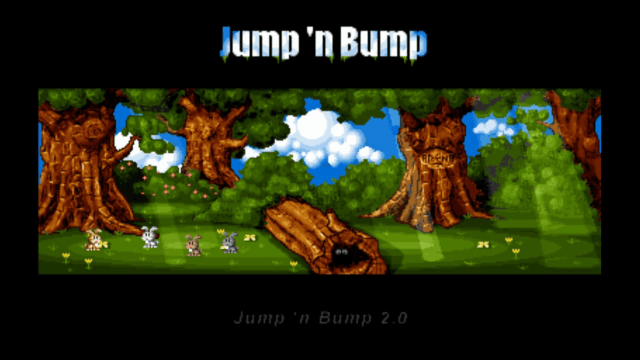
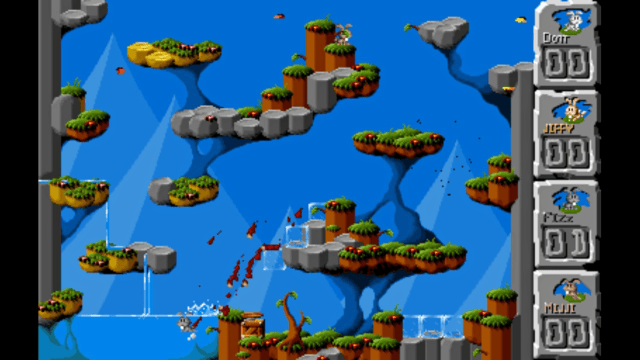
Screenshots
Changelog
v1.02 (Switch only)
- Re-compile with 12.0.0 support.
v1.01 (Switch only)
- Re-compile with 9.0.0 support.
v1.00
- First release on Switch and Vita.
Credits
- Thanks to my supporters on Patreon: Andyways, CountDuckula, Greg Gibson, Jesse Harlin, Özgür Karter, Matthew Machnee, and RadicalR.
- Thanks to the many developers of the game, such as Mattias Brynervall, Andreas Brynervall, Anders Nilsson, and many more.
- Thanks to Felix Haedicke for porting the game to SDL2 and Cmake.