
WADInformer Wii: Difference between revisions
From GameBrew
More actions
No edit summary |
No edit summary |
||
| Line 31: | Line 31: | ||
==Screenshots== | ==Screenshots== | ||
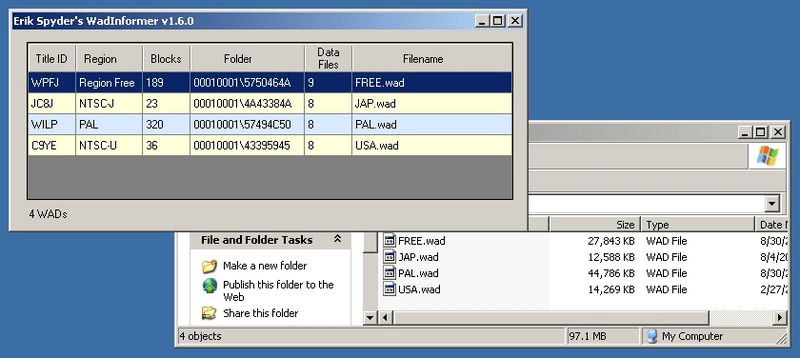
wadinformerwii3.png | https://dlhb.gamebrew.org/wiihomebrews/wadinformerwii3.png | ||
==External links== | ==External links== | ||
* WiiBrew - https://wiibrew.org/wiki/WADInformer | * WiiBrew - https://wiibrew.org/wiki/WADInformer | ||
Revision as of 05:45, 29 March 2023
| WADInformer | |
|---|---|
 | |
| General | |
| Author | Erik Spyder |
| Type | PC utilities |
| Version | 1.6 |
| License | Mixed |
| Last Updated | 2009/09/19 |
| Links | |
| Download | |
| Website | |
| Source | |
WADInformer is an application written in Visual Basic .NET with Visual Studio 2008.
With this PC based tool you can get Title ID, Region, Blocks, Folder & Data Files from WAD.
Features
- Shows the region of the Wad.
- Shows the blocks that the Wad will occupy when installed.
- Shows the Wad ID.
- Shows the folder where the Wad is located.
- Show full name.
User guide
WADInformer is easy to use:
- Drag & Drop Folder or WAD Files on the Grid;
- Press ESC to quit.
Microsoft Framework 2.0 is required.
Screenshots
External links
- WiiBrew - https://wiibrew.org/wiki/WADInformer