
No edit summary |
No edit summary |
||
| Line 10: | Line 10: | ||
|description=Game Boy emulator. Fork of Goomba. | |description=Game Boy emulator. Fork of Goomba. | ||
|author=Asaki | |author=Asaki | ||
|lastupdated= | |lastupdated=2023/04/20 | ||
|type=Handheld | |type=Handheld | ||
|version=2. | |version=2.41 | ||
|license=Mixed | |license=Mixed | ||
|download=https://dlhb.gamebrew.org/gbahomebrews/sgoomba.7z | |download=https://dlhb.gamebrew.org/gbahomebrews/sgoomba.7z?k33p0fil35 | ||
|website= | |website=https://gbatemp.net/threads/super-goomba-2-0.645547/ | ||
|source=https:// | |source=https://gbatemp.net/threads/super-goomba-2-0.645547/ | ||
}} | }} | ||
SUPER Goomba is a Game Boy emulator for the GBA. It is a modified version of [[Goomba Paletted GBA|Goomba Paletted]] v2.32, which itself was based on [[Goomba GBA|Goomba]]. | SUPER Goomba is a Game Boy emulator for the GBA. It is a modified version of [[Goomba Paletted GBA|Goomba Paletted]] v2.32, which itself was based on [[Goomba GBA|Goomba]]. | ||
| Line 23: | Line 23: | ||
==Installation== | ==Installation== | ||
Two versions are provided, goomba_raw.gba (barebones) and goomba_with_all_palettes.gba (includes SGB and GBC palettes). | |||
You can also implement custom borders/palettes yourself: | |||
<pre>copy /b goomba_raw.gba+BORDER_FILENAME.bin+PALETTE_FILENAME.pal goomba_NEW_FILENAME.gba</pre> | |||
To compile the ROM, you can run Gooba Front or use the [https://github.com/patters-match/gba-emu-compilation-builders/tree/main Python build scripts by patters]. | |||
==Controls== | ==Controls== | ||
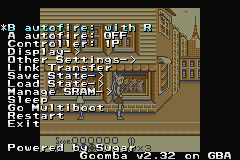
L+Right/ | '''Menu:''' | ||
A - Choose | |||
B or L+R - Cancel | |||
'''In game:''' | |||
L+R - Menu | |||
L+Start - Speed modes (throttled/unthrottled/slomo) | |||
R+Start - Quick load (the last savestate of the current rom) | |||
R+Select - Quick save (the last savestate of the current rom, or makes a new one if none exist) | |||
L+Left/Right - Quick palette change (move left/right in the palette list) | |||
L+Up/Down - Quick border change (move up/down in the border list) | |||
Start+Select - Wake up from sleep mode (activated from menu or 5/10/30 minutes of inactivity) | |||
==Screenshots== | ==Screenshots== | ||
<tabber> | |||
|-|v2.3= | |||
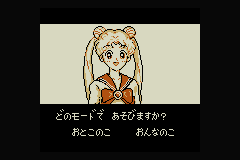
https://dlhb.gamebrew.org/gbahomebrews/sgoomba3.png | https://dlhb.gamebrew.org/gbahomebrews/sgoomba3.png | ||
https://dlhb.gamebrew.org/gbahomebrews/sgoomba4.png | https://dlhb.gamebrew.org/gbahomebrews/sgoomba4.png | ||
https://dlhb.gamebrew.org/gbahomebrews/sgoomba5.png | https://dlhb.gamebrew.org/gbahomebrews/sgoomba5.png | ||
|-|v2.41= | |||
{| style="width: 750px;" | |||
| | |||
https://dlhb.gamebrew.org/gbahomebrews/sgoombagba6.png | |||
https://dlhb.gamebrew.org/gbahomebrews/sgoombagba7.png | |||
https://dlhb.gamebrew.org/gbahomebrews/sgoombagba8.png | |||
https://dlhb.gamebrew.org/gbahomebrews/sgoombagba9.png | |||
|} | |||
</tabber> | |||
==Changelog== | ==Changelog== | ||
'''v2.41 2023/04/20''' | |||
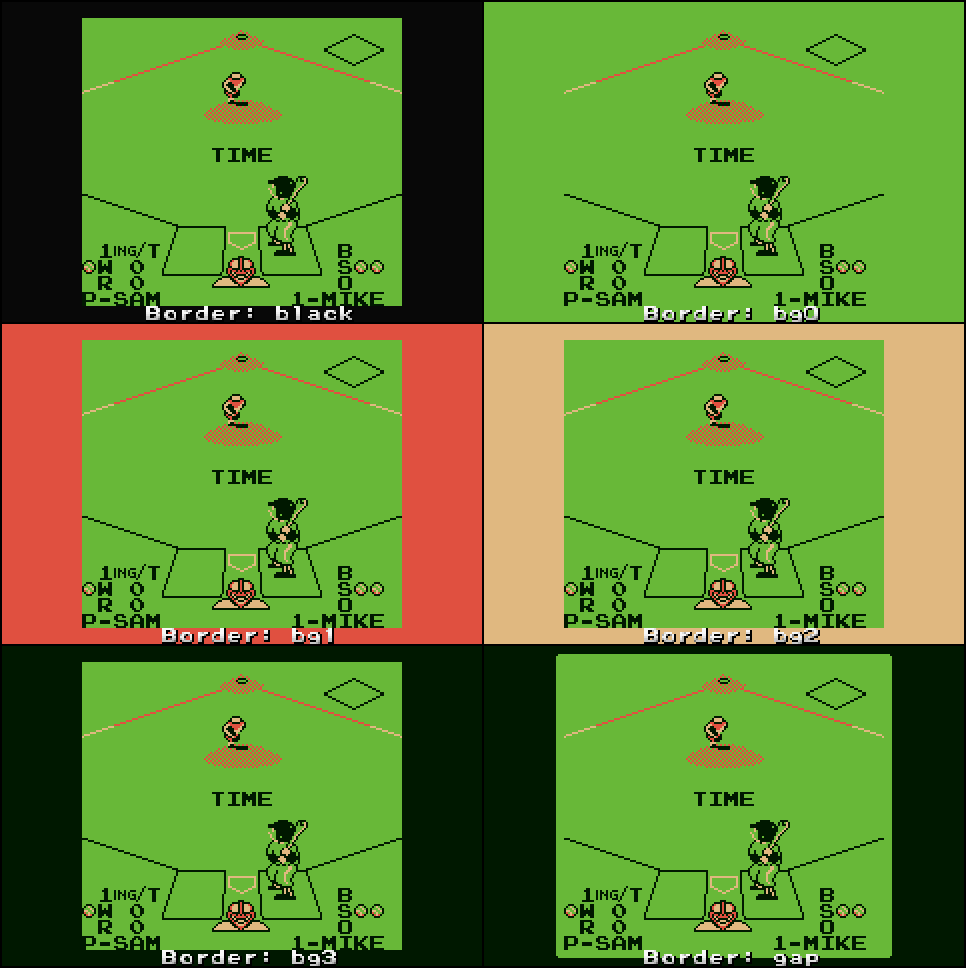
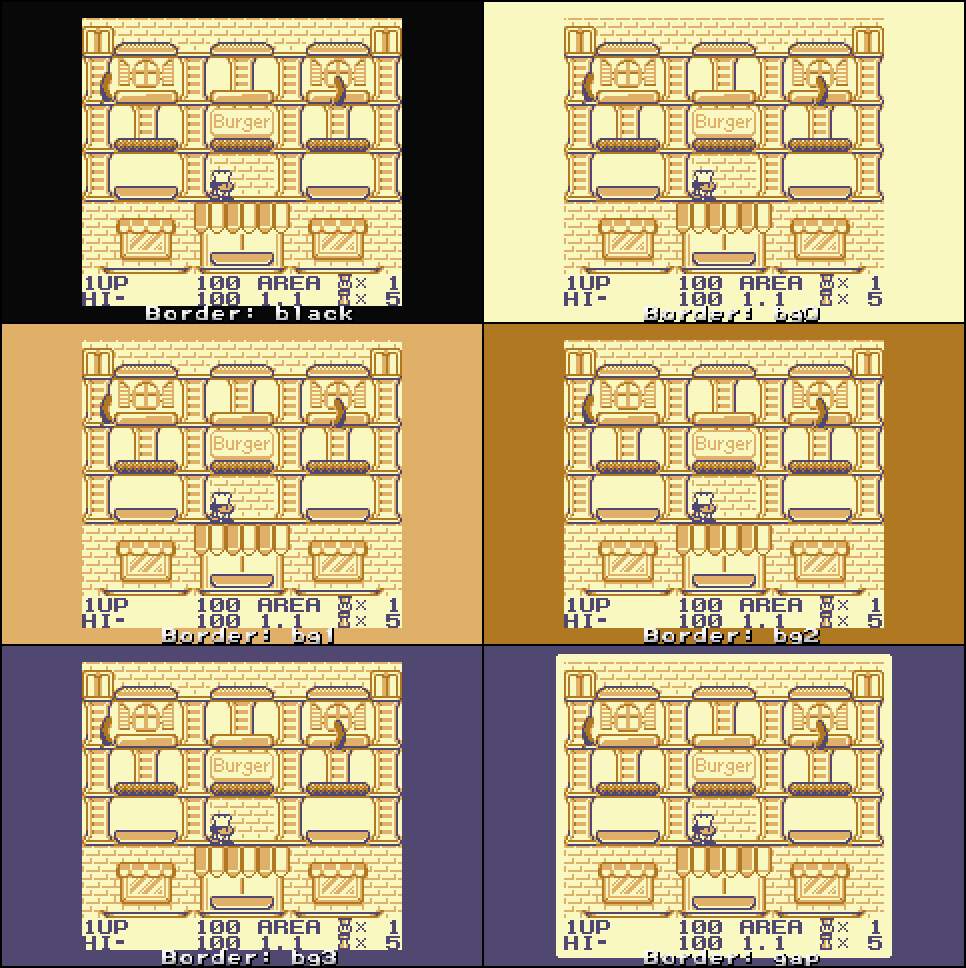
* Revamped the default borders: | |||
** Black - pure '0 0 0' black border. | |||
** bg0, bg1, bg2, bg3 - set to match background layer palette. | |||
** gap - bg3 colored border with a four-pixel margin around the screen. | |||
* Adjusted/added palettes: | |||
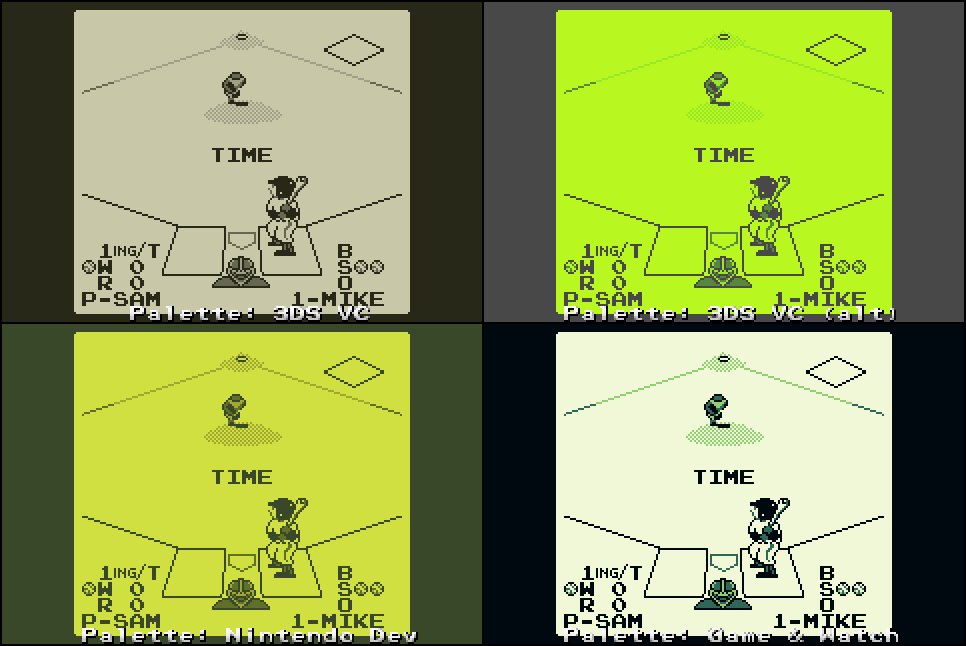
** Nintendo Dev - from the official dev kit, courtesey of Frank Cifaldi. | |||
** 3DS VC - dumped the real color values from internal files, before they are dimmed. | |||
** 3DS VC (alt) - the (ugly) alternate green palette. | |||
** Game & Watch - sourced from official JPG screenshots of G&W Link's Awakening. (If anyone could supply the actual internal values, that would be great) | |||
'''v2.3 2009/04/17''' | '''v2.3 2009/04/17''' | ||
*All 16 palettes replaced. | *All 16 palettes replaced. | ||
| Line 68: | Line 114: | ||
==External links== | ==External links== | ||
* GBAtemp - https://gbatemp.net/threads/super-goomba-2-0.645547/ | |||
* Pocket Heaven - [https://web.archive.org/web/20091121025733/http://www.pocketheaven.com/boards/viewtopic.php?t=6910 http://www.pocketheaven.com/boards/viewtopic.php?t=6910] (archived) | * Pocket Heaven - [https://web.archive.org/web/20091121025733/http://www.pocketheaven.com/boards/viewtopic.php?t=6910 http://www.pocketheaven.com/boards/viewtopic.php?t=6910] (archived) | ||
[[Category:GBA homebrew emulators]] | [[Category:GBA homebrew emulators]] | ||
[[Category:Homebrew handheld emulators on GBA]] | [[Category:Homebrew handheld emulators on GBA]] | ||
| SUPER Goomba | |
|---|---|
 | |
| General | |
| Author | Asaki |
| Type | Handheld |
| Version | 2.41 |
| License | Mixed |
| Last Updated | 2023/04/20 |
| Links | |
| Download | |
| Website | |
| Source | |
SUPER Goomba is a Game Boy emulator for the GBA. It is a modified version of Goomba Paletted v2.32, which itself was based on Goomba.
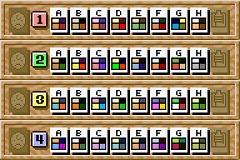
This custom build features support for all 32 Super Game Boy palettes and a palette switch hotkey, it was later integrated into Goomba Paletted and Goomba Color.
Two versions are provided, goomba_raw.gba (barebones) and goomba_with_all_palettes.gba (includes SGB and GBC palettes).
You can also implement custom borders/palettes yourself:
copy /b goomba_raw.gba+BORDER_FILENAME.bin+PALETTE_FILENAME.pal goomba_NEW_FILENAME.gba
To compile the ROM, you can run Gooba Front or use the Python build scripts by patters.
Menu:
A - Choose
B or L+R - Cancel
In game:
L+R - Menu
L+Start - Speed modes (throttled/unthrottled/slomo)
R+Start - Quick load (the last savestate of the current rom)
R+Select - Quick save (the last savestate of the current rom, or makes a new one if none exist)
L+Left/Right - Quick palette change (move left/right in the palette list)
L+Up/Down - Quick border change (move up/down in the border list)
Start+Select - Wake up from sleep mode (activated from menu or 5/10/30 minutes of inactivity)
|
|
v2.41 2023/04/20
v2.3 2009/04/17
Special thanks:
Ugetab for the Pro Action Replay codes to get SGB to run in ZSNES:
Nensondubois for the SGB2 codes:
FluBBa of the original Goomba.
Kuwanger for his "unofficial" build
Dwedit for updating Goomba Color.
Nintendo.
Advertising: