
Trix GBA: Difference between revisions
From GameBrew
More actions
Created page with "{{#seo: |title= (Action) - GameBrew |title_mode=append |image=trixgba2.png |image_alt=Trix }} {{Infobox GBA Homebrews |title=Trix |image=trixgba2.png |description=A Qix style..." |
No edit summary |
||
| Line 16: | Line 16: | ||
|download=https://dlhb.gamebrew.org/gbahomebrews/trixgba.7z | |download=https://dlhb.gamebrew.org/gbahomebrews/trixgba.7z | ||
|website=https://www.gbadev.org/demos.php?showinfo=287 | |website=https://www.gbadev.org/demos.php?showinfo=287 | ||
|source=trixgba.7z | |source=https://dlhb.gamebrew.org/gbahomebrews/trixgba.7z | ||
}} | }} | ||
Trix is a Qix style game. | Trix is a Qix style game. | ||
Revision as of 13:18, 18 September 2022
| Trix | |
|---|---|
 | |
| General | |
| Author | Richard Heasman |
| Type | Action |
| Version | 1.0 |
| License | Freeware |
| Last Updated | 2002/07/26 |
| Links | |
| Download | |
| Website | |
| Source | |
Trix is a Qix style game.
User guide
Get 75% to complete the level.
Controls
D-Pad - Move
A - Start drawing
Hold A - Slow draw
Screenshots
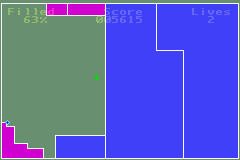
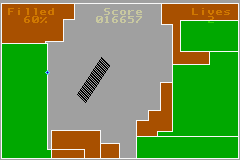
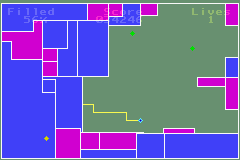
Changelog
v1.0
- First Version.
Credits
Thanks to:
- Taito for Qix.
- Jeff Frohwein for MultiBoot, crt0, lnkscript, FAQ, b2x.
- Tubooboo for HAM (v1.40).
- Forgotten for VisualBoyAdvance.
- Tom Happ for Cowbite spec.
- Markus for Gfx2Gba (v0.10).
- Credo for Gbarm.
- Staringmonkey for pixel and sound examples.
- Patrick Melody for flood fill.
- Dark Fader for sound examples.
- gbadev.org for various info.