
Iro: Difference between revisions
From GameBrew
More actions
No edit summary |
No edit summary |
||
| Line 26: | Line 26: | ||
https://dlhb.gamebrew.org/dshomebrew/iro2.png | https://dlhb.gamebrew.org/dshomebrew/iro2.png | ||
https://dlhb.gamebrew.org/dshomebrew/iro3.png | https://dlhb.gamebrew.org/dshomebrew/iro3.png | ||
<!--BEGIN Online Emulator Section--> | |||
==Online Emulator== | |||
{{#tag:html| | |||
<div style='width:520px;height:390px;max-width:100%'><div id='game'></div></div> | |||
<script type='text/javascript'> | |||
{{DS EmulatorJS Settings}} | |||
EJS_core = 'nds'; | |||
EJS_gameName = "Iro"; | |||
EJS_gameUrl = 'https://dlhb.gamebrew.org/dshomebrew/iro.7z'; | |||
</script> | |||
{{EmulatorJS Loader}} | |||
}} | |||
{{DS Control Settings}} | |||
<!--END Online Emulator Section--> | |||
==Changelog== | ==Changelog== | ||
'''0.9c''' | '''0.9c''' | ||
Revision as of 02:19, 21 November 2023
| Iro | |
|---|---|
 | |
| General | |
| Author | scawf |
| Type | Arcade Games |
| Version | 0.9c |
| License | Mixed |
| Last Updated | 2005/09/29 |
| Links | |
| Download | |
| Website | |
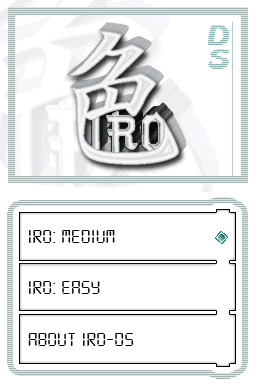
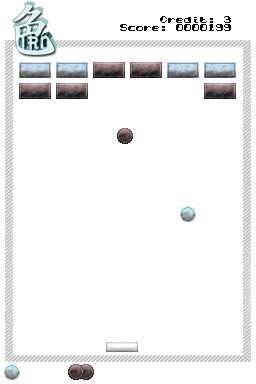
Iro is a homebrew Breakout clone for the NDS.
User guide
Iro is a brick breaker using multiple colors of balls and bricks.
Each brick can only be destroyed by its ball color.
Controls
Select - Change language
L+R - Save progress
Screenshots
Online Emulator
| Nintendo DS | Keyboard |
|---|---|

|

|

|

|

|

|

|

|

|

|

|

|

|

|

|

|

|

|
Changelog
0.9c
- You can now save your progress by simultaneously pressing the two triggers of your favorite toy.
0.9b
- Added a bonus.
- Fixed some bugs.
- Multilanguage: press SELECT to change language.
0.8
- Added highscores, 2 bonuses, and some levels.
External links
- Author's website - http://scawf.zonealta.fr/DS/index.php?page=iro (archived)