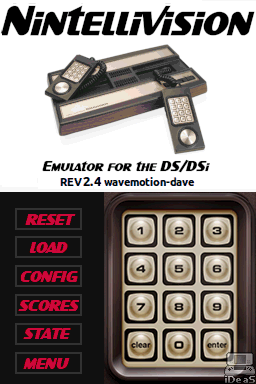
Nintellivision: Difference between revisions
From GameBrew
More actions
No edit summary |
No edit summary |
||
| Line 18: | Line 18: | ||
* Custom Overlay Support. | * Custom Overlay Support. | ||
* Manual instruction Support. | * Manual instruction Support. | ||
* Custom Palette Support. | |||
* Save Sate support (3 save slots per game). | * Save Sate support (3 save slots per game). | ||
* Tons of button/controller mapping options. | * Tons of button/controller mapping options. | ||
* JLP support for accelerated functions, extra RAM and flash memory. When loading a game, use the X button to load and force JLP support ON. | * JLP support for accelerated functions, extra RAM and flash memory. When loading a game, use the X button to load and force JLP support ON. | ||
==Installation== | ==Installation== | ||
| Line 35: | Line 35: | ||
Once loaded, the configuration (or default settings) is loaded with the game. You can pick your overlay, [https://gbatemp.net/threads/introducing-nintellivision-an-emulator-for-the-ds-dsi.593786/post-9627734 custom palette] and tweak key mappings and other settings in configuration. | Once loaded, the configuration (or default settings) is loaded with the game. You can pick your overlay, [https://gbatemp.net/threads/introducing-nintellivision-an-emulator-for-the-ds-dsi.593786/post-9627734 custom palette] and tweak key mappings and other settings in configuration. | ||
=== | ===Customization=== | ||
Please see to the enclosed tutorial (in the extras folder) of how to create custom overlay. | Please see to the enclosed tutorial (in the extras folder) of how to create custom overlay. | ||
| Line 45: | Line 45: | ||
Manuals can also be placed with your rom files (can change to /roms/intv/man/ or /roms/man/ from the menu). | Manuals can also be placed with your rom files (can change to /roms/intv/man/ or /roms/man/ from the menu). | ||
New palette can be created using text file and store it as /data/NINTV-DS.PAL (see [https://gbatemp.net/threads/introducing-nintellivision-an-emulator-for-the-ds-dsi.593786/page-10#post-9627734 example]). | |||
Once you loaded the game, go to config menu to change overlay settings and option for game manual is located in the main menu. | Once you loaded the game, go to config menu to change overlay settings and option for game manual is located in the main menu. | ||