
DSDoom SVN: Difference between revisions
More actions
m HydeWing moved page DsDoom SVN to DSDoom SVN |
m Text replacement - "{{Infobox homebrew" to "{{Infobox DS Homebrews" |
||
| Line 1: | Line 1: | ||
{{Infobox | {{Infobox DS Homebrews | ||
| title = DsDoom SVN | | title = DsDoom SVN | ||
| image = https://dlhb.gamebrew.org/dshomebrew/dsdoomsvn.png | | image = https://dlhb.gamebrew.org/dshomebrew/dsdoomsvn.png | ||
Revision as of 19:17, 16 October 2021
| DsDoom SVN | |
|---|---|
| [[1]] | |
| General | |
| Author | Kippykip, elhobbs |
| Type | Shooter |
| Version | 1.4 |
| Links | |
| Download | |
| Website | |
| Source | |
![[1]](https://dlhb.gamebrew.org/dshomebrew/dsdoomsvn.png%7C300px)
DsDoom SVN a port of Doom to the Nintendo DS. It is based on DS Doom v1.2.1, with a new function menu, music support, other improvements and bugfixes.
Installation
Copy the following files to the same directory of you card (the shareware version is included):
- DOOM1.WAD.
- dsdoom.nds.
- GENMIDI.
- PRBOOM.CFG.
- prboom.wad.
You can run compatible custom wads by placing WAD and DEH files into the same directory and edit the config file PRBOOM.CFG. Example:
# Files
wadfile_1                 "CHEX.WAD"
wadfile_2                 ""
dehfile_1                 ""
dehfile_2                 ""
It is also possible load pwads using argv files via homebrew menu, please refer to the release thread for more information.
User guide
IWAD options:
- DOOM1.WAD.
- DOOM.WAD.
- PLUTONIA.WAD.
- TNT.WAD.
Screen Mode options:
- Dual - Game is on top screen and automap/HUD on bottom.
- Single - Game and HUD on top screen, no automap (Bottom Screen is black).
- Console - Same as above but there is console text on the bottom screen.
Controls
X - Weapon Down
Y - Fire
B - Sprint, Use, Escape (menus)
A - Weapon Up, Enter (menus)
Screenshots
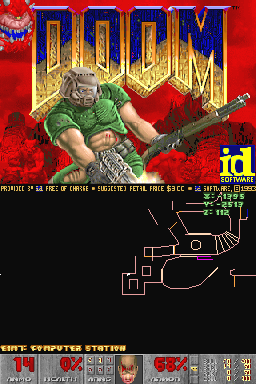
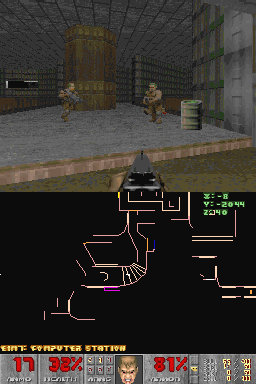
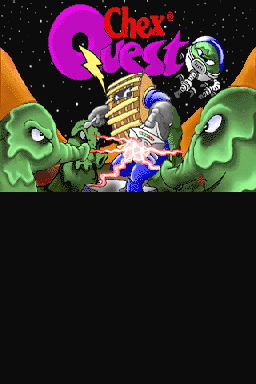
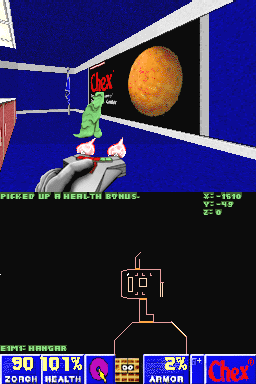
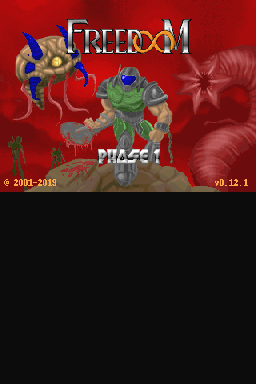
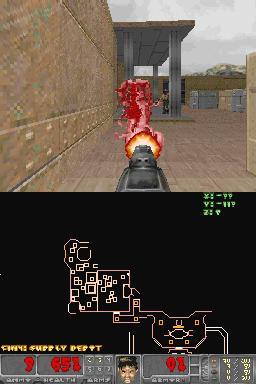
Changelog
1.4
- New menu, still things to add.
- Fixed the weapon switch with the super shotgun on TNT and PLUTONIA.
- Fixed the off-center intermission screen.
1.3
- Fixed the icon.
- Changed the controls:
- X - Weapon Down.
- Y - Fire.
- B - Sprint/Use/Escape on menus.
- A - Weapon Up/Enter on menus.
- You can now select the Super Shotgun in Doom2+.
- There is now a keyboard on the bottom screen (Cheats don't work for whatever reason atm). You can change weapons with this easier though.
- Fixed the high pitched beeps in the music finishes/changes.
- Corrected the versions on the first screen.
- Other minor bugs.
1.2
- MUSIC - Thanks to elhobbs.
- Fixed that small hud bug with 'Arms'.
- Single Screen.
- New icon.
1.1
- No more screen scaling, it now directly renders at 256x192.
1.0
- Improved the first screen.
- WAD Selection.
- Original 'Ouch' face bug fixed.
Credits
DsDoom SVN Created by:
- Kippykip.
- elhobbs.
Original DsDoom Created by:
- Chuck Moyes.
- Dave Murphy.
- Wouter Groeneveld.
Please also see AUTHORS.txt for the list of authors, contirbutors and credits for PrBoom.